Package Information
Available Nodes
Documentation generating…

Documentation
Grok Video for n8n: first video
Generate one short video, then query the same task until it finishes. This community package connects only the Grok Video service through Ace Data Cloud. The screenshots below show an actual self-hosted n8n 2.42.3 instance in English. n8n Creator Portal verification is pending.
Package: @acedatacloud/n8n-nodes-grok-video · Grok Video API and pricing · Source
Quick start
1. Install the node
In self-hosted n8n, sign in as an owner or admin. Open Settings → Community nodes → Install, enter @acedatacloud/n8n-nodes-grok-video, review the author Ace Data Cloud, accept the installation notice and select Install. Your server needs HTTPS access to npm and api.acedata.cloud. n8n's installation guide covers instance prerequisites. n8n Cloud exposes a community node in its picker only after verification; check the current picker before assuming Cloud availability.
2. Get an API key with Grok Video access
New account? Register and sign in first. If the Applications page has no General application yet, choose Initialize General Application, then continue with the key steps below.
- Sign in at Ace Data Cloud → Applications.
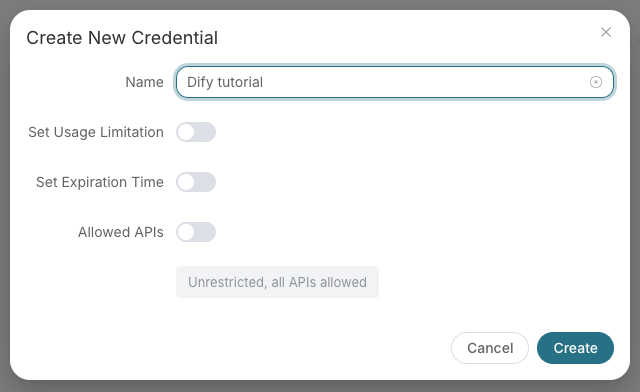
- Open General application and copy its API key, or choose Manage Keys → Create for a separate n8n key.
- Check Grok Video access, current pricing and balance. If Allowed APIs is enabled, include both
/grok/videosand/grok/tasks.
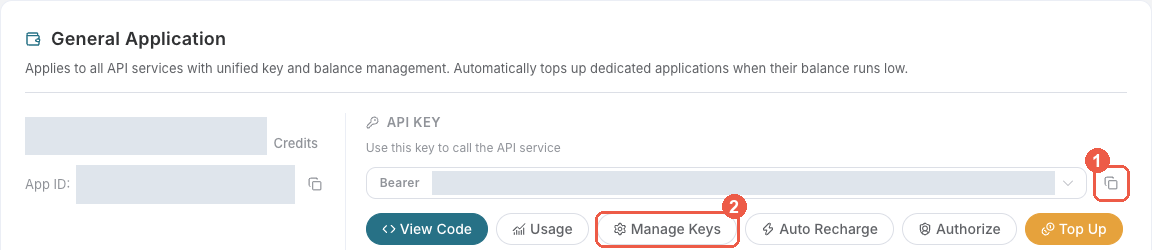
Copy only the application token. Do not include Bearer , quotation marks or a platform management token. Keep it out of workflow exports and screenshots.
3. Save the credential in n8n
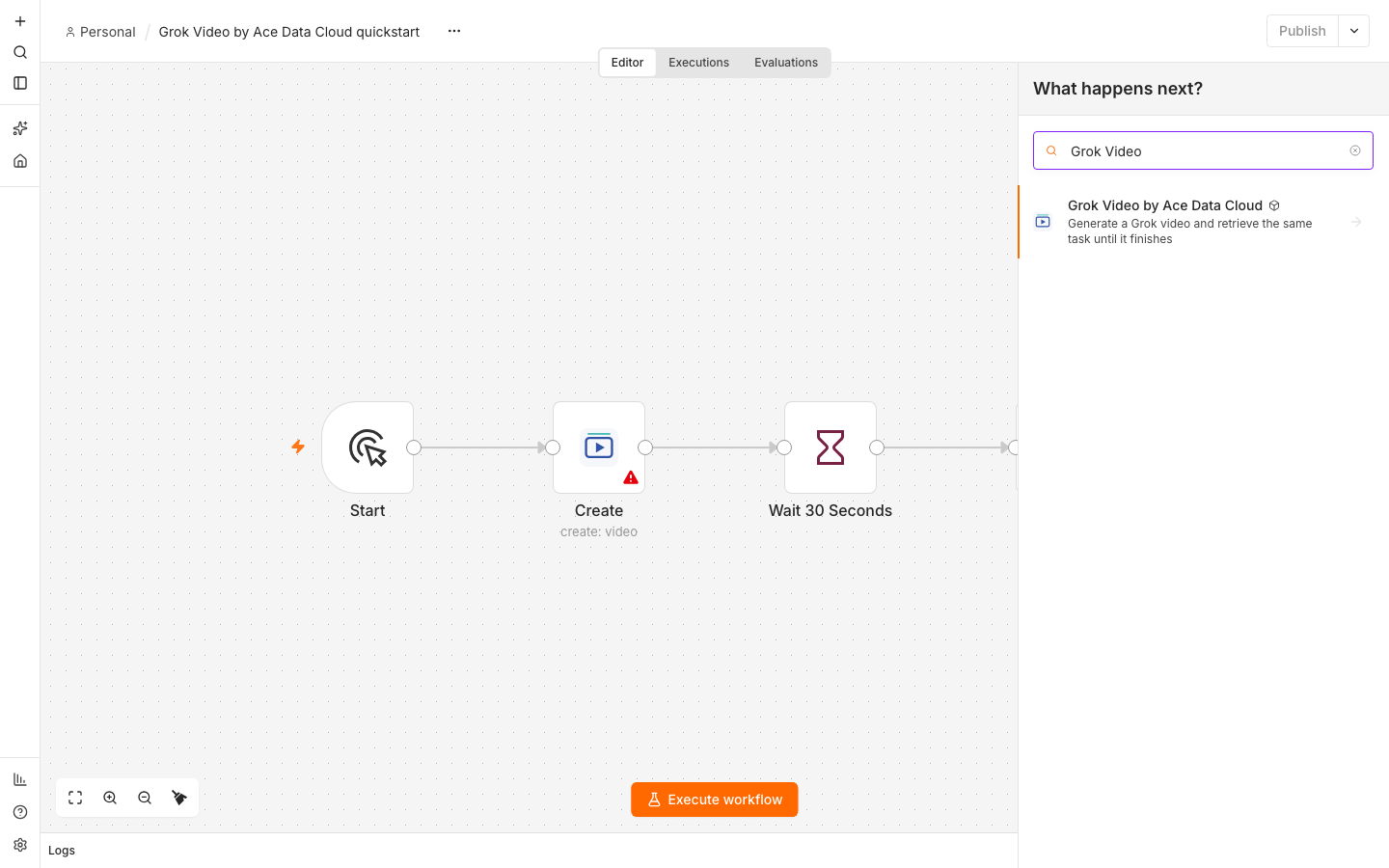
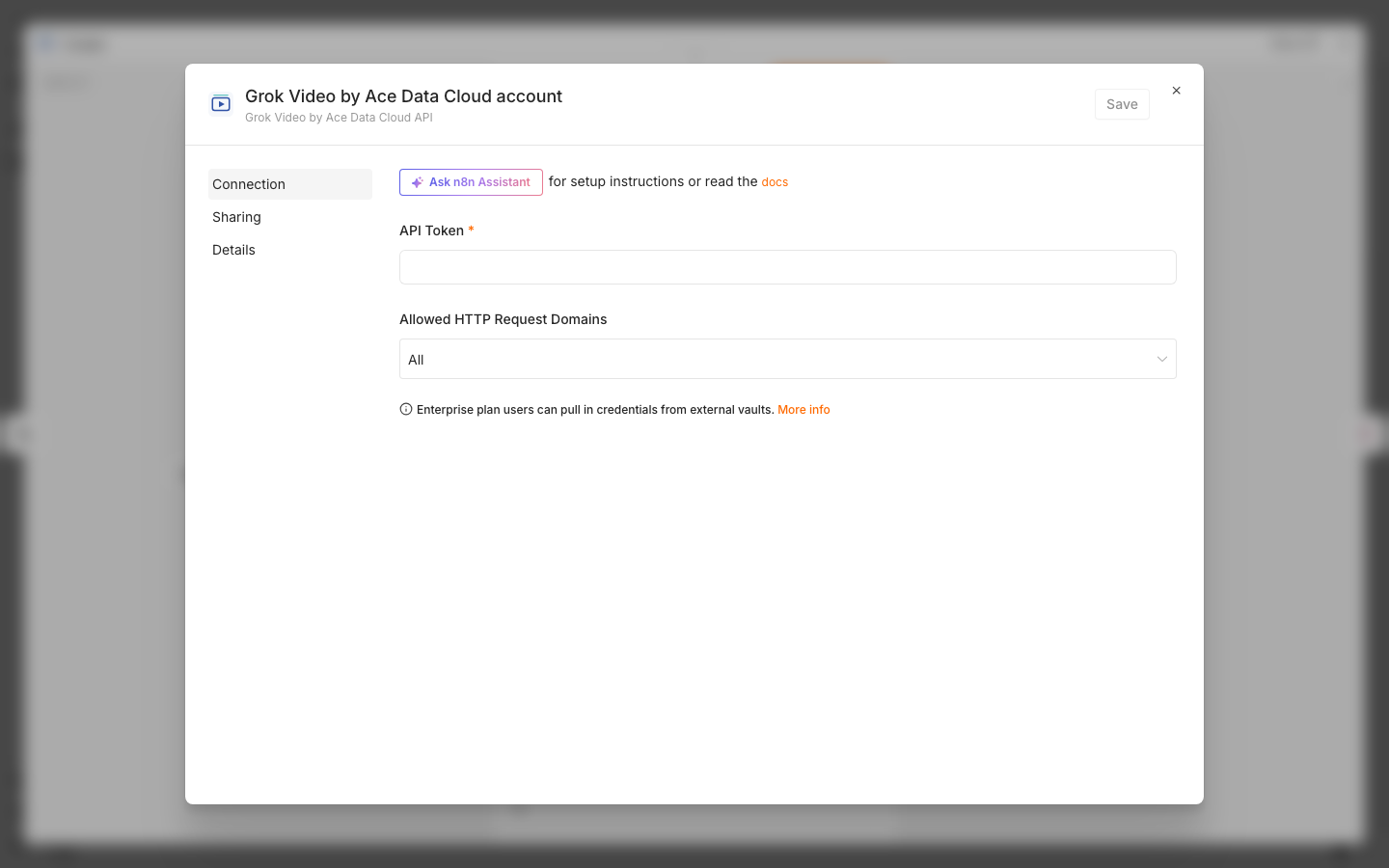
Add Grok Video by Ace Data Cloud to a workflow. In Credential, select Connect to Grok Video by Ace Data Cloud and create a new credential. Paste the token into API Token. Set Allowed HTTP Request Domains to Specific Domains → api.acedata.cloud and save. Use the same credential on Create and Get Task.
The credential test calls the free /openai/models metadata route. It checks the token, while the first Grok Video call checks service access.
4. Import and run the smallest workflow
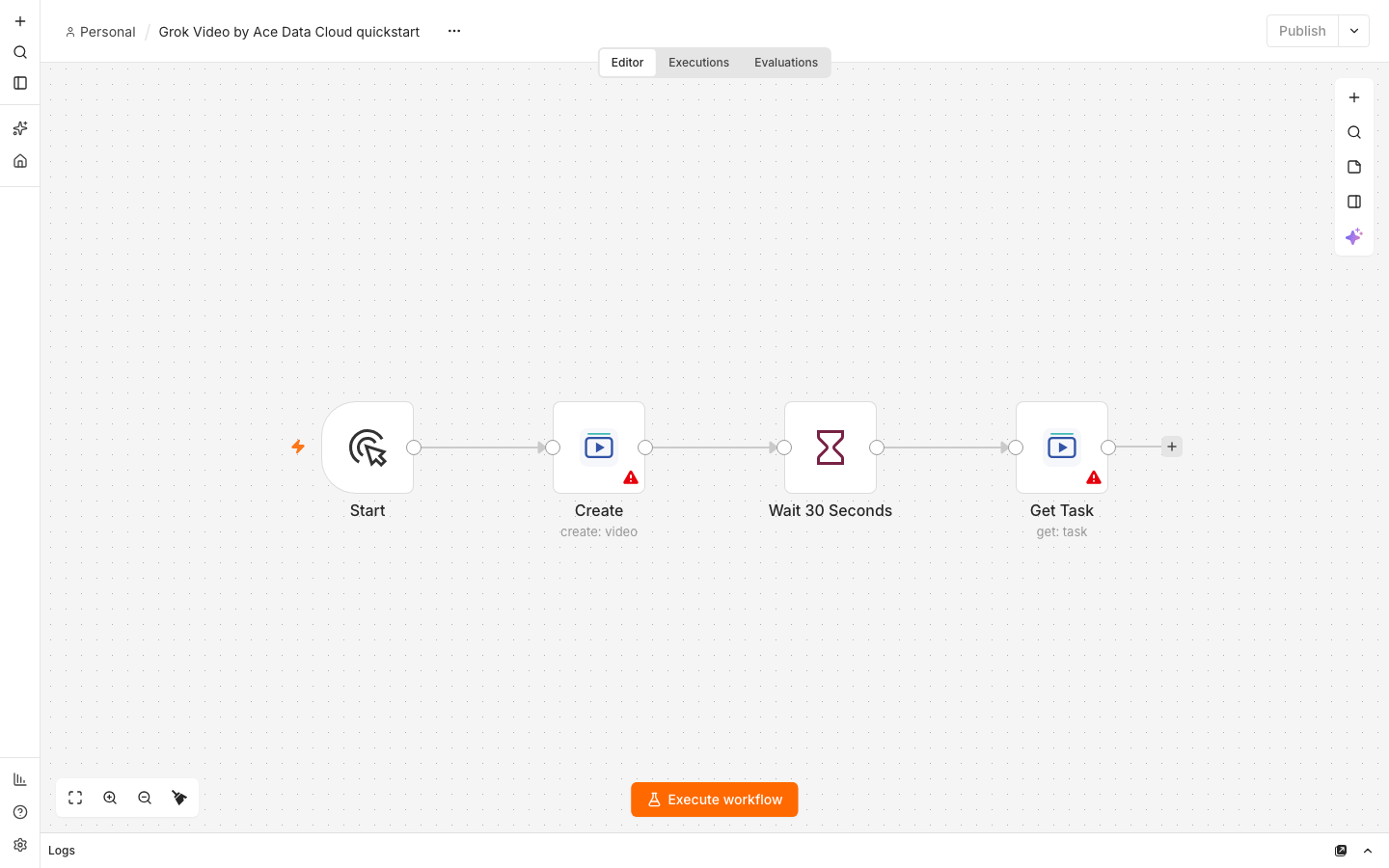
Download the credential-free quickstart. In a new n8n workflow, choose ⋯ → Import → From file and assign your credential to both Grok Video nodes. The path is Start → Create → Wait 30 Seconds → Get Task.
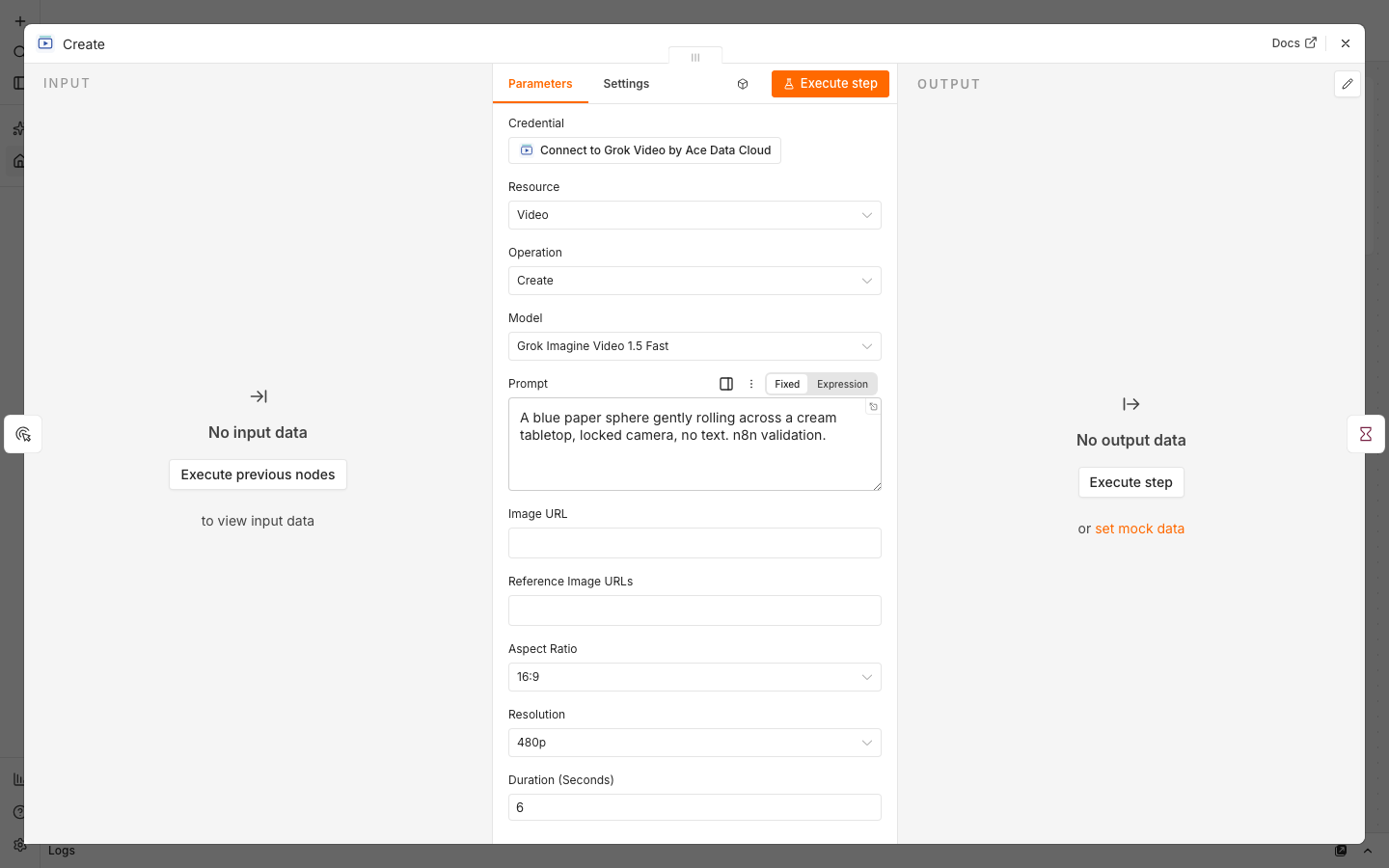
| Create field | First-run value |
|---|---|
| Resource / Operation | Video / Create |
| Model | Grok Imagine Video 1.5 Fast |
| Resolution | 480p |
| Duration | 6 seconds |
| Aspect Ratio | 16:9 |
Prompt: A blue paper sphere gently rolling across a cream tabletop, locked camera, no text. n8n validation.
Leave Image URL and Reference Image URLs empty. Check the current six-second price and account balance before executing. Keep Retry On Fail off and select Execute workflow once. Create returns a task ID with status submitted; it does not mean the video is complete. The Get Task field points to Create → taskId, so it queries that exact task after the wait.
5. Confirm the result and charge
Open Get Task output. Continue only when status=succeeded, finished=true and successful=true; then open videoUrls. If the task is still processing, do not rerun the full workflow: that would create another paid video. Use the query-only workflow with the original task ID and the same credential. The bounded polling workflow queries that same ID for up to 30 minutes without creating another task.
Compare the task's trace ID and execution time with Ace Data Cloud usage history. Any cost.amount is in Credits, not USD. Check the current Grok Video price in your Ace Data Cloud account before executing; model, duration, resolution and account package affect the charge. A credentialed n8n result and bill have not yet been verified for this release.
Other options and troubleshooting
The node also accepts an authorized public HTTPS Image URL for image-to-video, optional reference image URLs and three output resolutions. The Grok Imagine Video 1.5 Official model requires Image URL. Fast 1.5 accepts 6–30 seconds; the other listed models accept 1–15 seconds. Model, duration and resolution can change price. Task → Get Many queries up to 50 existing IDs without generating video. Advanced modes have contract tests, but are not claimed as live validated n8n cases.
| What you see | What to check |
|---|---|
| 401 or 403 | Check the full application token, expiry, Grok Video access, balance and Allowed APIs for both endpoints. |
| 400 | Use the first-run model, valid duration and resolution; 1.5 Official requires Image URL. |
| submitted or processing | Query the same task ID. Do not rerun Create to poll. |
| 429 | Reduce concurrency and keep automatic retries off. |
| Timeout or 5xx | Inspect the original task and usage history before submitting again; the first request may have been accepted. |
| Video link fails | Wait for terminal success, then open the returned URL directly. |
Each input item can create one paid task. The node does not automatically retry or follow HTTP redirects, and task output omits known credential, request and internal routing fields. Process only media you are authorized to use. Privacy · Report an issue · dev@acedata.cloud