Package Information
Available Nodes
Documentation generating…


Documentation
Chat SDK for n8n


One n8n workflow, eleven chat platforms. This community node wraps
Vercel's Chat SDK (chat on npm), so a single workflow
answers mentions on Slack, Mattermost, Teams, Telegram, Discord and more,
through one shared thread and message model.
flowchart LR
    subgraph platforms["Chat platforms"]
        SL[Slack]
        MM[Mattermost]
        TG[Telegram]
        ETC["…8 more"]
    end

    subgraph n8n["n8n"]
        TR[Chat Trigger]
        WF([Your workflow])
        AC[Chat]
        WT[Wait]
    end

    SL & TG & ETC -->|webhook| TR
    MM -->|socket| TR
    TR -->|"thread + message"| WF
    WF --> AC
    WF --> WT
    AC -->|post / react / edit| platforms
    platforms -.->|button click| WT
Requirements
- Self-hosted n8n, with both:
N8N_COMMUNITY_PACKAGES_ENABLED=trueN8N_UNVERIFIED_PACKAGES_ENABLED=true— this package cannot be verified (see
below), and n8n warns that this flag's default becomesfalsein a future
version, so set it explicitly
- Node.js 22 or newer
This node cannot run on n8n Cloud. Cloud only accepts verified community
nodes, and verification forbids runtime dependencies — the Chat SDK and its
adapters are exactly that. Nothing about the design can change this.
Install
Settings → Community nodes → Install → @farukcan/n8n-nodes-chat-sdk
Both environment variables above must be set before the install button appears.
Supported platforms
| Platform | Transport | Not available |
|---|---|---|
| Slack | webhook or socket | reply |
| Mattermost | socket | reply |
| Microsoft Teams | webhook | reply |
| Telegram | webhook or socket (polling) | ephemeral messages |
| Discord | webhook | reply, ephemeral messages |
| Notion | webhook | reply, ephemeral messages, get user |
| webhook | ephemeral messages, get user | |
| Twilio | webhook | reply, ephemeral messages |
| Messenger | webhook | reply, ephemeral messages, get user |
| webhook | reply, ephemeral messages, get user | |
| Linear | webhook | reply, ephemeral messages |
The "not available" column is measured from each adapter's installed code, not
copied from documentation, and the node hides those operations rather than
letting them fail. Reply is unavailable almost everywhere because most
platforms have no separate reply concept — posting into the thread already
threads the message. Only Telegram and WhatsApp implement a distinct reply.
Deliberately excluded
| Platform | Why |
|---|---|
| XChat | Documented on chat-sdk.dev but never published to npm |
| Web | Needs its own frontend, which n8n does not provide |
| GitHub | Credentials only from environment variables, and the adapter is scoped to one pull request rather than a bot |
| Google Chat | Credentials only from environment variables (service account, Pub/Sub topic, impersonation) |
| X | OAuth refresh tokens cannot be written back into an n8n credential, so the integration breaks once the token expires |
GitHub and Google Chat would require writing to process.env per execution.
n8n runs executions in parallel inside one process, so two workflows using
different credentials would overwrite each other — a race that is very hard to
diagnose. They are left out rather than shipped broken.
Transports
Webhook — the platform calls n8n. Needs a publicly reachable instance. Paste
the trigger's production webhook URL into the platform's app configuration.
Registration is always manual, including on Telegram, which would otherwise
accept an API call: n8n exposes a separate test and production URL, and
registering the test one would silently break production. Telegram therefore
needs a one-off setWebhook:
curl -X POST "https://api.telegram.org/bot<TOKEN>/setWebhook" \
  -H 'Content-Type: application/json' \
  -d '{"url":"<production webhook URL>","secret_token":"<the credential secret>"}'
Socket — n8n holds an outbound connection, so it works behind a firewall
with no public URL. Required for Mattermost, whose messages only arrive over its
websocket gateway. Available for Slack (socket mode) and Telegram (long polling).
Keeping a Mattermost socket honest
The Mattermost adapter schedules its reconnect from the socket's close event,
and a connection dropped by a NAT table or a load balancer never delivers one.
The client is then left holding a socket whose readyState still reads OPEN,
so no reconnect is scheduled and the adapter's own connect() returns early on
that same stale reading. Nothing in the log says so — the last line remainsMattermost websocket connected — and the trigger simply never fires again
until the workflow is reactivated.
So the trigger probes the connection rather than trusting it. Every 30 seconds
it sends a read-only request over the socket and requires a frame back; any
inbound frame proves the connection still carries traffic in both directions.
After two silent probes the socket is disconnected and rebuilt, which logs:
[n8n-nodes-chat-sdk] socket stopped answering; reconnected it
Messages that arrive while the socket is down are lost either way: Mattermost
replays nothing, and the adapter reconnects without its connection_id andsequence_number parameters, so every reconnect starts a fresh session.
flowchart TD
    P[Probe every 30s] --> O{readyState OPEN?}
    O -->|no| F[Count a failure]
    O -->|yes| S[Send request over socket]
    S --> R{Frame back within 10s?}
    R -->|yes| K[Healthy, reset the count]
    R -->|no| F
    F --> T{Two in a row?}
    T -->|no| P
    T -->|yes| D[disconnect then connect]
    D --> P
    K --> P
runtime/socketKeepalive.ts holds this; AdapterSpec.socketKeepalive turns it
on, and only Mattermost sets it. Slack's socket mode and Telegram's long polling
detect a dead connection themselves.
Interactive Callback URL (socket transport)
The socket carries messages in one direction only — the bot connects out. Button
and select clicks travel the other way: the platform posts them to a URL, which
the adapter embeds in each button when it renders a card. ITriggerFunctions
cannot report n8n's webhook URL, so this field asks for it.
Fill it with the trigger's production webhook URL when you use cards. Plain
text messages work without it, but on Mattermost a card is dropped entirely when
the URL is missing — the adapter only attaches card content if a callback URL is
configured, so the message arrives as bare text.
Human-in-the-loop approvals
A button's Callback URL resumes a waiting workflow, which is the n8n
counterpart of the Chat SDK's createWebhook() pattern:
- Chat → Send Message, with a card containing Approve/Deny buttons
- Set each button's Callback URL to
{{ $execution.resumeUrl }} - Wait node, resume on webhook call
- Branch on the payload's
actionId
Leave Callback URL empty instead to handle clicks as a separate trigger Action
event.
Bot name and mentions
You do not configure the bot's name. Every adapter fetches it from the platform
when it connects — Mattermost from /users/me, Telegram from getMe, Slack fromauth.test — and mention detection uses that value:
const botUserName = adapter.userName || chat.userName;
Verified against the Mattermost adapter: before initialize() its name is the
placeholder mattermost-bot, after it the real one, and the fallback is never
read.
A Bot Username Override exists under Options for a platform that fails to
resolve a name. Leave it empty otherwise — a wrong value becomes the name the SDK
searches for, and real mentions then go undetected with nothing in the logs.
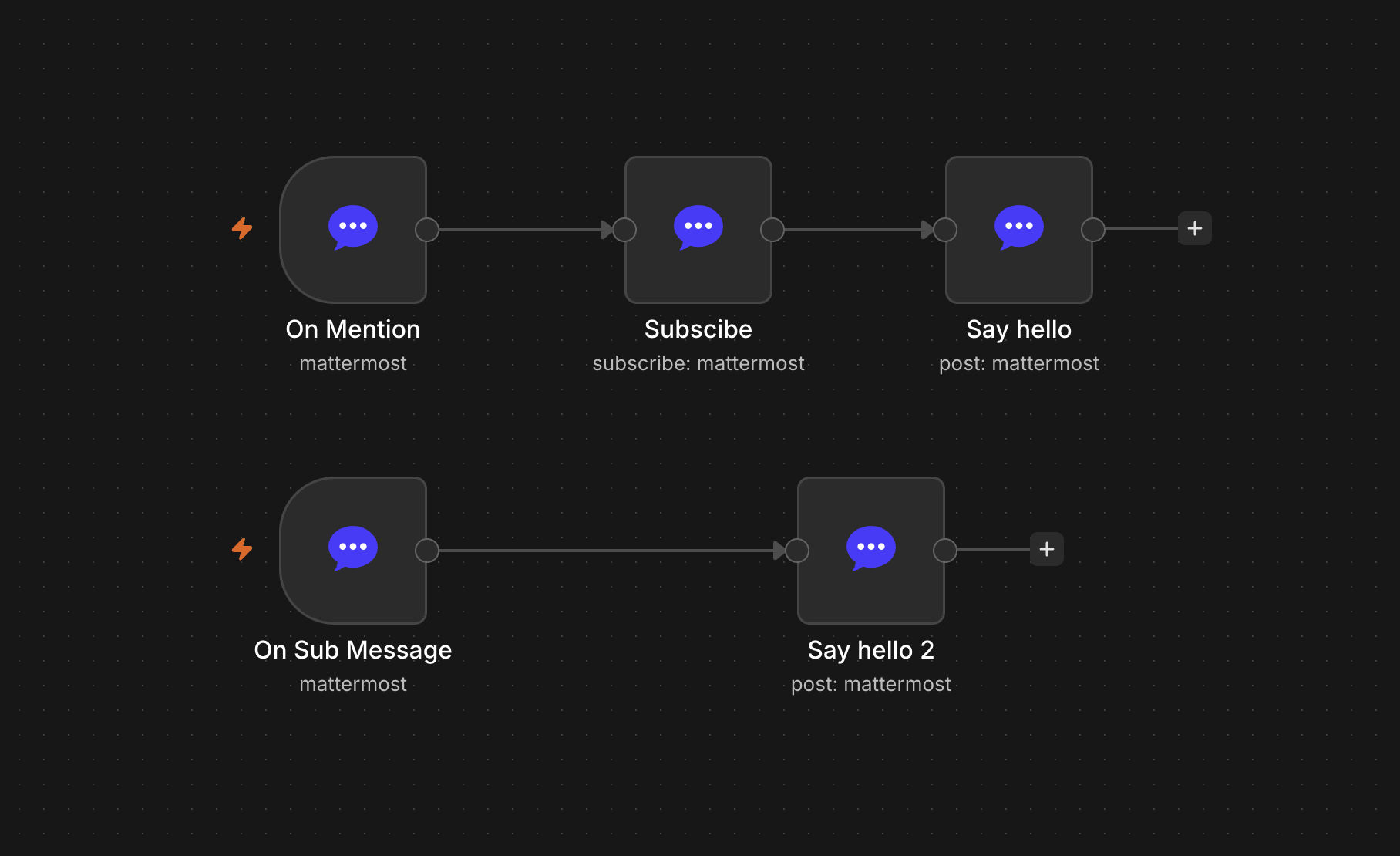
Mention vs Subscribed Message
Mention fires only in threads the bot has not subscribed to. Subscribing a
thread routes everything in it — mentions included — to Subscribed Message
instead. This trips people up: after running Subscribe once, the Mention trigger
looks broken while the messages are in fact arriving on the other event.
Subscriptions persist in workflow static data until you run Unsubscribe, so they
survive restarts.
Several triggers on one account
Triggers that share a platform account share one connection. Each instance holds
its own socket, so opening one per trigger would multiply connections against the
platform — enough to trip Mattermost's fixed 10-second websocket auth window.
Events are routed per subscriber instead: handlers are registered once and each
trigger receives only the events it selected, so triggers never see each other's
events. The connection closes when the last of them is deactivated.
Sharing stops at the workflow boundary. An instance is bound to its state,
and state lives in n8n's per-workflow static data, so the same account used from
two different workflows opens two connections. What that costs depends on the
platform:
| Platform | Same account in two workflows |
|---|---|
| The eight webhook-only adapters | Nothing — they hold no connection |
| Slack (socket mode) | Fine; Slack allows several socket connections |
| Mattermost | Two websockets, each with a fixed 10-second auth window — the second can time out |
| Telegram (polling) | Telegram answers a second getUpdates for the same bot with 409 Conflict; avoid polling the same bot from two workflows |
Prefer several triggers inside one workflow over the same account spread across
workflows.
Webhook transport takes only one trigger per registration. Platforms store a
single callback URL (Telegram setWebhook, Slack Event Subscriptions), while n8n
gives every trigger its own. Only the trigger whose URL you registered receives
anything, so select multiple events on that one trigger rather than adding a
second.
State
Subscriptions, cached values and button callback tokens are stored in n8n's own
workflow static data — no Redis required.
Queue mode and multi-main warning. Locking is per process. With several main
instances, each holds its own locks and a socket trigger connects from only one
of them. Use a single main instance, or the webhook transport, for reliable
behaviour.
Known limitations
- Streaming responses are not supported; messages are posted once, complete.
- Modals and slash commands are not exposed.
- Linear expects a personal API key. An OAuth access token works until it
expires, and n8n cannot store the refreshed one. replyneeds a message id that belongs to the same thread.- Locking, and therefore the Subscribed Message flow, is scoped to one n8n
process; see the queue mode warning above. - A Mattermost socket that drops loses whatever arrives before it is rebuilt —
the platform replays nothing; see the keepalive section above.
Development
npm install --ignore-scripts   # see the note below
npm rebuild esbuild @swc/core  # restore the toolchain binaries
npm run build
npm test                       # vitest, then build, then runtime checks
--ignore-scripts is needed because n8n-workflow pulls in isolated-vm,
whose native build fails on current Node versions. Only its type declarations
are used here, so skipping the build is safe.
Why the ESM bridge exists
The Chat SDK is ESM-only and its exports map declares an import condition
and nothing else. n8n loads community nodes as CommonJS, and TypeScript
downlevels a plain import() into require(), which that exports map rejects
with No "exports" main defined. Node's own require(ESM) support does not help,
because it is the exports map that refuses — so the Node version is irrelevant.
Every ESM load therefore goes through src/runtime/loader.ts, which hides the
import inside new Function so it survives compilation. Vite's module runner
cannot host that import, which is why the bridge is verified byscripts/verify-runtime.mjs in plain Node rather than by a vitest suite.
Adding a platform
Add one entry to src/runtime/adapters/ and list it insrc/runtime/registry.ts. Credential classes, node dropdowns, transport
choices, operation visibility and lazy imports are all derived from that entry.
License
MIT