Package Information


Documentation
n8n-nodes-firstpromoter
This is the official FirstPromoter community node for n8n that lets you start a workflow when a webhook event is received or use FirstPromoter v2 API to perform a number of actions. For more details, see FirstPromoter n8n node documentation.
FirstPromoter is a modern and reliable affiliate tool for subscription-based/SaaS companies that enables you to track, manage, and optimize referral-based marketing programs.
n8n is a fair-code licensed workflow automation platform.
Table of contents
- Installation
- Verify Installation
- Setting Up Credentials
- Webhook or Trigger Setup
- Quick start
- Operations
- Usage
- Development
- Compatibility
- Resources
📦 Installation
GUI Installation
For self-hosted n8n instances, you can install directly via the web interface:
- Open n8n in your browser
- Navigate to Settings → Community Nodes
- Click Install a community node
- Enter package name:
@firstpromoter/n8n-nodes-firstpromoter - Click Install
- Wait for installation to complete
- Refresh your browser
Note: This method requires owner/admin permissions and is only available for self-hosted n8n (not n8n Cloud).
n8n Cloud
The FirstPromoter node requires verification to be available on n8n Cloud. n8n Cloud supports a select group of verified community nodes included in their official catalog.
Current Status: Until the node is verified and included in the Cloud-available catalog, use self-hosted n8n (local or Docker) with any installation methods above.
🔧 Verify Installation
After installation and restart:
- Open n8n in your browser (typically
http://localhost:5678) - Create a new workflow
- Click the + button to add a node
- Search for FirstPromoter in the node picker
- The FirstPromoter node should appear in the search results
If you don't see the node:
- Verify the npm installation completed without errors
- Ensure you restarted n8n after installation.
- Check n8n logs for any loading errors
🔑 Setting Up Credentials
Before using the FirstPromoter n8n node, configure your connection credentials:
| Field | Required | Description |
|---|---|---|
| Account ID | yes | FirstPromoter Account ID |
| API Key | yes | v2 API key |
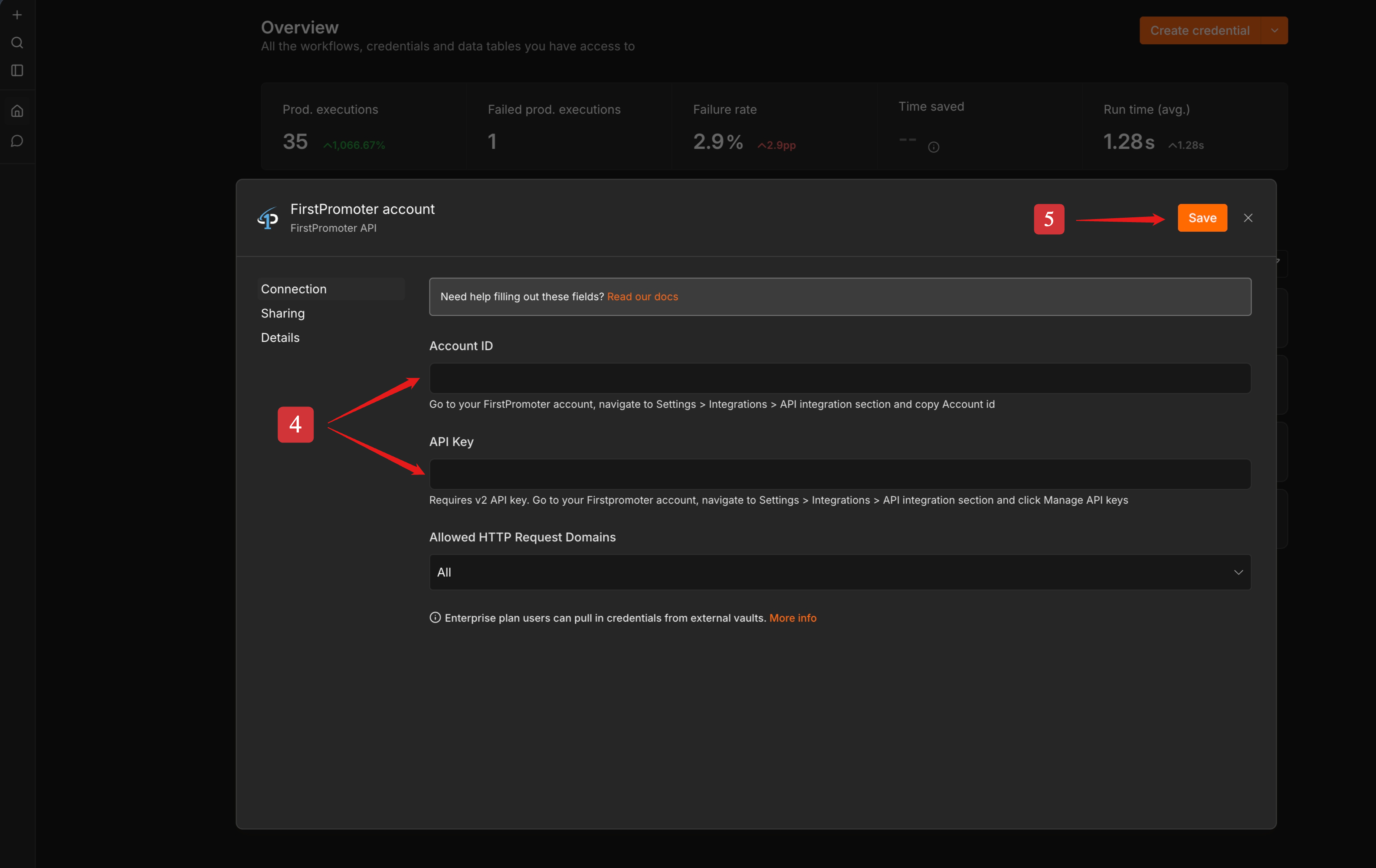
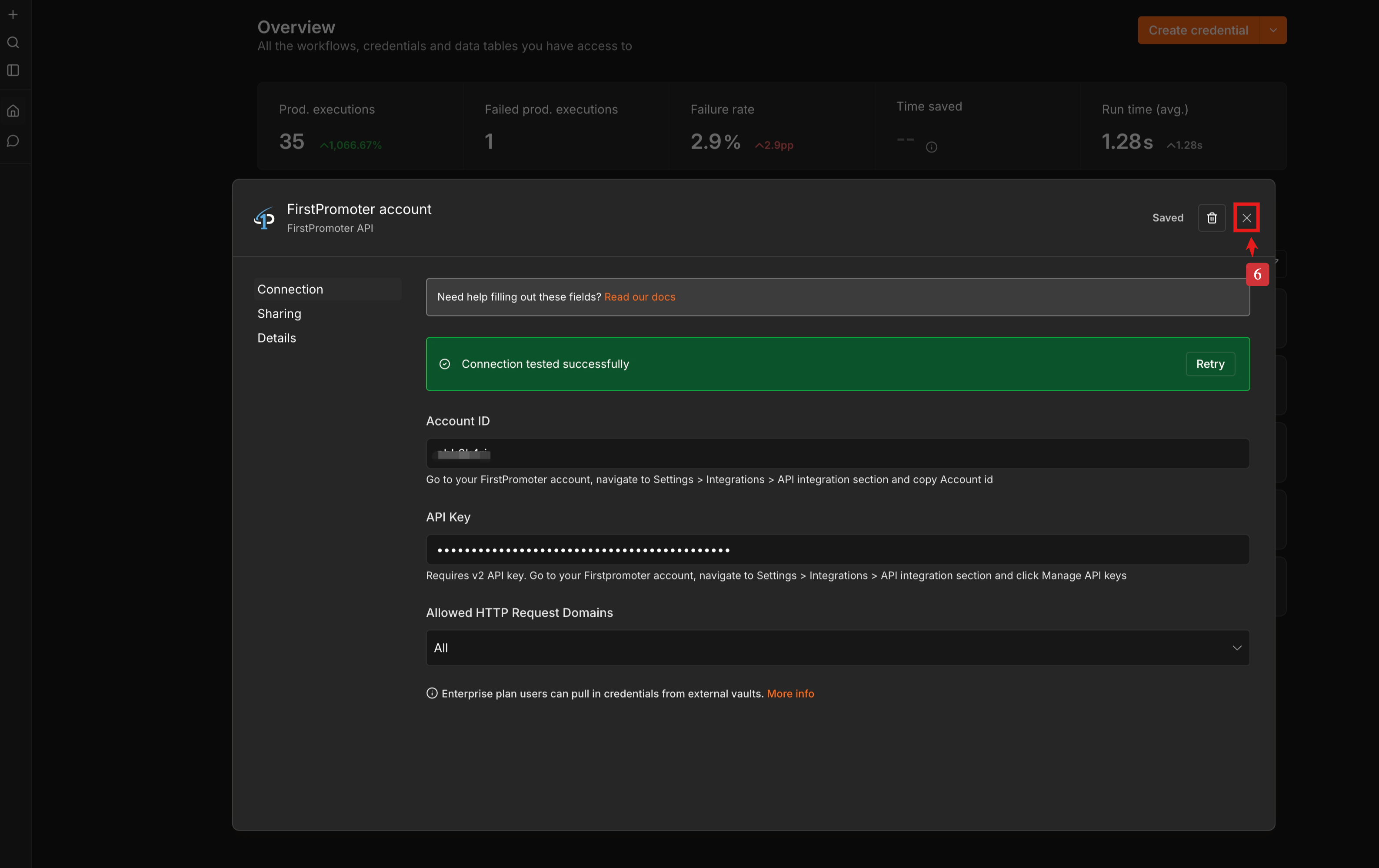
To add credentials in n8n instance via web interface, follow the steps below:
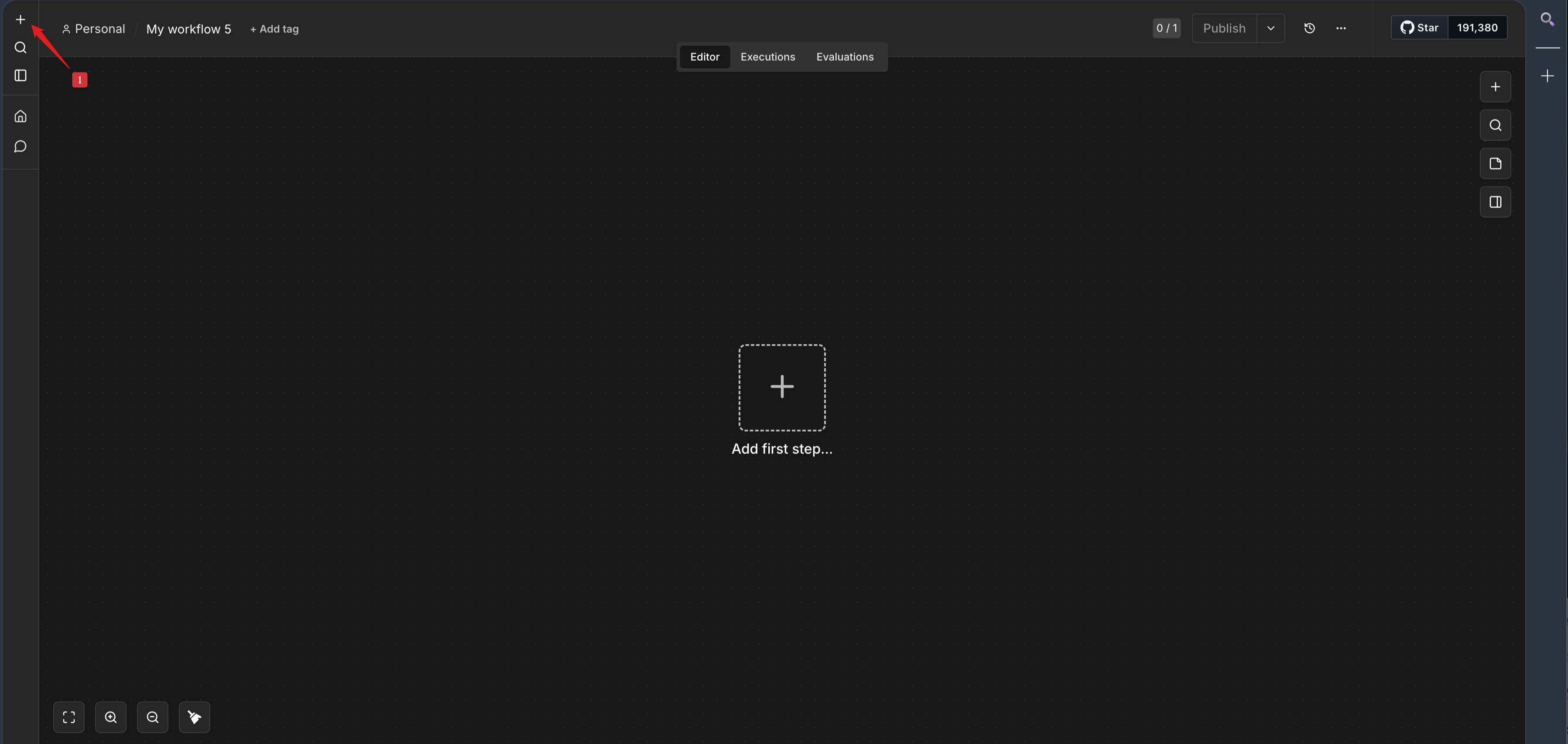
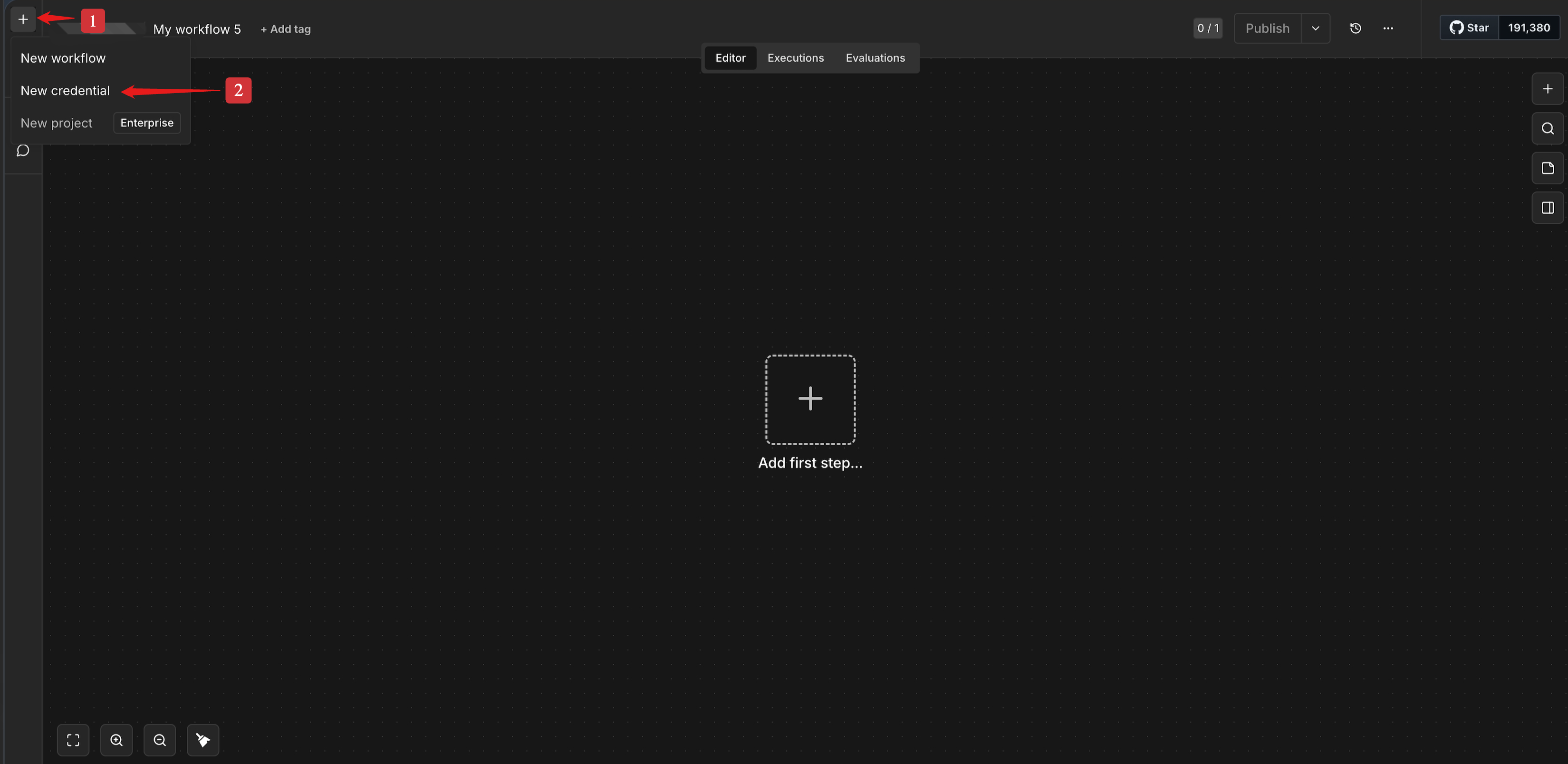
- Click the plus icon + on top-left
- Click New Credential
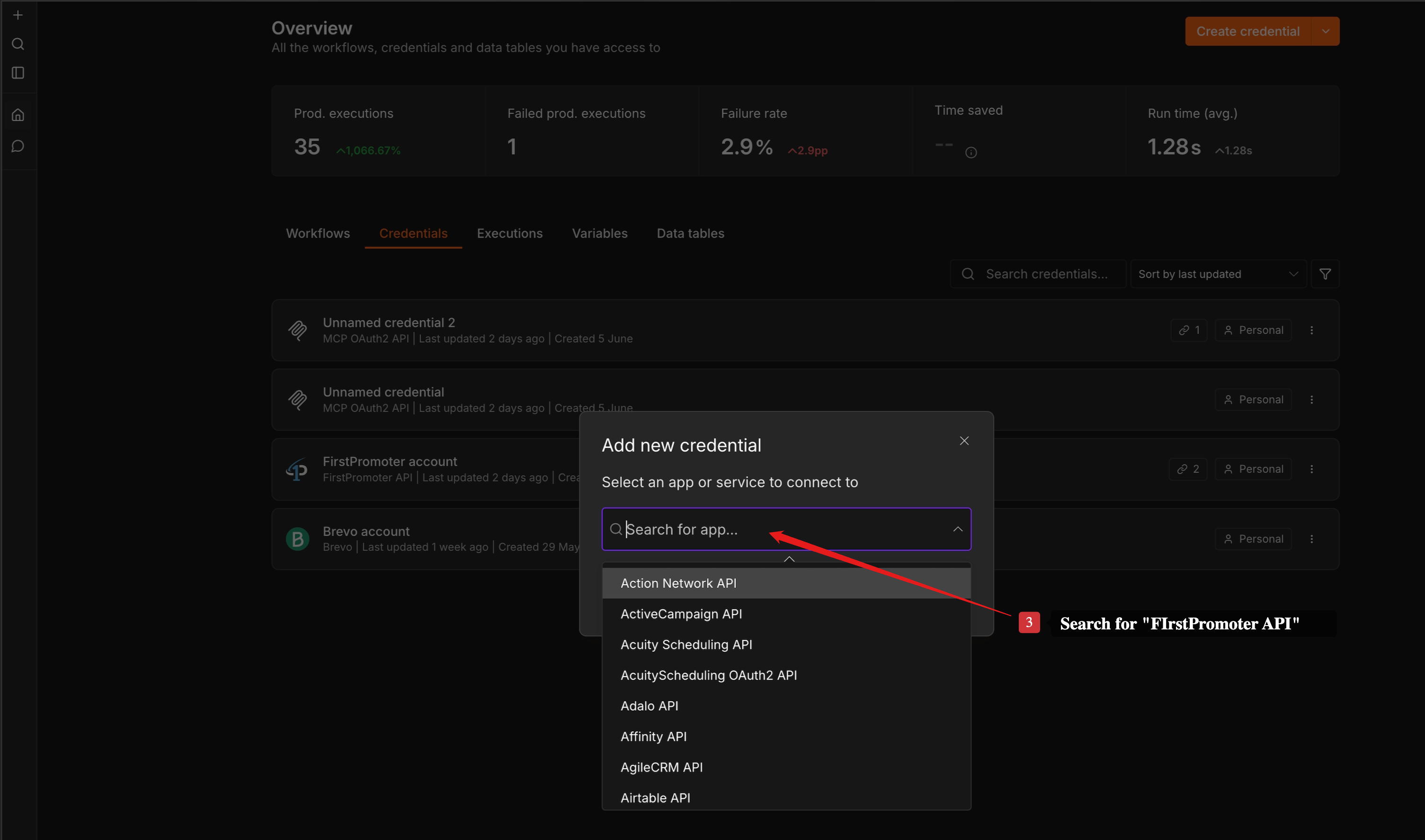
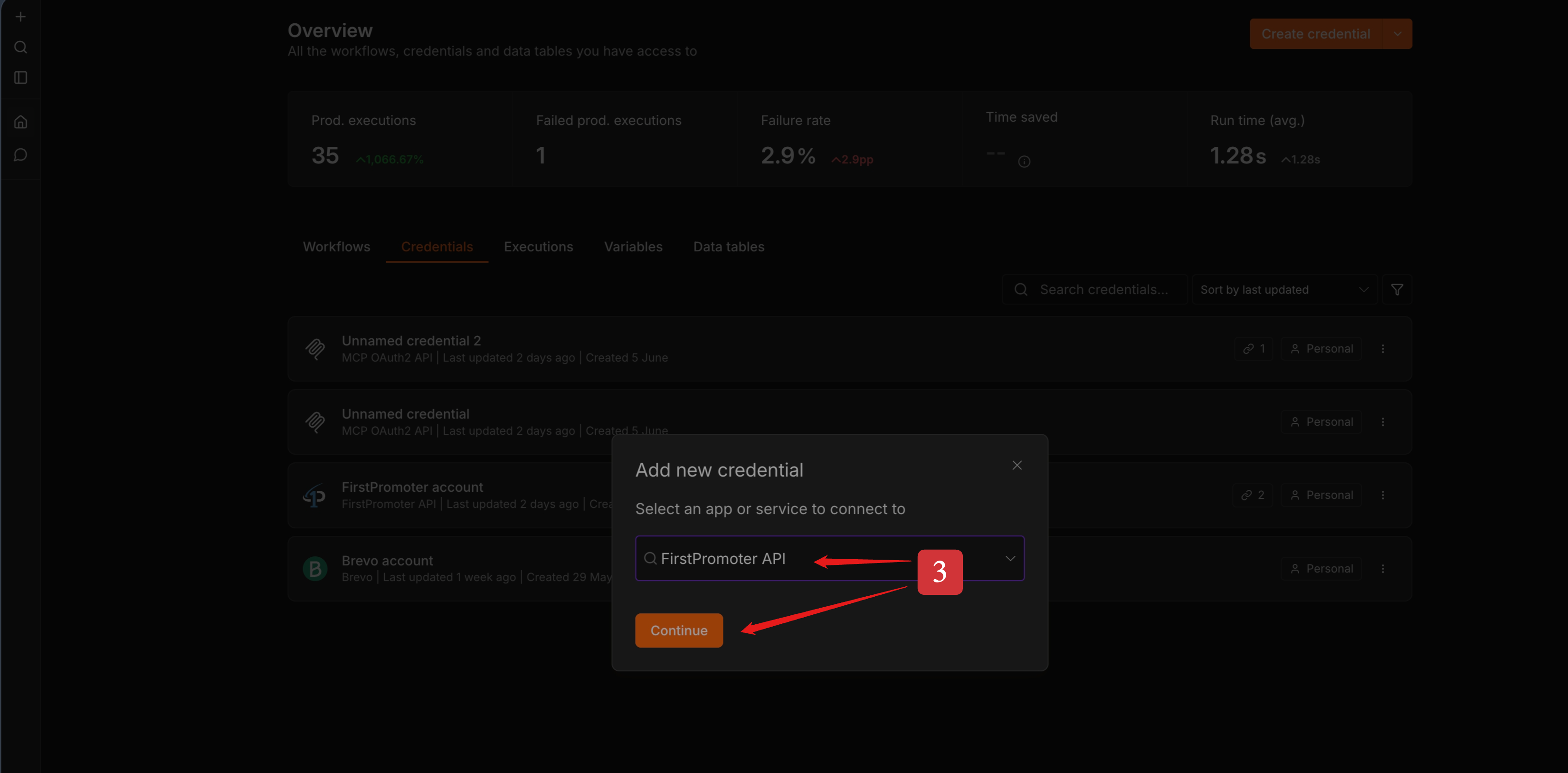
- Search for FirstPromoter API
- Fill in the required fields:
- Account ID
- API key
- Click Save
Where to find your credentials on FirstPromoter
- Log in to your FirstPromoter dashboard.
- Go to Settings → Integrations → API integration section.
- Copy your Account id.
- Click Manage API keys
- Add New API key or copy existing API key
Tip: If you rotate keys, update the n8n credential and re-run affected workflows.
🔄 Webhook or Trigger Setup
NB: The webhook URL will be automatically registered on FirstPromoter through n8n. Therefore you do not need to add it manually.
Endpoint details (reference)
- Method:
POST - Path:
receive(appended to your n8n webhook base URL)
Event type categories
| Category | Event types |
|---|---|
| Commission | commission.approved,commission.created,commission.deleted,commission.denied,commission.pending,commission.updated |
| Contract Document | contract_document.signed |
| Payments Batch | payments_batch.completed,payments_batch.created,payments_batch.deleted,payments_batch.failed,payments_batch.initiated,payments_batch.processing,payments_batch.updated |
| Payout | payout.commissions.added,payout.commissions.removed,payout.cancelled,payout.completed,payout.created,payout.deleted,payout.failed,payout.pending,payout.processing,payout.updated |
| Payout Method | payout_method.created, payout_method.updated, payout_method.deleted |
| Promoter Campaign | promoter_campaign.accepted,promoter_campaign.blocked,promoter_campaign.created,promoter_campaign.deleted,promoter_campaign.inactive,promoter_campaign.pending,promoter_campaign.rejected,promoter_campaign.updated |
| Promoter | promoter.balance.updated,promoter.created,promoter.deleted,promoter.updated |
| Referral | referral.cancelled,referral.converted,referral.created,referral.deleted,referral.moved,referral.updated |
For more information, see documentation
🚀 Quick start
1) Add the trigger node in n8n
- Create a new workflow in n8n
- Search for FirstPromoter node and click on it.
- Under Triggers, select On new FirstPromoter event.
- Select or Setup Credentials. See Setting Up Credentials.
- Choose Event Type Category.
Select All Categories to subscribe to every category, then narrow individual events in each category as needed.
- Select one or more Campaign Names or IDs
- Select the specific events you want.
2) Send test a event (from FirstPromoter)
To send a test event, follow these steps:
- Click Test this trigger or Execute step in n8n if you haven't done that yet.
- Go to your FirstPromoter account and navigate to Settings > Integrations > Webhooks section.
- Click the Edit icon next to your corresponding Test or Production URL in FirstPromoter.
- In the Test webhook section, click Select event and choose your desired event.
- Click the Run Test button.
3) Process the event (action node)
- Add FirstPromoter action node or any action node after the trigger node.
- Use the webhook/trigger response payload in the action node added in step 1.
NB: All FirstPromoter actions require crendentials for their operation.
📋 Operations (actions)
Referral
- Delete Referral
- Get Referral
- List Referrals
- Move Referrals
- Update Referral
Tracking
- Track Signup
- Track Sale
- Track Refund
- Track Cancellation
Commission
- Approve Commissions
- Create Custom Commission
- Create Sale Commission
- Deny Commissions
- List Commissions
- Mark Non-Monetary Commissions As Fulfilled
- Mark Non-Monetary Commissions As Unfulfilled
- Update Commission
Promoter
- Accept Promoters
- Add Promoters to Campaign
- Archive Promoters
- Assign Parent
- Block Promoters
- Create Promoter
- Get Promoter
- List Promoters
- Move Promoters to Campaign
- Reject Promoters
- Restore Promoters
- Update Promoters
Promo Code
- Archive Promo Code By ID
- Create Promo Code (Stripe Only)
- Get Promo Code By ID
- Get Promo Codes
- Update Promo Code By ID
Custom API
- Custom FirstPromoter API Call
Usage
Custom API call (advanced)
Use FirstPromoter → Custom API → Custom FirstPromoter API Call when you need an endpoint not covered by built-in operations.
Provide:
- Method (GET, POST, PUT, DELETE)
- URL Path (for example
/company/promoters— do not include the base URLhttps://api.firstpromoter.com/api/v2) - Optional Query Parameters, Headers, and Body (JSON)
Only set the parameters you need; empty values are ignored.
👨💻 Development
Install from npm:
npm install @firstpromoter/n8n-nodes-firstpromoter
Useful scripts:
| Command | Description |
|---|---|
npm run build |
Build the package to dist/ |
npm run dev |
Run n8n with this package in development mode |
npm run lint |
Lint node and credential sources |
npm run lint:fix |
Lint and auto-fix where possible |
npm start |
Build and start n8n with N8N_CUSTOM_EXTENSIONS pointing at this repo |
For more infomation how to run a node locally, see documentation
🛠️ Compatibility
- n8n-workflow:
>=2(peer dependency) - Node.js:
>=22.22.0