Package Information

Documentation
n8n-nodes-alphaloops-freight
This is an n8n community node for the AlphaLoops FMCSA API. It lets you access US trucking carrier data — profiles, fleet, inspections, crashes, authority history, news, and contacts — directly inside your n8n workflows.
n8n is a fair-code licensed workflow automation platform.
Prerequisites
You need an AlphaLoops API key. Sign up at runalphaloops.com to get one, regardless of which installation path you take.
Installation (n8n Hosted)
The hosted n8n does not allow installation of arbitrary third-party packages. We have submitted this package to n8n for review and will update this README when it is approved.
Installation (Self Hosted n8n)
Follow the installation guide in the n8n community nodes documentation. There are two approaches, one for Docker and one for non-Docker; but both boil down to
npm install n8n-nodes-alphaloops-freight
Once you've restarted n8n with the n8n-nodes-alphaloops-freight package installed:
- Open your desired workflow and go to the
Credentialstab:
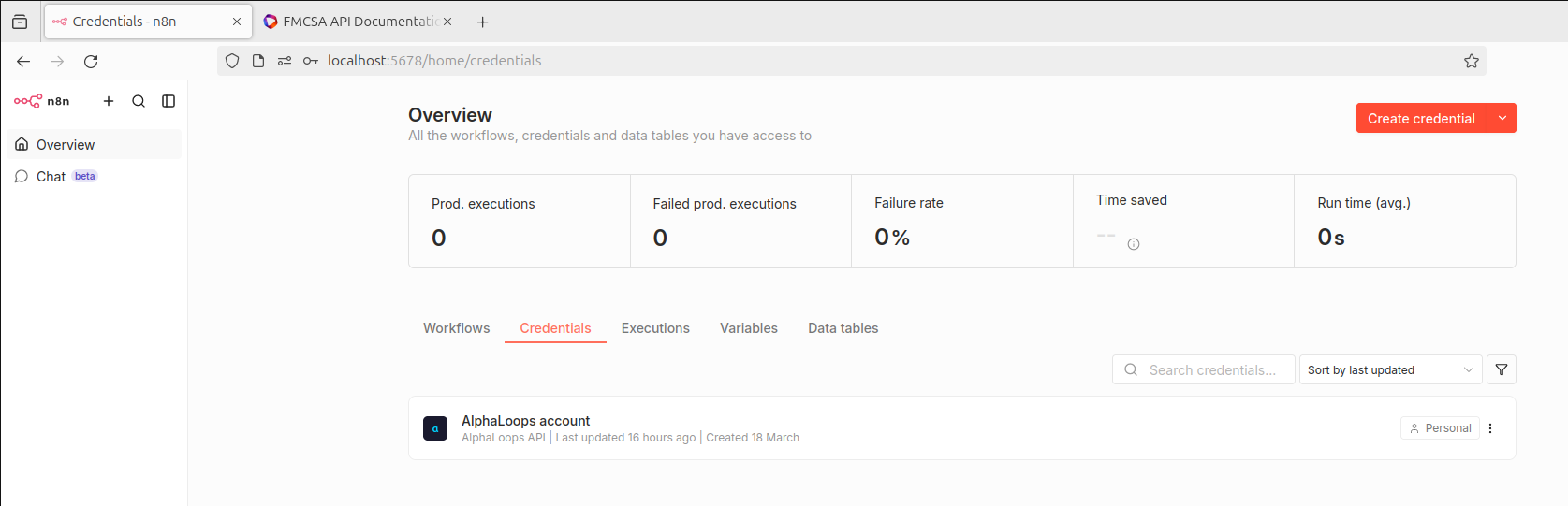
- You'll see
AlphaLoopsas an option, click the triple dots toopen:
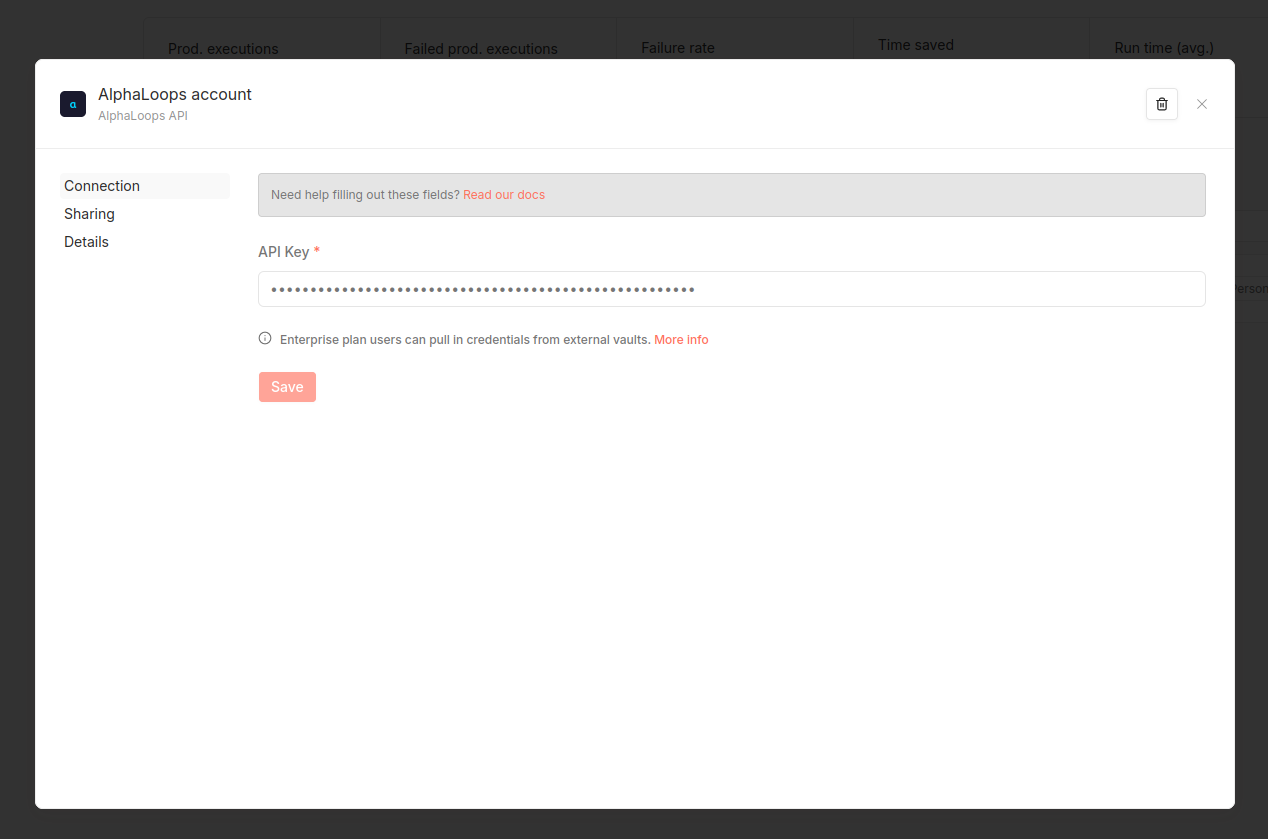
Enter your API key and save it.
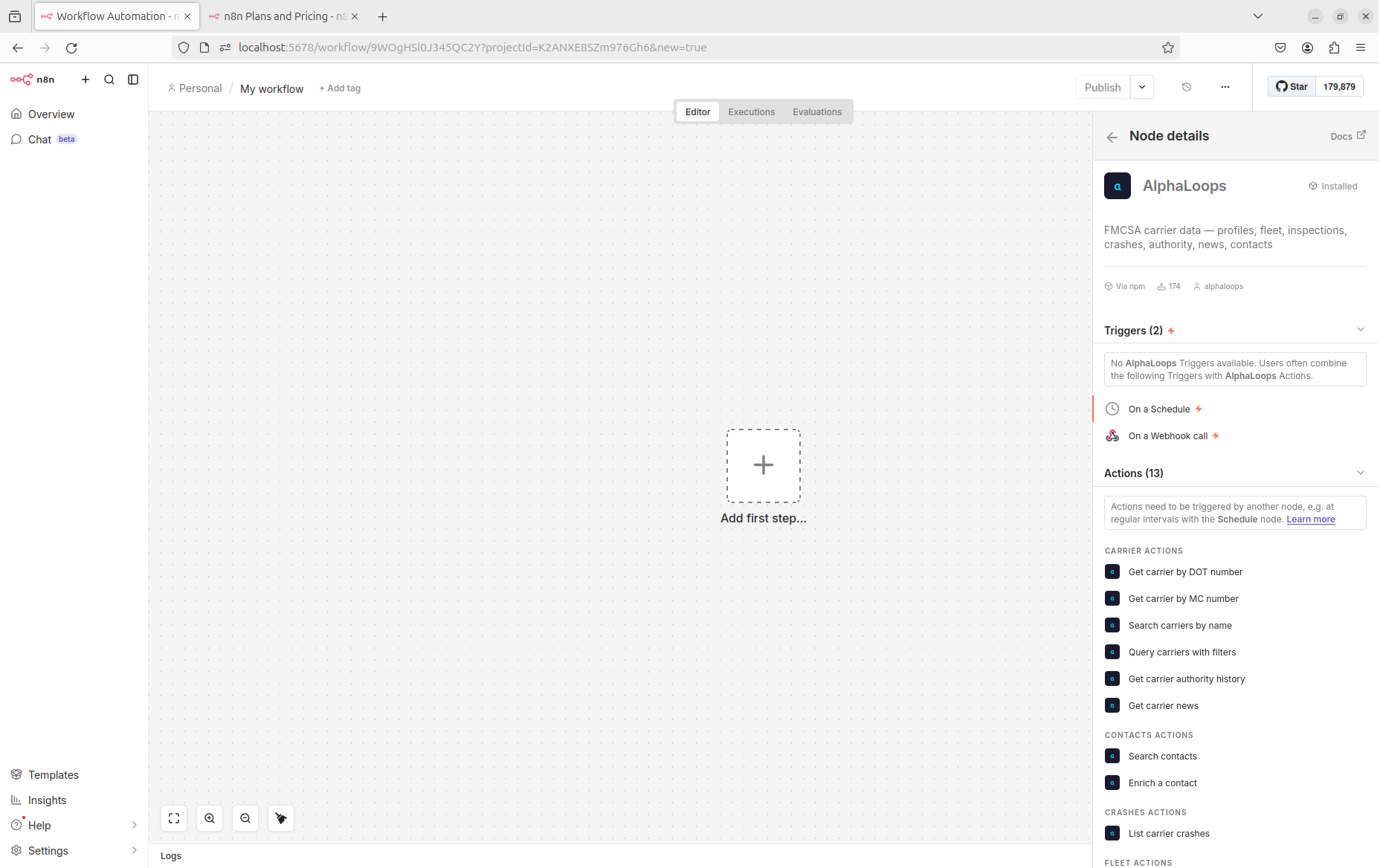
At this point, you can inset AlphaLoops calls into your n8n workflows:
Resources and Operations
Carrier
| Operation | Description |
|---|---|
| Get by DOT | Get a carrier profile by USDOT number (200+ fields, optional field projection) |
| Get by MC | Get a carrier profile by MC/MX docket number |
| Search | Fuzzy search carriers by name, with optional state/city/domain filters |
| Filtered Query | Query carriers with include/exclude JSON filters (supports range, boolean, array, geo-radius) |
| Get Authority | Get operating authority history for a carrier |
| Get News | Get news articles about a carrier, with optional date filters |
Fleet
| Operation | Description |
|---|---|
| Get Trucks | List registered trucks for a carrier by DOT number |
| Get Trailers | List registered trailers for a carrier by DOT number |
Inspection
| Operation | Description |
|---|---|
| List | List roadside inspection records for a carrier |
| Get Violations | Get violations for a specific inspection by ID |
Crash
| Operation | Description |
|---|---|
| List | List crash records for a carrier, with optional severity and date filters |
Contact
| Operation | Description |
|---|---|
| Search | Find people at a carrier or company (by DOT, company name, job title, seniority level) |
| Enrich | Get verified emails and phone numbers for a contact (1 credit per new lookup, cached free) |
Example Usage
Look up a carrier and get their fleet
- Add an AlphaLoops node, set Resource to Carrier, Operation to Get by DOT, and enter a DOT number (e.g.
80806) - Chain a second AlphaLoops node, set Resource to Fleet, Operation to Get Trucks, and wire the DOT number from the first node's output
Find carriers in Texas with 5+ trucks
- Add an AlphaLoops node, set Resource to Carrier, Operation to Filtered Query
- In the Include Filters field, enter:
{
  "state": "TX",
  "has_common_authority": true,
  "power_units": { "min": 5 }
}
Search for contacts at a carrier
- Add an AlphaLoops node, set Resource to Contact, Operation to Search
- Enter a DOT number and optionally filter by job title or seniority level
- Chain an Enrich operation to get verified contact details
API Documentation
Full API docs: runalphaloops.com/fmcsa-api/docs