Package Information


Documentation
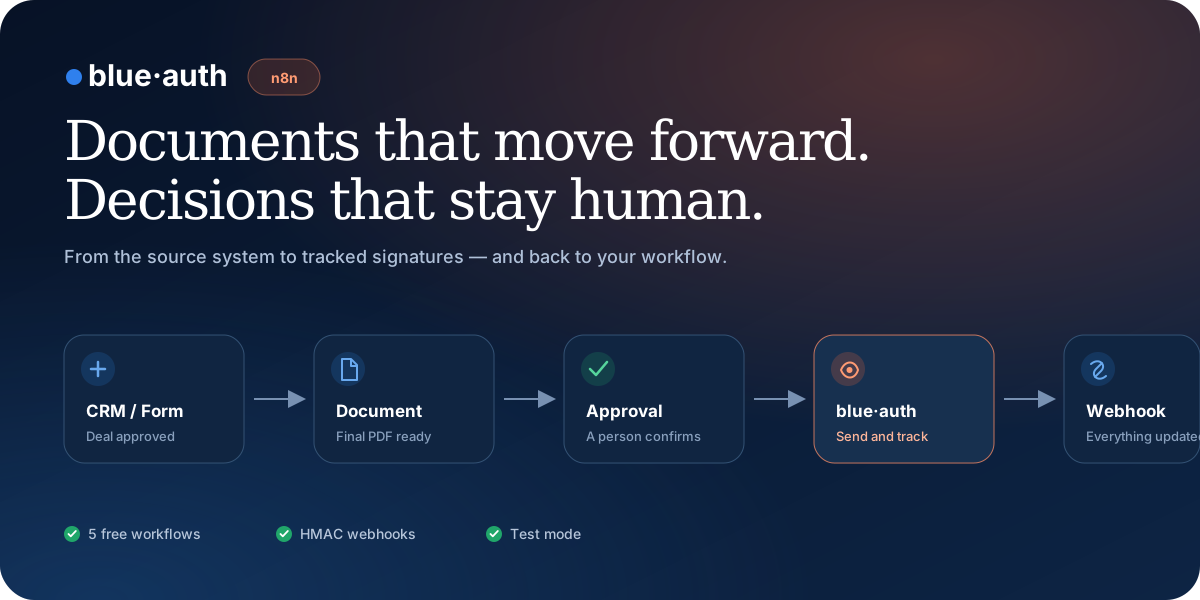
blue·auth for n8n
Send documents for signature, track every signer, and return the result to your workflow while keeping a person in control of approval.


Get started in three minutes
- In n8n, open Settings → Community Nodes → Install.
- Search for and install
n8n-nodes-blueauth. - Create a blue·auth API credential with a
ba_test_…key. - Add the blue·auth node to your workflow and choose an operation.
For a self-hosted installation:
npm install n8n-nodes-blueauth
Create a test key at blueauth.co/g/developer/api-keys. The default base URL is https://blueauth.co/api/v1.
What you can automate
| Operation | Purpose |
|---|---|
| Send for Signature | Creates a request with a PDF, signers, signature zones, and a webhook |
| Self-Sign | Applies an electronic signature for an authorized internal participant |
| Get Status | Returns each signer's progress and the final request status |
| Resend Invitation | Resends signer access without creating another request |
| Create CMD Batch | Prepares between 2 and 100 PDFs for signing with Portugal's Digital Mobile Key (CMD) |
| List and Get CMD Batches | Tracks pending and completed batches and their documents |
| Retry CMD Batch | Returns a new secure link to continue signing failed documents |
| Rotate CMD Batch Link | Replaces an expired session link without exposing a PIN or OTP |
| blue·auth Trigger | Receives sent, signed, declined, cancelled, expired, and completed events |
Ready-to-import workflows
You can also import a workflow and use n8n's built-in HTTP Request node before installing the community node.
| Workflow | Result | Download |
|---|---|---|
| Dynamic document | Receives a PDF and signers through a webhook and returns the created request | Import JSON |
| Signature management | Gets status, resends invitations, and updates the source process | Import JSON |
| Real-time events | Receives webhooks and validates their HMAC signature | Import JSON |
| Electronic self-signing | Automates signatures for authorized internal participants | Import JSON |
| CMD batch | Prepares 2–100 PDFs for the secure CMD flow | Import JSON |
Example workflow
Deal approved in the CRM
  → generate or receive the PDF
  → human approval
  → blue·auth: send for signature
  → blue·auth Trigger: signature.completed
  → store the signed PDF and update the CRM
The webhookUrl field connects a request to the production URL of the blue·auth Trigger. When webhookSecret is set, the trigger validates X-BlueAuth-Signature with HMAC before passing the event to the workflow.
Secure by design
[!IMPORTANT]
Always start with aba_test_…key. Never place a Portuguese Digital Mobile Key PIN or OTP in an n8n node, prompt, webhook, or variable. Those values are entered only on the secure blue·auth signing page.
- Credentials are stored by n8n's credential system.
- The API uses
Authorization: Bearer <apiKey>. - Webhooks support HMAC validation and timing-safe comparison.
- Place write operations after explicit human approval.
- Describe a signature as qualified only when it was completed through the dedicated CMD flow.
Ideas for your workflows
- Legal teams: onboarding → approved draft → signature → matter archive.
- Startups: closed deal → NDA, proposal, or contract → updated CRM.
- Small businesses: supplier contract → internal approval → signature → Drive or ERP.
- Human resources: onboarding → employment contract → reminders → stored final document.
- AI + n8n: an agent prepares the document → a person reviews it → blue·auth sends it.
Development
npm install
npm run build
npm audit
This package contains only the public n8n integration. The blue·auth application and backend remain private.
Links
- Integration page
- API documentation
- Free Marketplace pack
- Issues and feature requests
- Support: support@blueauth.co
AI creates. blue·auth signs. n8n keeps everything moving.