Package Information
Available Nodes
Documentation generating…
Documentation
🐳 n8n-nodes-docker-api




Control Docker from your n8n workflows — 58 operations plus an event trigger,
with output you can feed straight into an IF node.
✨ Why this node
No dependencies. Talks to the Docker Engine API directly over a socket, TCP
or TLS. If you already run Portainer, it can go through that too — but nothing
extra is required.
Output you can actually use. Docker's raw responses are verbose, deeply
nested, and inconsistent between endpoints. Everything here is normalized to a
flat, stable shape, and the same container looks the same whichever operation
returned it.
// List Containers — one item
{
  "id": "e324df4bd041772cc01172d392a4c2faa87d63614b8c0d0ab859919cb9a84432",
  "shortId": "e324df4bd041",
  "name": "api-gateway",
  "image": "nginx:alpine",
  "status": "running",
  "health": "healthy",
  "createdAt": "2026-07-31T13:45:48.000Z",
  "ports": [{ "containerPort": 80, "hostPort": 8080, "protocol": "tcp" }],
  "labels": { "com.example.tier": "edge" }
}
Safe by default. Credentials carry an access mode, enforced at run time — not
just hidden in the UI. Every destructive operation offers a dry run, and every
prune shows you exactly what it would remove first.
It tells you when it doesn't know. An empty result always says whether it
means nothing found or not looked up. Operations that cannot return complete
information say so in the output rather than returning a confident half-answer.
📦 Install
Community Nodes (recommended)
Settings → Community Nodes → Install → n8n-nodes-docker-api
Manual
npm install n8n-nodes-docker-api
Requires a self-hosted n8n with access to a Docker daemon.
🚀 Quick start
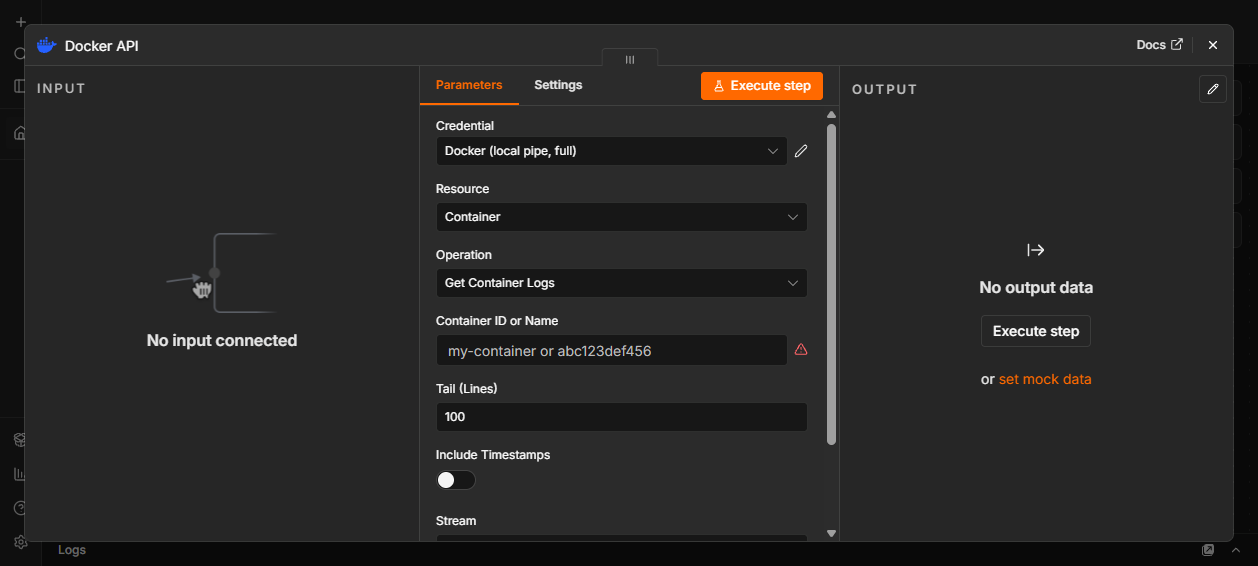
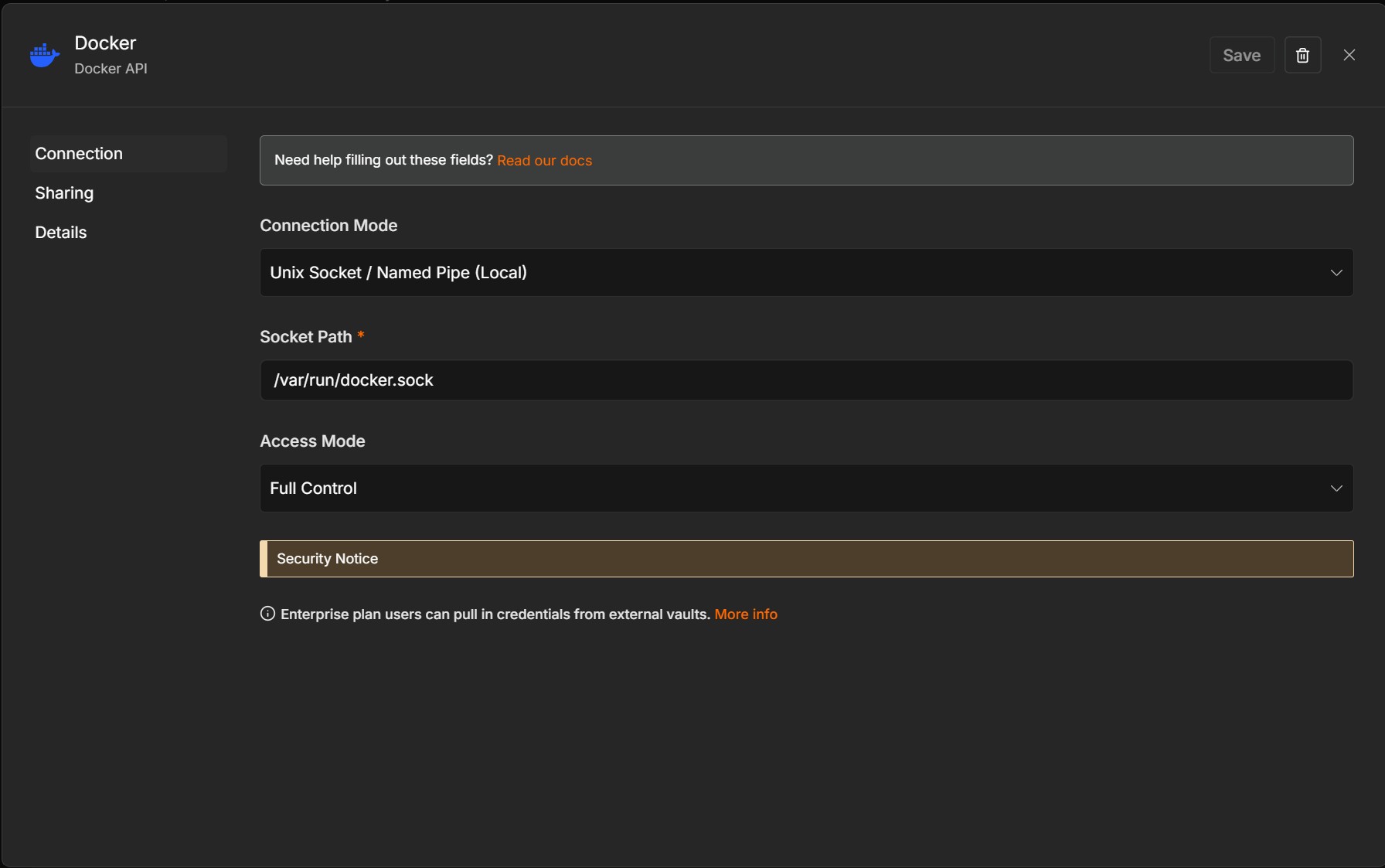
- Add a Docker API credential and pick a connection mode
- Press Test Connection — it reports the daemon version on success
- Add the Docker API node, choose a resource and operation
🔌 Connecting
| Mode | Use when |
|---|---|
| Unix Socket / Named Pipe | Docker runs on the same machine as n8n |
| TCP | Remote daemon on a trusted private network |
| TLS | Remote daemon, encrypted with client certificates |
| Portainer | You already run Portainer and want to go through it |
The socket path defaults correctly for the host n8n is running on —/var/run/docker.sock on Linux and macOS, //./pipe/docker_engine on Windows.
Access modes
Set on the credential and enforced at run time:
- Read Only — listing, inspection, logs, stats. Write operations are refused
with a clear message. - Full Control — everything.
Unrecognised operations are denied under Read Only rather than allowed, so a
future addition can never quietly widen what a read-only credential can do.
📋 Operations
Containers (24)
| Read | List · Inspect · Get Logs · List Processes · Get Filesystem Changes · Get Stats |
| Lifecycle | Create · Start · Stop · Restart · Kill · Pause · Unpause · Rename · Remove · Prune |
| Files & state | Export · Copy From · Copy To · Get Path Info · Update (limits, restart policy) |
| Beyond the API | Run (Ephemeral) · Execute Command · Wait For State |
Run Container (Ephemeral) creates, runs, captures output and removes — in one
step. The container is cleaned up on every path, including timeout, so a workflow
that fails midway never leaves one behind.
Execute Command returns { stdout, stderr, exitCode } from a single
operation, with the two streams kept separate.
Create Container covers what a real deployment needs, not just the basics:
health check, CPU and memory limits, capabilities, devices, extra hosts, DNS,
shared memory size, tmpfs mounts, an init process, restart policy and network
mode — alongside ports, volumes, environment and labels.
Wait For State blocks until a container is running, healthy or exited.
Waiting on healthy is the piece every deploy-then-verify workflow needs, and
Docker has no endpoint for it.
Get Logs returns structured lines with their stream of origin:
{ "logs": [ { "message": "listening on :8080", "stream": "stdout" },
            { "message": "upstream timeout",   "stream": "stderr" } ],
  "lineCount": 2, "tty": false }
Get Stats returns numbers people actually want — cpuPercent,memoryUsageMB, memoryPercent, networkRxMB — rather than Docker's raw
cumulative counters.
Copy From / To Container moves files through n8n's binary data system, so
they can be written to disk, uploaded, or attached like any other file.
Images (15)
List · Inspect · Get History · Search · Pull · Push · Tag · Remove · Prune ·
Build · Create From Container · Save · Load · Prune Build Cache ·
Get Registry Info
Build takes a Dockerfile as text for the common case, or a tar context when the
build needs to COPY local files. Create From Container snapshots a running
container as an image. Save and Load move images as tar archives through
n8n binary data, for backups or air-gapped transfer. Prune Build Cache
reclaims the builder cache, which image pruning never touches and which is often
the largest recoverable space on a build machine.
Get Registry Info reads an image’s digest and platform list straight from the
registry without pulling it — a few kilobytes instead of the whole image. Compare
the digest against what is currently running to tell whether a rebuild is
actually needed, or check a tag exists for your architecture before a deploy
commits to it.
Pull and Push wait for completion and return a summary — layers, digest, status,
duration — instead of a progress firehose or a stream that never ends.
Networks (7)
List · Inspect · Create · Connect Container · Disconnect Container · Remove · Prune
Volumes (5)
List · Inspect · Create · Remove · Prune
System (6)
Get Info · Get Version · Ping · Get Disk Usage · Get Events · Check Registry Credentials
Custom API Call
An escape hatch to any Docker Engine endpoint, for anything not covered above or
a newer API than this release knows about. The response comes back exactly as
Docker sent it and is marked normalized: false — the one operation that
deliberately does not promise a stable shape.
⚡ Docker Trigger
Start a workflow when something happens in Docker.
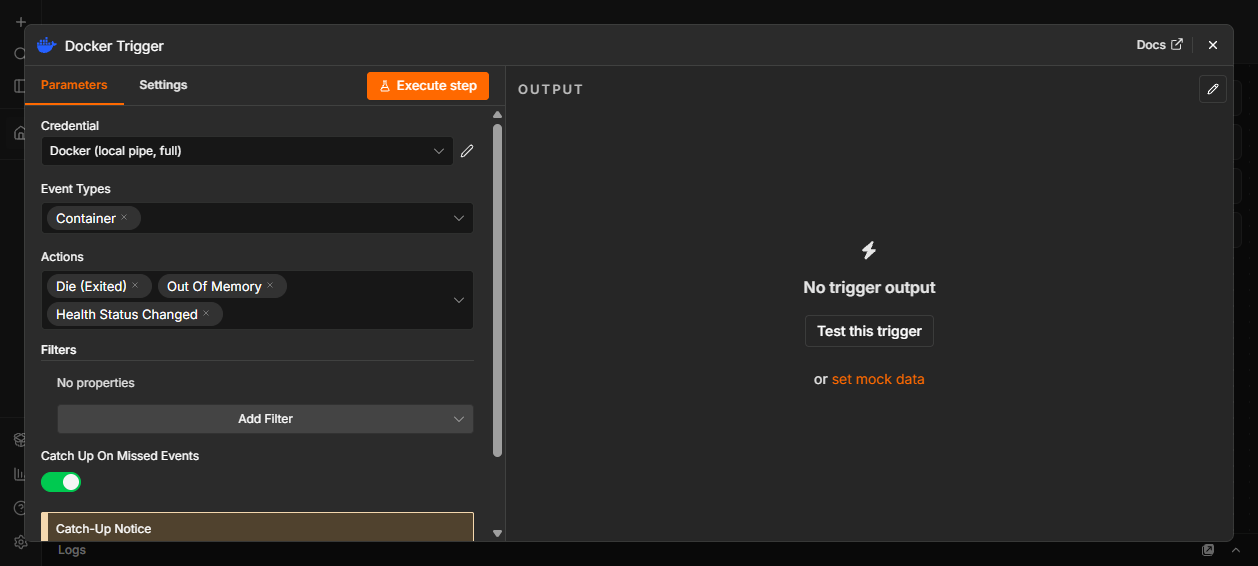
Watches containers, images, networks, volumes and the daemon. Filter by event
type, action, container, image or label — filters are applied by Docker, so only
matching events are sent.
It catches up. Docker's event stream is live-only: connect, and you get what
happens next and nothing earlier. If n8n restarts, a naive listener silently
loses everything that happened in between — which is exactly when something worth
knowing about tends to occur. This trigger remembers where it got to and replays
from there, without ever delivering the same event twice.
It reconnects. Event streams die for ordinary reasons — daemon restarts,
socket hiccups, a laptop sleeping. It reconnects with backoff rather than quietly
stopping.
🔥 Real use cases
♻️ Self-healing containers
A container dies at 3am. Nobody is awake. It comes back by itself.
Docker Trigger (container · die) → IF (name = api-gateway) → Docker: Start Container
The trigger catches up on anything that happened while n8n itself was
restarting, so a crash during a deploy window is not silently lost.
🚨 Alert before your users notice
Health status changes reach you before the support ticket does.
Docker Trigger (container · health_status) → IF (health = unhealthy) → Slack
🚢 Deploy and verify
Pull, replace, and wait for the new container to report healthy — not merely
running, which is the difference between a deploy that worked and one that
only looks like it did.
Docker: Get Registry Info  →  IF (digest changed)  →  Docker: Pull Image
   →  Docker: Remove Container  →  Docker: Create Container
   →  Docker: Wait For State (healthy)  →  Slack
Get Registry Info checks for a new version without downloading the image, so the
schedule costs kilobytes on every day that nothing has changed.
🧪 Run a job in a disposable container
Schedule → Docker: Run Container (Ephemeral) → IF (exitCode = 0) → …
Nothing is left behind — the container is removed on every path, including
timeout, so a workflow that fails midway never accumulates containers.
📊 Nightly disk report
Schedule → Docker: Get Disk Usage → Docker: Prune Images (Dry Run) → Email
The dry run reports exactly what would be reclaimed, so the report is
informative without being destructive.
🩹 When the daemon goes away
Docker restarts. Sockets briefly lose their permissions. A proxy hiccups. These
fail a workflow step that would have succeeded a second later.
Every request retries automatically on failures that never reached the daemon —ECONNREFUSED, a missing or unreadable socket, an unreachable host, or a502/503/504 from a proxy in front of Docker. Three attempts with
exponential backoff by default, configurable under Connection Retry.
Anything Docker actually answered is never retried. A missing container, a
name conflict, a refused registry login — the daemon was reachable and gave a
considered reply, so retrying would only bury a configuration problem under a
delay.
A write is never repeated once it may have been applied. If the connection
breaks after the request was sent, the daemon may already have created that
container. Reads are retried; writes are not, and the error says the outcome is
unknown rather than implying nothing happened.
Retries are per request, so an item that already succeeded is never re-run. This
matters more than it sounds: n8n's built-in Retry On Fail re-executes the
whole node, so a batch of fifty containers where the last one fails would create
the first forty-nine again. Leave it off for this node.
🔒 Security
Access to the Docker daemon is equivalent to root on the host. That is true of
any tool that talks to Docker, and worth stating plainly.
- Use Read Only credentials unless a workflow genuinely needs to change things
- Prefer TLS over plain TCP for anything crossing a network
- Consider a socket proxy such as
tecnativa/docker-socket-proxyto restrict
which endpoints are reachable at all - Never expose the Docker daemon on a public interface
The credential UI carries this warning too, and Read Only is the default.
🗺️ Scope
This node covers containers, images, networks, volumes and system operations —
the surface that automation workflows actually use.
Swarm mode (services, nodes, tasks, secrets, configs) and plugin
management are deliberately out of scope. Teams running Swarm manage it with
Swarm-native tooling rather than from workflow steps, and supporting it well
would mean a large surface serving very few n8n users. Anything genuinely needed
remains reachable through Custom API Call.
⭐ Contributing
Issues and pull requests are welcome — particularly bug reports with a
reproducible workflow. See DEVELOPMENT.md for the local
setup and test harness.