Package Information

Documentation
FeedHive for n8n
Use the FeedHive Public REST API in n8n to manage posts, labels, media, plan slots, and social accounts, and retrieve analytics.
Installation
On a self-hosted n8n instance, sign in as an Owner or Admin:
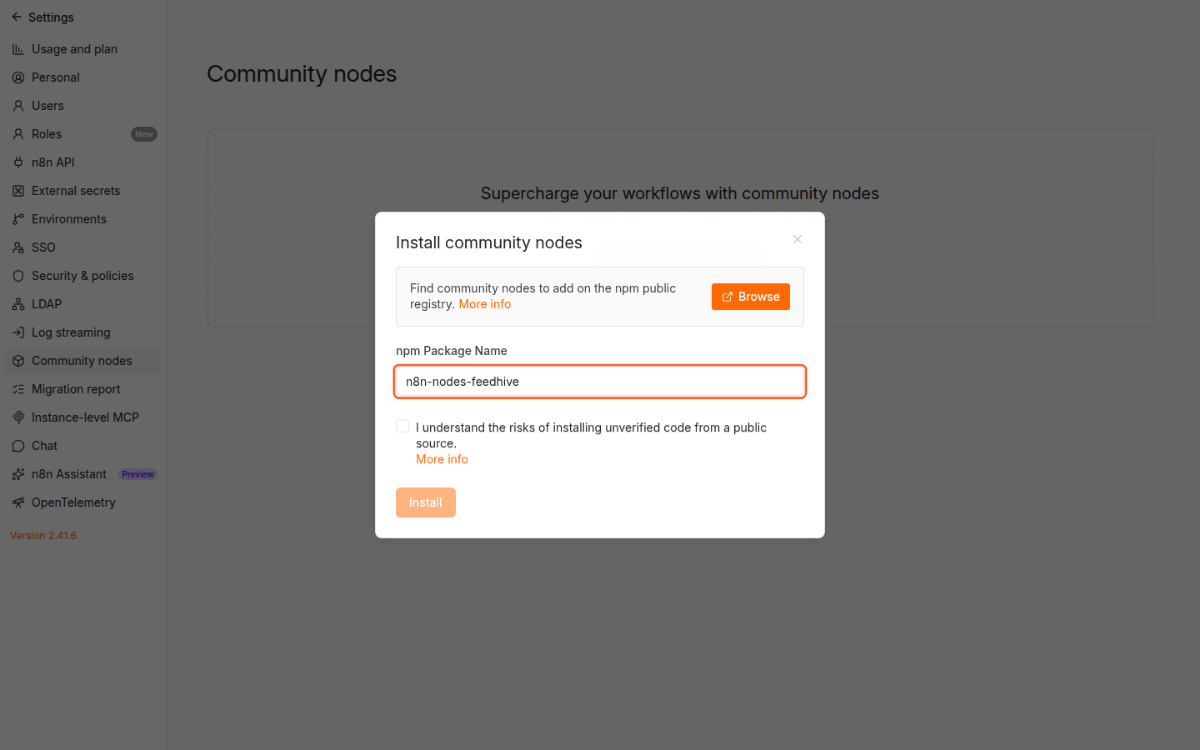
- Open Settings → Community Nodes and select Install.
- Enter
n8n-nodes-feedhiveas the npm package name. - Review and accept n8n's community-node risk notice, then select Install.
- In a workflow, add FeedHive, then select or create a FeedHive API credential.
For details, see n8n's GUI installation guide. Queue-mode deployments follow n8n's manual installation guide instead.
Create a FeedHive API key under Settings → Account or Settings → Workspace. Paste it into the FeedHive API credential in n8n. Check Credentials calls GET /status. The credential sends the key only to https://api.feedhive.com as a bearer token.
Operations
| Resource | Operations |
|---|---|
| Account | Check Credentials |
| Post | Get Many, Get, Create, Update, Delete |
| Label | Get Many, Get, Create, Update, Delete |
| Media | Start Upload, Complete Upload, Get Many, Get, Delete |
| Plan Slot | Get Many, Get, Create, Update, Delete |
| Plan Assignment | Assign Next |
| Social Account | Get Many, Get |
| Analytics | Get Post Analytics, Get Social Analytics |
Create Post defaults to a draft. Scheduling a post or using Assign Next may publish it later. Deletions are irreversible.
List operations return a page with data.items, data.has_more, and data.next_cursor. Enter next_cursor in Cursor to fetch the next page. Page limits range from 1 to 100. The node does not automatically paginate or retry writes. FeedHive limits API requests to 60 per minute; HTTP 429 errors surface in the workflow.
Start Upload returns a signed URL. Use a separate n8n HTTP Request node to PUT the raw file bytes to the returned signed URL within 10 minutes, with the same Content-Type declared at upload start. Do not attach a FeedHive credential or send your API key to that URL. Then call Complete Upload with the upload session ID (no request body).
The API does not provide documented safe webhook registration and removal, so this package has no trigger. It does not offer a separate immediate-publish action. Analytics freshness depends on the social provider.
Development
Use Node.js 22 or later:
npm ci
npm run lint
npm test
npm run dev
npm test builds the TypeScript package and runs the contract tests. npm run dev starts a local n8n editor with the node available. The credential-free templates in examples/operation-workflows.json can be adapted with your own credentials and IDs.
Licensed under MIT.