Package Information

Documentation
Fox Schema Match (n8n-nodes-fox-schema-match)
Schema-mapped Insert, Update, and Create or Update (Upsert) community node for n8n, powered by FoxSchema (@foxschema/db + @foxschema/sql).
Connect any upstream n8n node, load your database table schema and column types automatically via FoxSchema, map fields manually or automatically with Data Type enforcement, Validation (required, min/max, allowedValues), Regex (validate / extract / replace), and Date/Time conversion across 13 SQL dialects, and route row/batch errors cleanly through the built-in Error Handler.
Screenshots & Video Demo
- End-to-end Playwright video walkthrough: screenshots/fox-schema-match-demo.webm
- Sample workflow: examples/sample-workflow-pipe-match.json
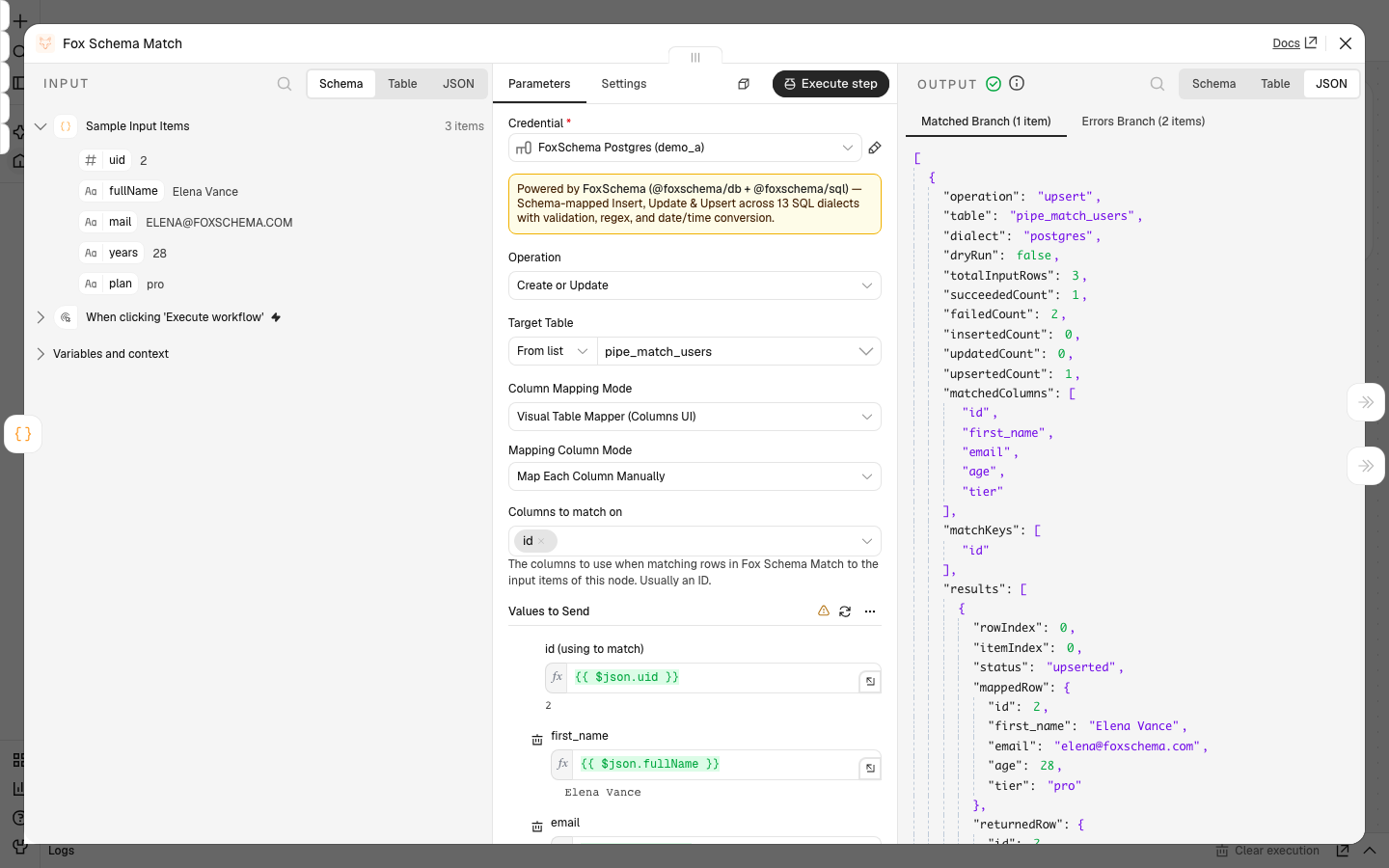
Visual Table Mapper (Mapped Database Insert / Update / Upsert)
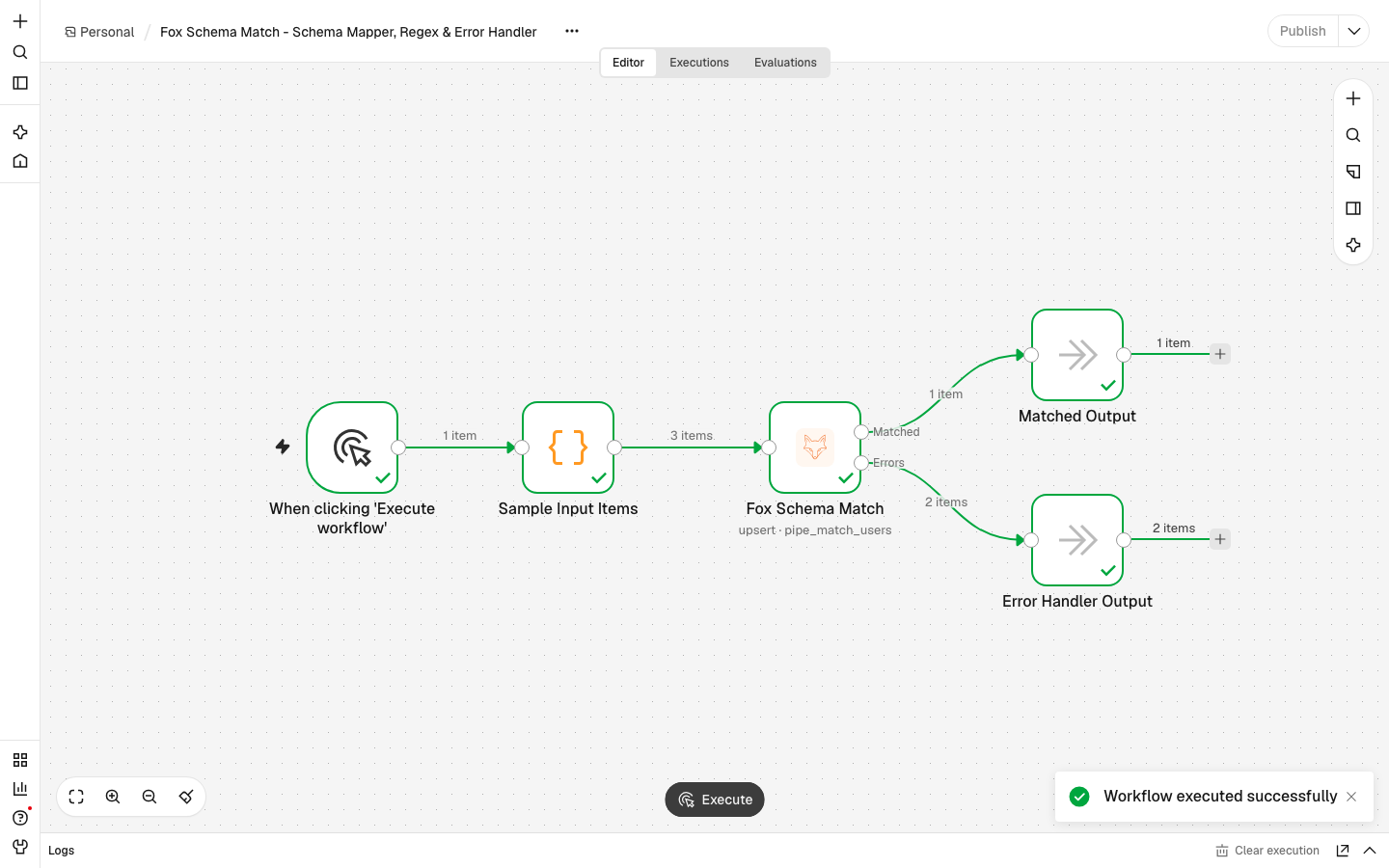
Canvas Execution (Matched + Error Handler Branches)
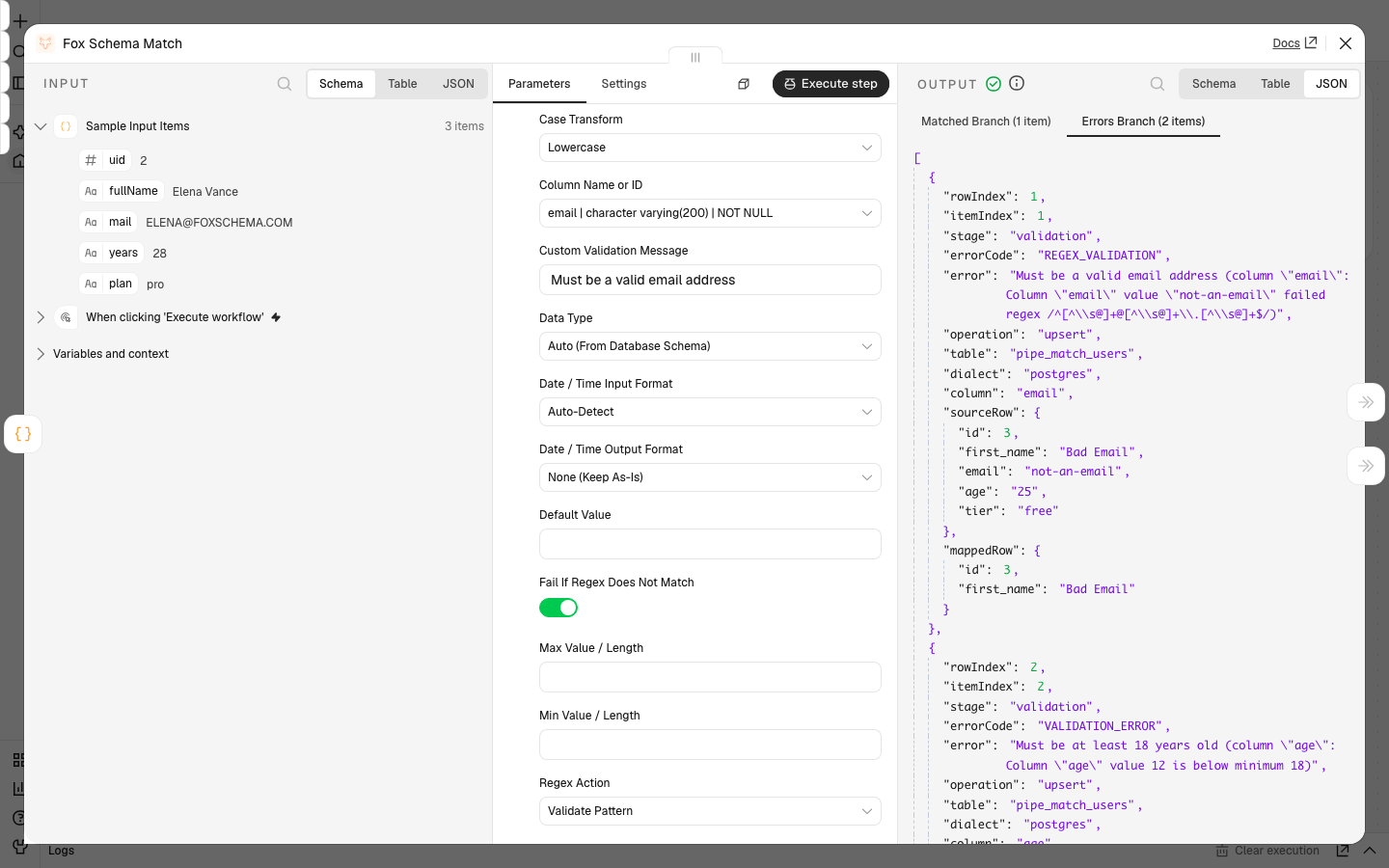
Error Handler Output (Row-Level Isolation)
Supported Dialects
PostgreSQL, CockroachDB, YugabyteDB, Amazon Redshift, MySQL, MariaDB, TiDB, SQL Server, Azure SQL, Oracle, SQLite, DuckDB, ClickHouse.
Note: Db2 is not supported because native
ibm_dbcannot install via n8n's community node installer.
Drivers stay external so package installation succeeds without native build toolchains. Install only the driver(s) you use on your n8n host (pg, mysql2, mssql, oracledb, better-sqlite3, @duckdb/node-api, @clickhouse/client).
Features
1. Schema Loading & Column Mapping
- FoxSchema Catalog Introspection: Browse target tables and load columns, primary keys, nullability, and data types (
searchTargetTables,getTargetColumns,getMappingColumns). - Visual Table Mapper (
ColumnsUI) (default): Auto-populates every column of the selected table (Map Each Column Manuallywith drag-and-drop$jsonexpressions, orMap Automatically) and pre-selects primary keys forUpdate/Create or Update. - Auto-Match (
auto): Automatically matches incoming$jsonfields usingExact,Case-Insensitive, orNormalized(firstName→first_name) matching. - Manual Field Mapping (
manual): Map nested JSON paths (user.profile.email) to target columns with transforms.
2. Column Rules (Data Type, Validation, Regex & Date/Time)
Add per-column rules loaded directly from your target table:
- Data Type Enforcement:
Auto(from database schema),String,Integer,Decimal / Float,Boolean,Date,Date & Time,JSON. - Validation:
Required,Min / Max Value or Length,Allowed Values(comma-separated enum),Default Value,Trim Whitespace,Case Transform, and custom validation error messages. - Regex Support:
- Validate Pattern: Reject non-matching values with
REGEX_VALIDATION. - Extract Match / Capture Group: Extract a regex group or token before type coercion.
- Find & Replace: Clean or normalize strings before saving.
- Validate Pattern: Reject non-matching values with
- Date / Time Conversion:
- Parse from
Auto-Detect,YYYY-MM-DD,MM/DD/YYYY,DD/MM/YYYY,Unix Seconds, orUnix Milliseconds. - Convert to
ISO 8601,SQL Date (YYYY-MM-DD),SQL DateTime (YYYY-MM-DD HH:mm:ss),SQL Time (HH:mm:ss),Unix Seconds, orUnix Millisecondsin any IANA Target Timezone (UTC,America/Chicago, etc.).
- Parse from
3. Write Operations
- Create or Update (Upsert): Dialect-native
ON CONFLICT ... DO UPDATE(Postgres/Cockroach/Yugabyte/SQLite/DuckDB),ON DUPLICATE KEY UPDATE(MySQL/MariaDB/TiDB),MERGE INTO(SQL Server/Azure SQL/Oracle), and two-step fallback (Redshift/ClickHouse). - Insert: Chunked multi-row parameterized inserts respecting per-dialect parameter limits (
maxInsertRows) with optionalIgnore Duplicates on Insert. - Update: Parameterized
UPDATE ... SET ... WHERE ...matched on selected or auto-detected key columns, with optionalRequire Matched Row on Update. - Dry Run: Preview compiled SQL and validated rows without mutating the database.
4. Error Handler
- Route Failed Rows to Error Output (default): Dual outputs (
Matchedat index0,Errorsat index1) — isolates failed validation, regex (REGEX_VALIDATION), date (DATE_PARSE_ERROR), type coercion (TYPE_COERCION), or DB constraint rows (including automatic batch-to-row fallback) while valid rows continue succeeding. - Rollback Batch & Route to Error Output: Runs in a database transaction, rolls back on any failure, and emits
TRANSACTION_ABORTEDdetails to theErrorsoutput. - Skip Failed Rows & Log in Summary: Single output combining
results[]anderrors[]. - Stop Workflow (Throw Error): Fails immediately with
NodeOperationError.
Development
pnpm install
pnpm build
pnpm test
pnpm validate:n8n
pnpm scan:n8n
Trusted Publishing (OIDC)
.github/workflows/publish.yml publishes via npm OIDC Trusted Publishing (id-token: write, environment: npm-publish, npm publish --provenance --access public) on GitHub Releases or manual workflow dispatch.