Package Information


Documentation
n8n-nodes-getsales
This is an n8n community node package for GetSales, a LinkedIn + email
outbound sales automation platform. It provides two nodes:
- GetSales Trigger — starts a workflow when selected GetSales webhook events occur. Webhooks are registered and removed automatically.
- GetSales — manage Contacts, Companies, LinkedIn messages, Emails, and Flows via the GetSales REST API.
n8n is a fair-code licensed workflow automation platform.
Installation
Nodes
Usage
Credentials
Compatibility
Resources
Version history
Author
Installation
Follow the installation guide in the n8n community nodes documentation and install n8n-nodes-getsales.
Nodes
GetSales Trigger
A webhook-based trigger. Select one or more events; the workflow runs whenever a matching event
arrives, with the complete original GetSales payload as the output JSON (nothing reshaped or
stripped).
Automatic webhook lifecycle — no manual setup in GetSales needed:
- Activating the workflow creates one GetSales webhook per selected event (GetSales binds one event per webhook).
- Deactivating the workflow removes them again.
- Using "Listen for test event" registers/cleans up its own webhook against the test URL independently of any production registration.
Supported events:
| Event | event_name |
|---|---|
| Contact Exported | contact_exported |
| Contact Enriched | contact_enriched |
| Contact Replied via Email | contact_replied_email |
| Contact Replied via LinkedIn Message | contact_replied_linkedin_message |
| Contact Replied via LinkedIn InMail | contact_replied_linkedin_inmail |
| Account Exported | account_exported |
| Contact Accepted LinkedIn Connection Request | contact_accepted_linkedin_connection_request |
| Sender Profile Sent LinkedIn Connection Request | sender_profile_sent_linkedin_connection_request |
| Sender Profile Sent LinkedIn Message | sender_profile_sent_linkedin_message |
| Sender Profile Sent Email | sender_profile_sent_email |
| Sender Profile Sent LinkedIn InMail | sender_profile_sent_linkedin_inmail |
| Sender Profile Issue | sender_profile_issue |
All 12 were confirmed either from real GetSales test-webhook deliveries or the GetSales OpenAPI
webhook-event enum — see CHANGELOG.md for when each was added, or the
GetSales API documentation for the authoritative event list.
GetSales
A standard Resource/Operation node calling the GetSales REST API directly (https://amazing.getsales.io).
| Resource | Operations |
|---|---|
| Contact | Search, Lookup, Get, Create or Update (Upsert), Update |
| Company | List, Lookup, Get, Create, Update |
| List Messages, Send Message | |
| List, Get, Send | |
| Flow | List, Get, Start, Stop, Add Contact |
List/search operations support Return All (paginates automatically, GetSales page size up to
100, or 500 for Emails) and a Limit when not returning everything.
Usage
Set up the credential
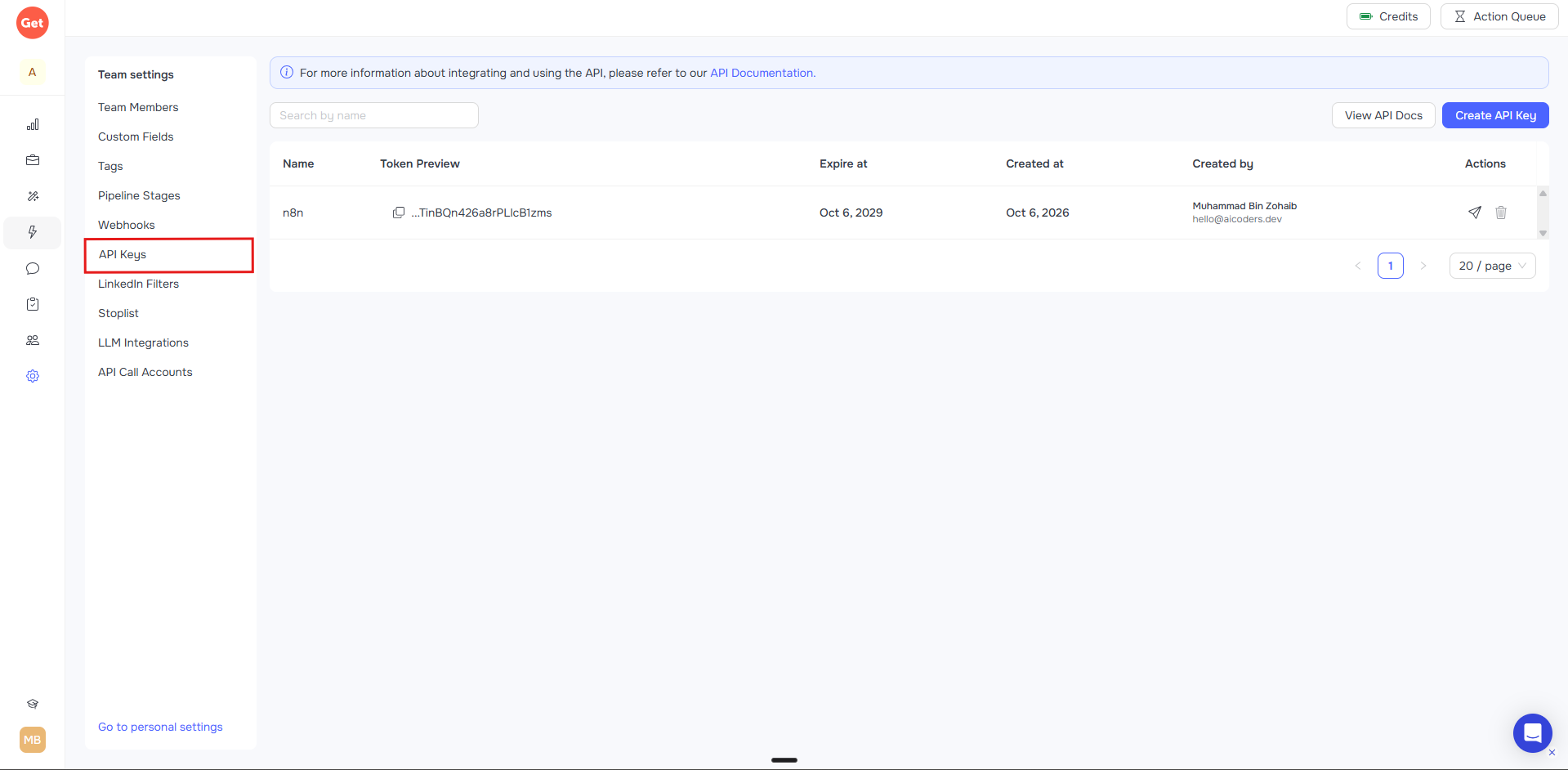
In GetSales, go to Team Settings → API Keys and create a key.
In n8n, add a new GetSales API credential and paste the key in. n8n tests it automatically against
GET /id/api/users/current— a green "Connection tested successfully" confirms it's valid.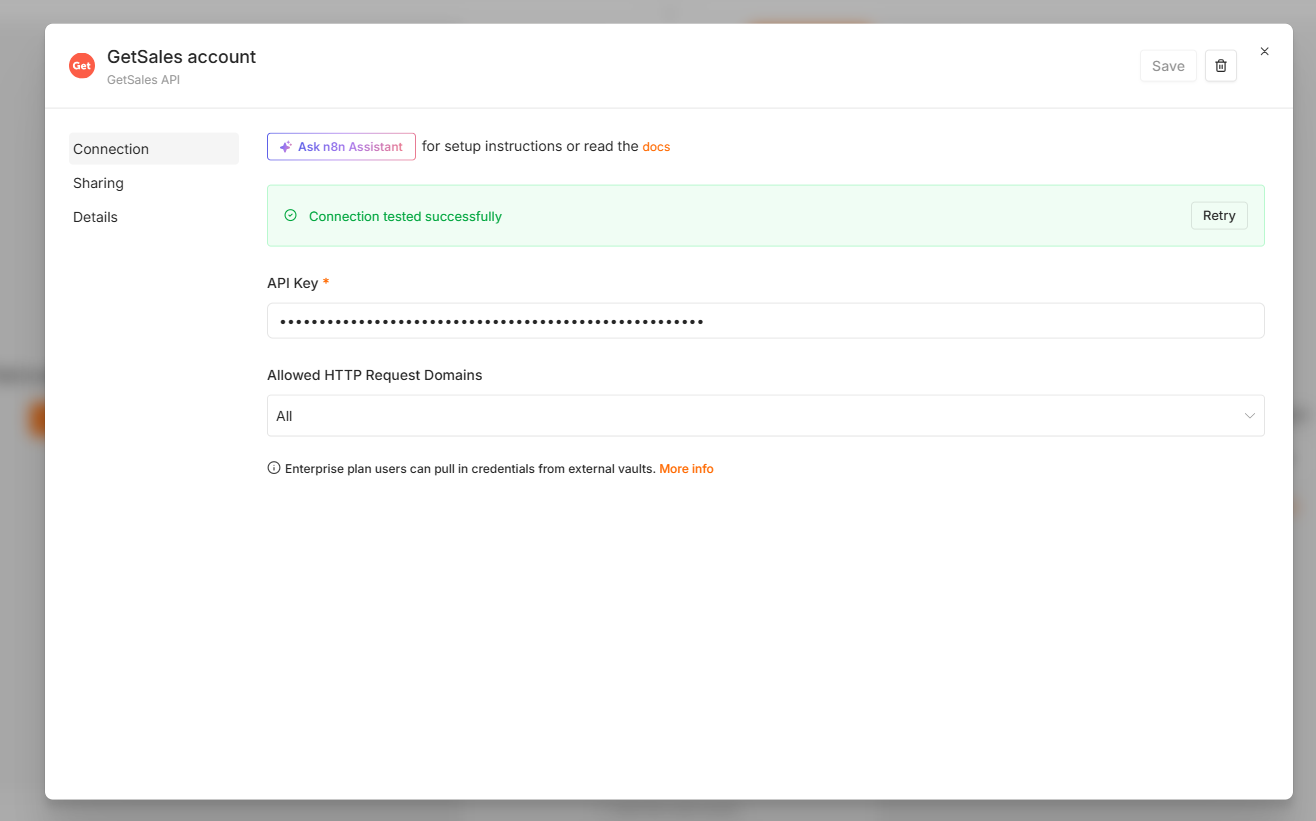
Example: list companies
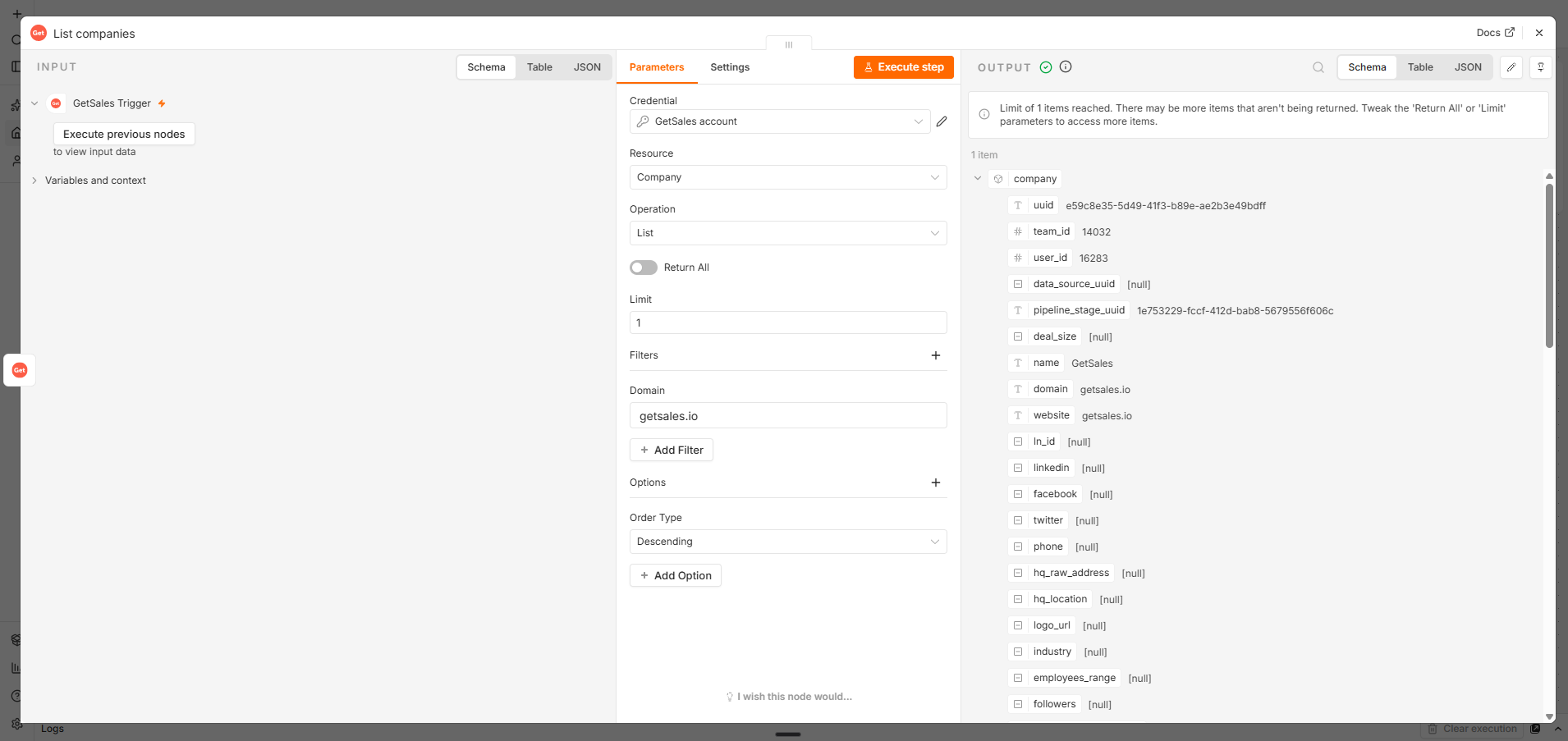
Add the GetSales node to your workflow, select your GetSales API credential.
Set Resource to
Companyand Operation toList.Optionally narrow the results under Filters (e.g. by domain).
Run the node — matching companies come back as output items.
Example: trigger a workflow on a GetSales event
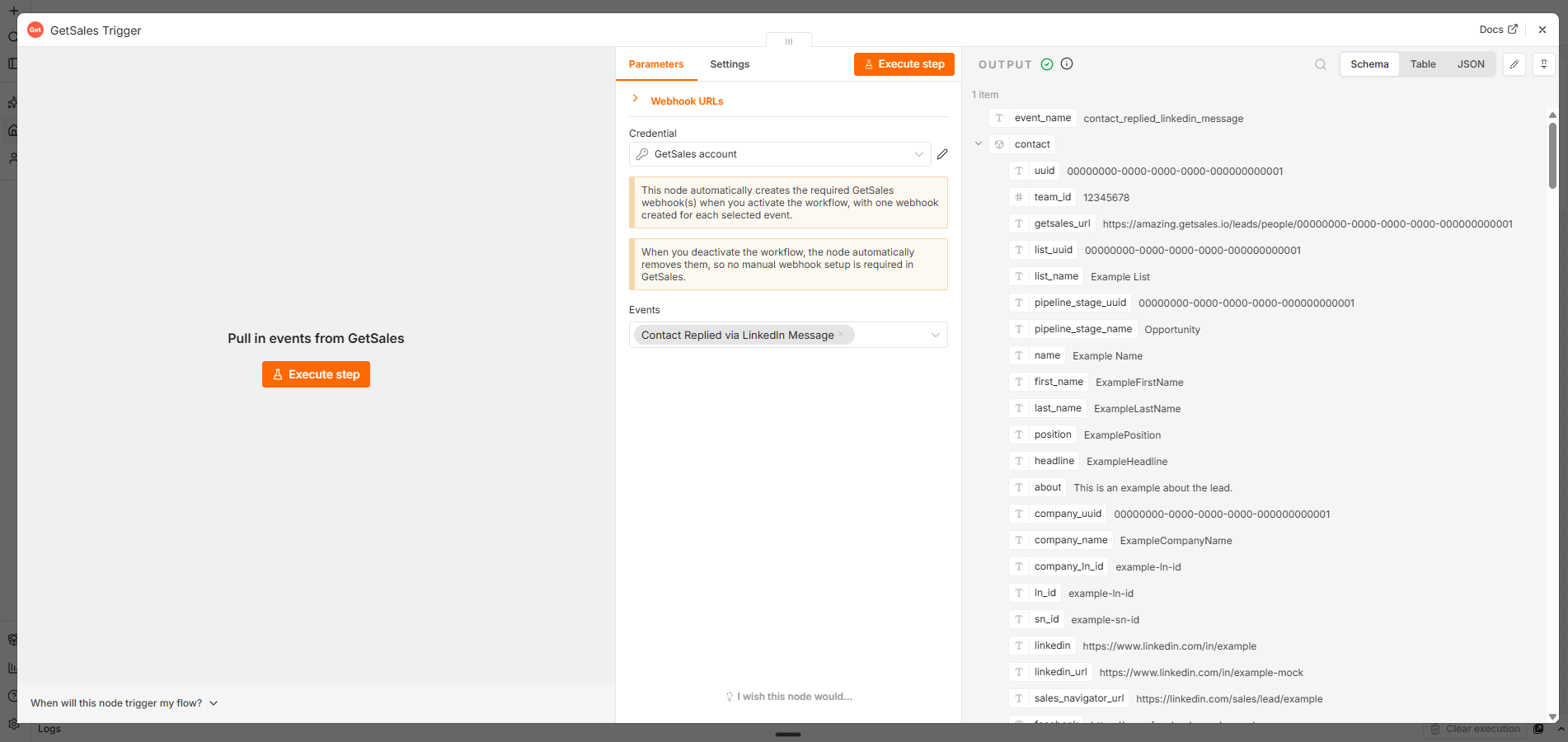
Add the GetSales Trigger node to a new workflow, select your GetSales API credential.
In Events, select one or more events — e.g.
Contact Replied via LinkedIn Message.Use Execute step to pull in a live test event and see the real payload shape:
Activate the workflow — the node automatically creates a matching webhook in GetSales (visible under Team Settings → Webhooks), no manual setup needed:
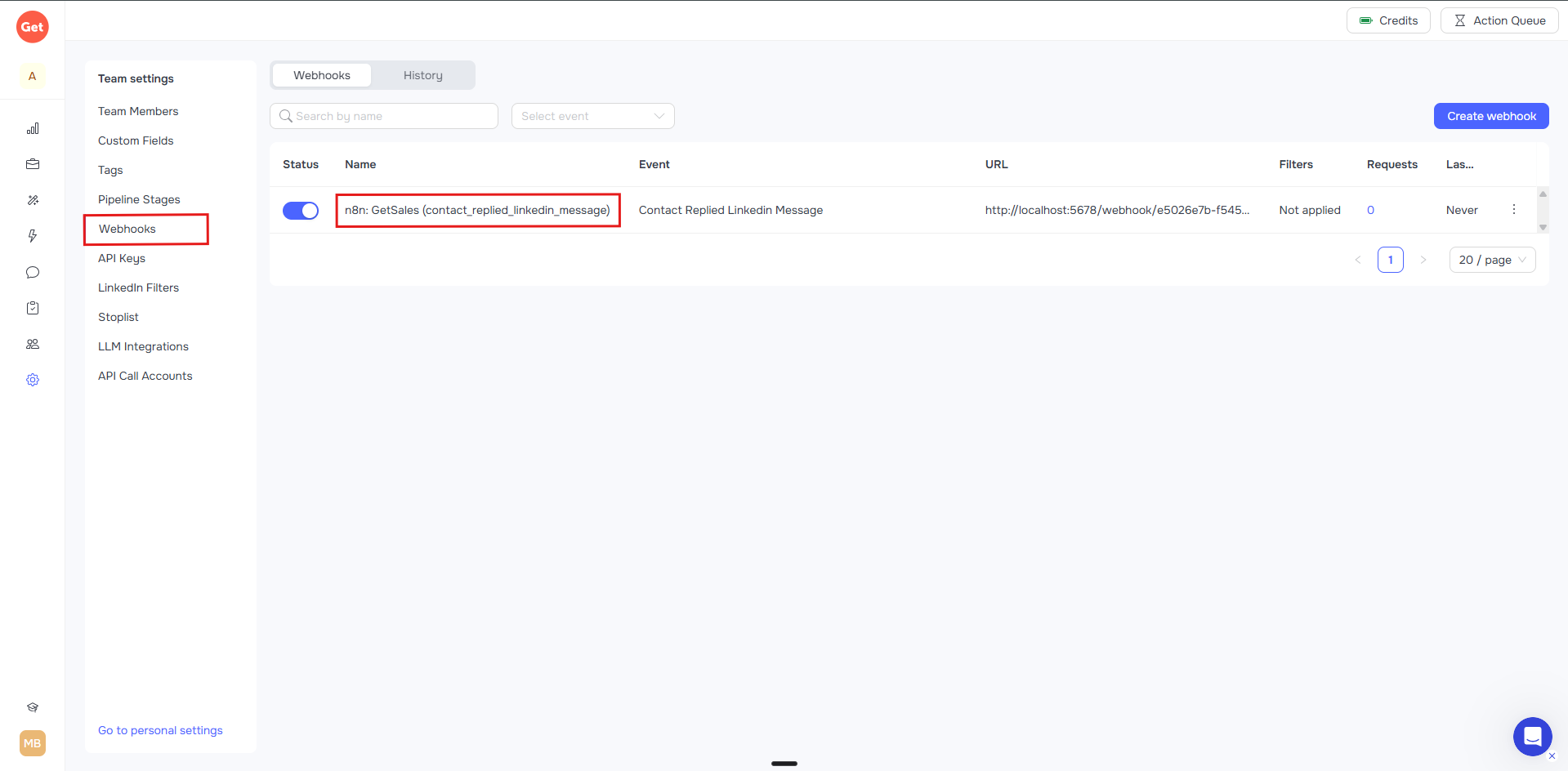
From then on, whenever that event happens in GetSales, the workflow runs with the full original event payload as the output.
Credentials
GetSales Trigger
None. The trigger only receives webhooks and calls the GetSales webhook-management API using
whatever credential you attach when webhook auto-registration needs it — see below. GetSales
documents no signature/HMAC scheme for verifying webhook authenticity, so none is implemented.
GetSales (action node) and webhook auto-registration
Both require the GetSales API credential:
- API Key — create one in GetSales under Team Settings → API Keys.
- Sent as
Authorization: Bearer <API Key>. - Credential test calls
GET /id/api/users/current.
Compatibility
Built and tested against n8n's current programmatic/declarative node APIs (n8n-workflow v2.x,
scaffolded with @n8n/node-cli). No known version incompatibilities.
Resources
Version history
See CHANGELOG.md for the full, generated version-by-version history.
- 0.2.x — Added the GetSales action node (20 operations across Contact/Company/LinkedIn/Email/Flow) and the
GetSales APIcredential. Upgraded GetSales Trigger to automatic webhook registration/cleanup and expanded to 12 confirmed events. Several patch releases fixed publishing/provenance issues and a webhook-registration response-parsing bug found during real-world testing. - 0.1.0 — Initial release: GetSales Trigger with 5 confirmed events, manual webhook setup.
Author
Muhammad Bin Zohaib, CEO of AI Coders.