Package Information

Documentation




n8n-nodes-huggingface-space
Run inference on any Hugging Face Gradio Space from n8n — and curate your own
model list without forking the node.
Hugging Face hosts tens of thousands of Spaces — live, hosted demos of open models
for images, video, music, speech, text and more. Almost all of them expose a real
API, but that API is Gradio's own queue + Server-Sent-Events protocol, not plain
REST, so you cannot drive one from an HTTP Request node. This node speaks that
protocol, so any Space becomes a step in your workflow.
Three ways to use it:
- Catalog — pick a category and a model. Each entry is backed by Spaces that were
probed live, plus fallbacks that are tried in order when the primary is paused,
crashed, or out of GPU quota. Community Spaces go down constantly; the fallback
chain is the difference between a workflow that works and one that breaks on a
Tuesday. - Catalog Overlay — bring your own Spaces. Prepend private forks, replace a
model's Space chain, or hide models you do not want in the dropdown — via a JSON
file (GRADIO_CATALOG_OVERLAY) or a per-node Additional Option. The curated
public catalog stays clean; your org's private ZeroGPU Spaces stay yours. This is
the upgrade that lets a team run production on hosted forks without maintaining a
fork of the node. - Custom Space — point at any Space by ID. The endpoint list and its parameter
names are read live from the Space's own schema, so you pass arguments by name
instead of hand-counting a positional array.
Built and maintained by Shadow Software — we run
n8n in production across a family of products and open-source the nodes we rely on.
See our other node, n8n-nodes-custom-exec,
for running shell tooling (ffmpeg, imagemagick, …) from a workflow.
Installation · Credentials · Usage · Catalog Overlay · Try it · Models · Quota · Compatibility
Installation
Follow the community nodes installation guide,
then search for n8n-nodes-huggingface-space.
Self-hosted, from the CLI:
npm install n8n-nodes-huggingface-space
Credentials
The node uses a Hugging Face Space API credential holding a single access token,
which you create at huggingface.co/settings/tokens.
A read token is enough.
The credential is optional — public Spaces accept anonymous calls. In practice you
want one anyway: an anonymous caller shares a very small ZeroGPU allowance with
everyone else on the same egress IP, so unauthenticated runs tend to fail with an
out-of-quota error as soon as they see real use. With a token, the call draws on your
own account's allowance.
Usage
Catalog mode
Pick a Category (Image, Text, Video, Music, Audio, Moderation, …) and a Model,
then write your Prompt. Everything else is optional.
Use Extra Parameters to pass anything the underlying Space accepts, by name —width, height, num_inference_steps, seed, and so on. Names differ per Space;
anything the chosen Space doesn't declare is dropped and reported back indroppedParams rather than failing the run.
Custom Space mode
Give a Space ID as it appears in the Space's URL (e.g. Tongyi-MAI/Z-Image-Turbo).
The API Endpoint dropdown then loads that Space's real endpoints, and you supply
arguments by their real names.
Catalog Overlay — curate your own model list
Host your own Gradio Spaces (private ZeroGPU forks of FLUX, Chatterbox, Qwen-Edit,
…), then tell the node to try those first while keeping the public catalog as
fallback. No fork of this package. No hard-coded org names in the curated list.
Fleet-wide (recommended for production)
Set an environment variable on the n8n process to a JSON file path (or inline JSON):
GRADIO_CATALOG_OVERLAY=/data/gradio-catalog-overlay.json
Example file:
{
  "version": 1,
  "prepend": {
    "image/flux2-dev": [
      { "space": "myorg/flux-2-dev", "api": "infer", "promptParam": "prompt" }
    ],
    "audio/chatterbox": [
      {
        "space": "myorg/chatterbox",
        "api": "generate_tts_audio",
        "promptParam": "text_input"
      }
    ]
  },
  "hideModels": ["image/sdxl"]
}
| Field | Effect |
|---|---|
prepend |
Insert Spaces before the curated public chain for category/modelId |
replace |
Swap that model's entire Space list |
hideModels |
Drop models from the Catalog dropdown |
Restart n8n after editing the file (the env overlay is read when the node module
loads). Private Spaces still need a Hugging Face token on the credential that can
read them.
Per-workflow
Under Additional Options → Catalog Overlay, paste the same JSON. It merges on
top of the fleet env overlay (node prepends sit in front).
Keys are always category/modelId — the same ids as in the Models
tables below (image/flux2-dev, audio/chatterbox, …).
Output
{
  "gradio": {
    "space": "black-forest-labs/FLUX.2-dev",
    "apiName": "infer",
    "durationMs": 6647,
    "files": ["https://…hf.space/gradio_api/file=/tmp/gradio/…/image.webp"],
    "data":  [ /* the Space's raw return value */ ],
    "fallbacksTried": [],   // which Spaces failed first, and why
    "droppedParams": []     // extras the chosen Space does not declare
  }
}
files holds directly-fetchable https URLs. Enable Download Result Files to attach
the first one to the item as binary data instead.
Both fallbacksTried and droppedParams are surfaced deliberately: a silent fallback
means a different model answered than the one you asked for, and that should never be
invisible.
Try it — two one-click demo workflows
Every field below is set through the node's real UI — dropdowns and a text box, no
expressions, no JSON. Wire a Manual Trigger into the node, pick a category and model,
write a prompt, click Execute workflow.
Image — a "Shadowman" logo mark (watch it run)

▶ Full video (MP4) · same file under /assets/images
Open the node → pick Image + SDXL → write the prompt → execute:
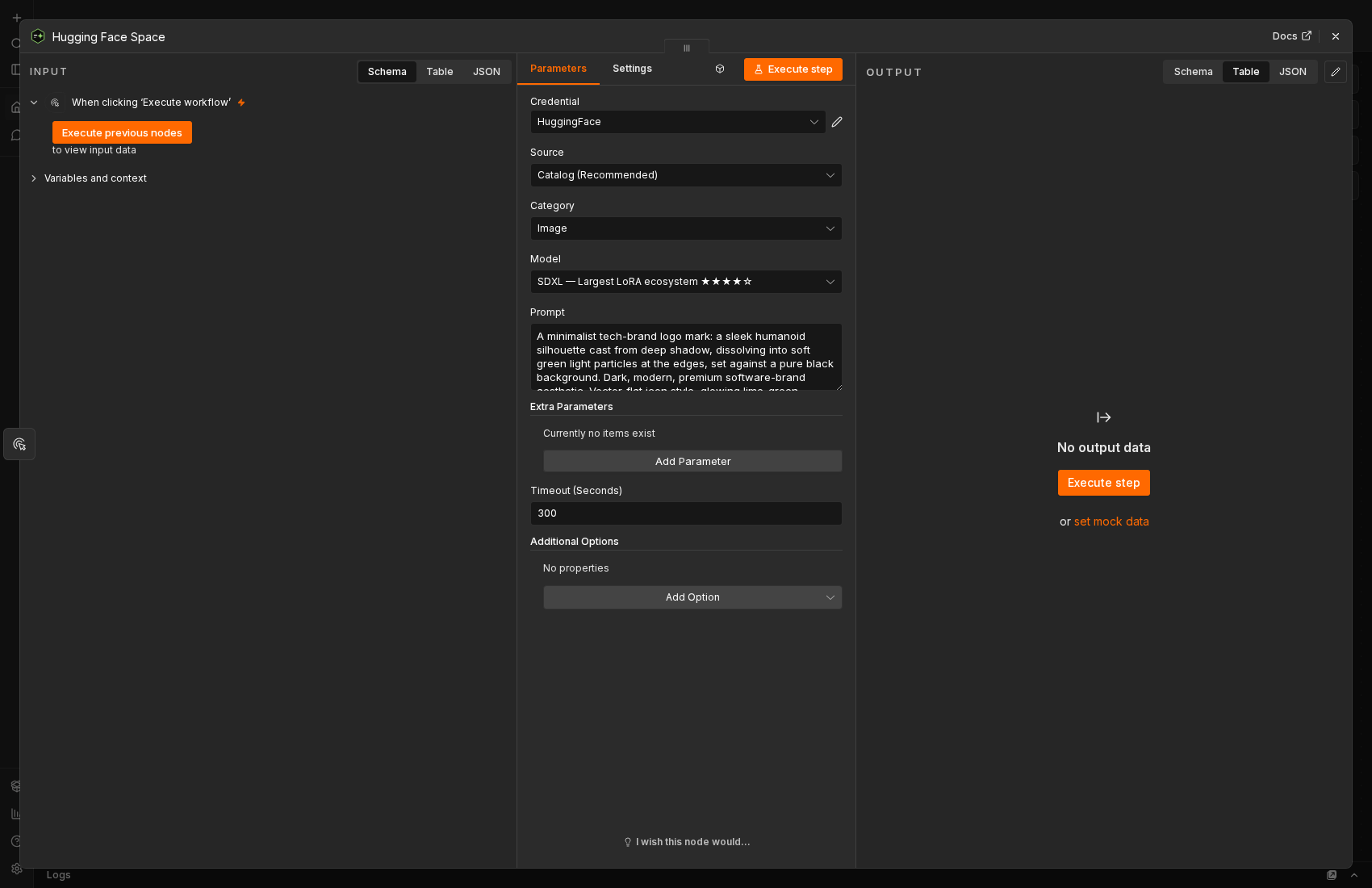
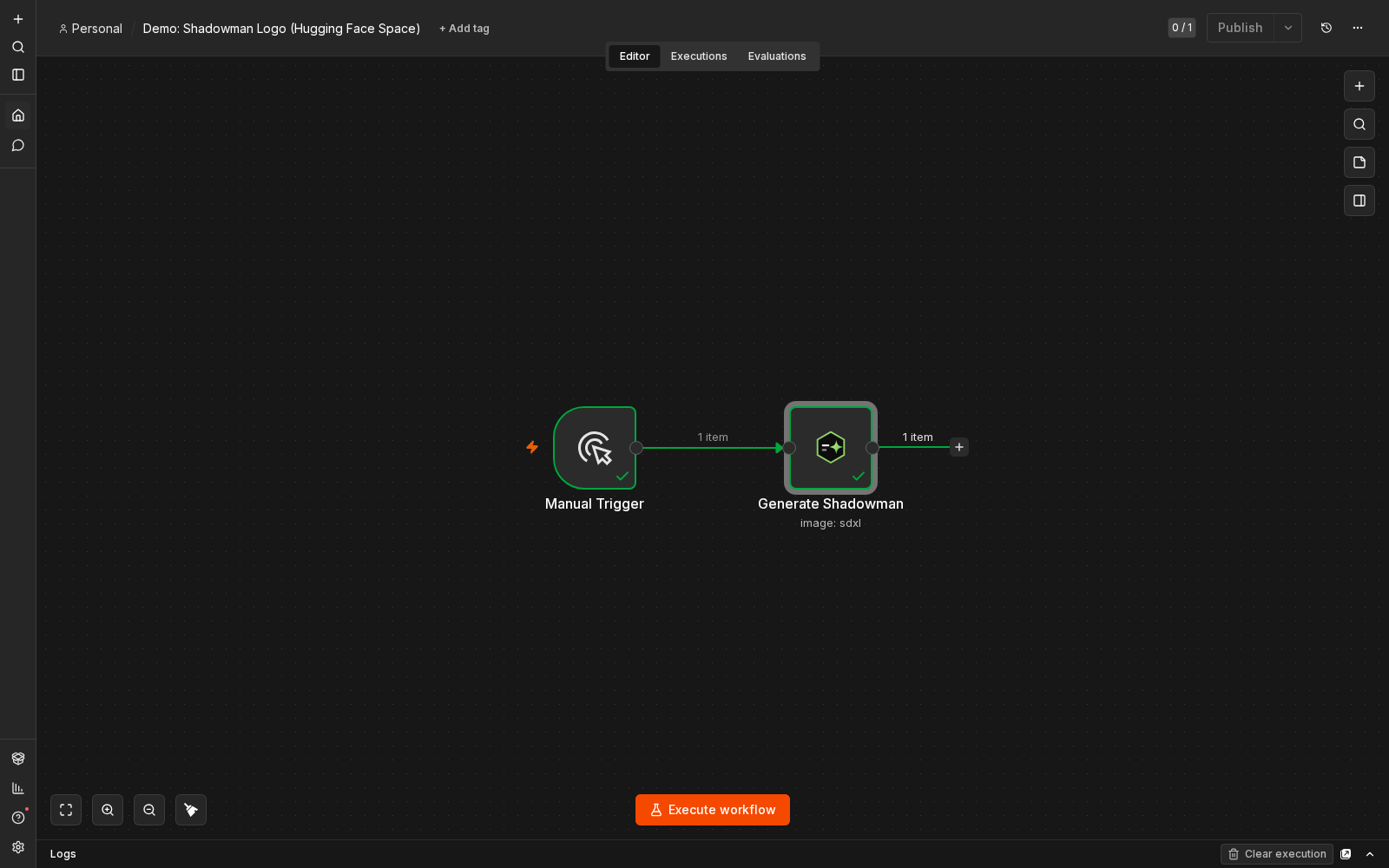

SDXL's catalog entry includes a CPU-only fallback Space with zero GPU-quota cost, so
this image demo can run green without a Hugging Face PRO token.
Text (LLM) — a short blog post about AEO
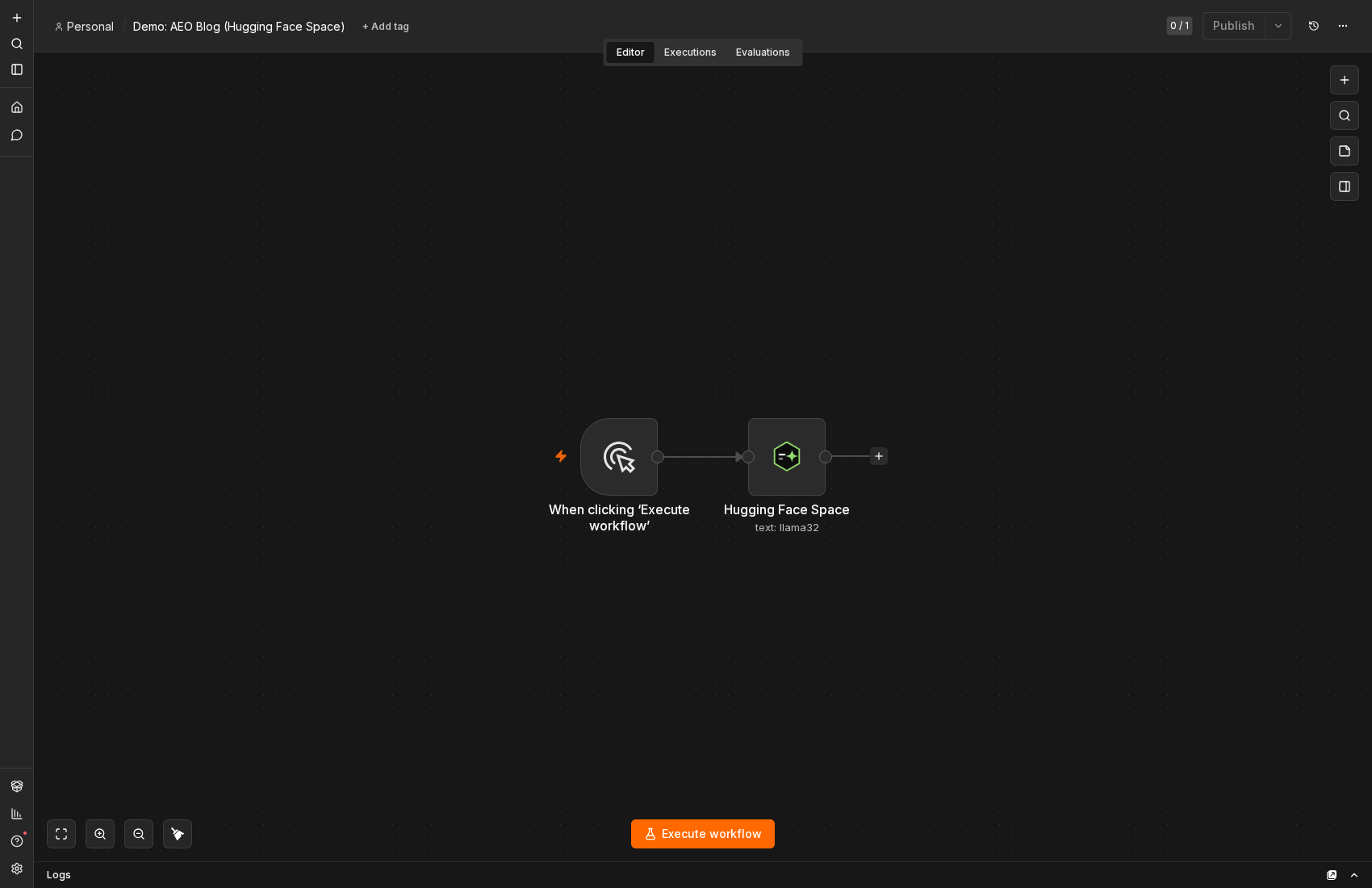
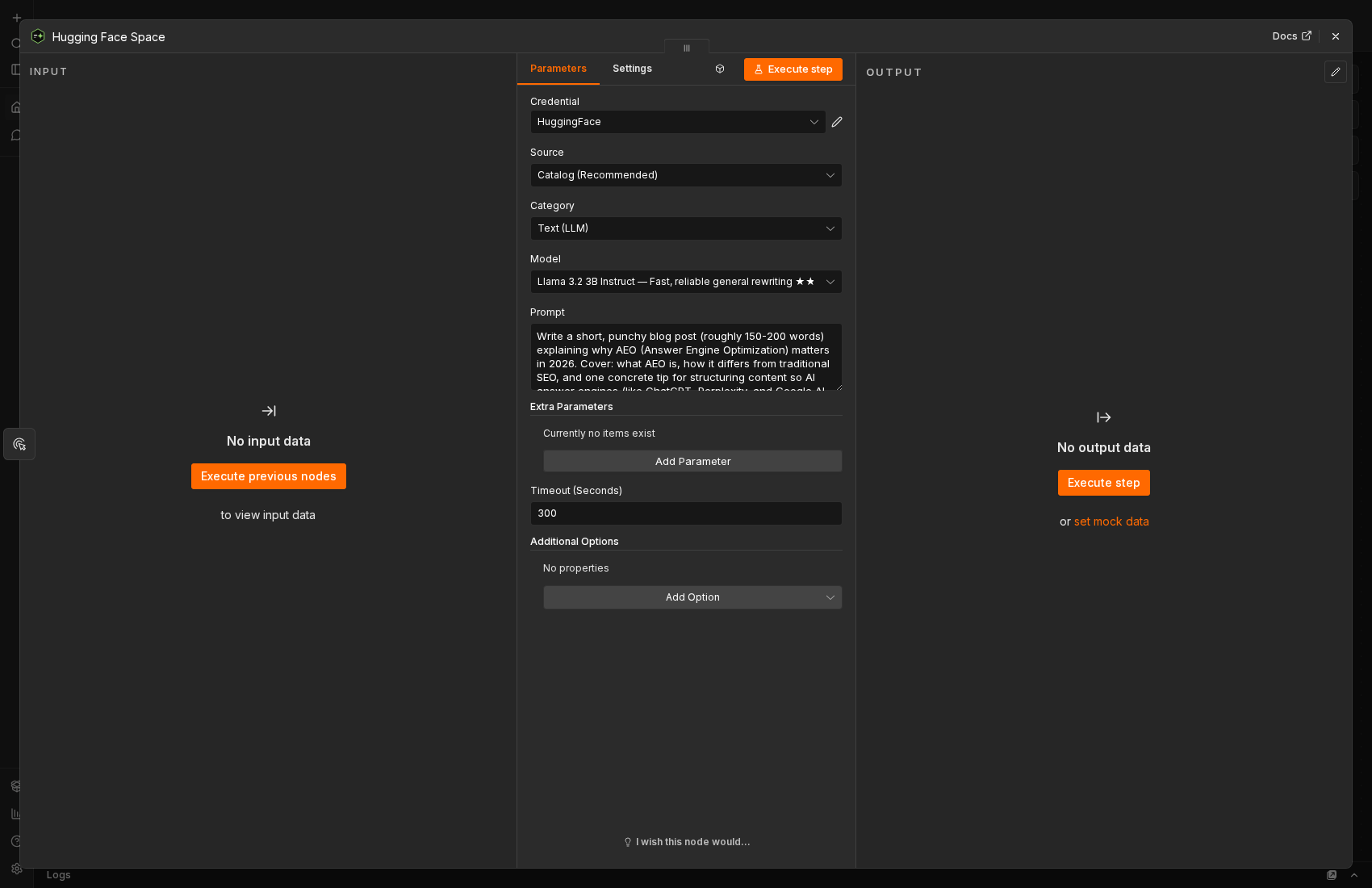
Community text-generation Spaces are the most heavily used on Hugging Face and the
first to queue or error under load — this exact config returns a real blog post
once the underlying Space has room, with no changes needed.
Models
The catalog below is not a list of models that exist — it is a list of models that were
called successfully. Every entry was probed live: the Space was RUNNING, the endpoint
existed in its own schema, and it returned an artifact of the right kind.
That distinction matters more than it sounds. A keyword search for a model name will
happily return a Space that is running but publishes no callable endpoint, one that is
login-gated behind an OAuth wall, or one that returns a chart image where you expected a
label. Several very popular Spaces (thousands of likes) are exactly this. They are
excluded, and the ones that have no working Space at all stay listed in the dropdown but
are clearly marked unavailable, with the reason — a dead entry with an explanation
beats a dead entry that just fails at runtime.
Image
| Model | Best for | Quality | Primary Space |
|---|---|---|---|
flux2-dev |
Overall quality + editing | ★★★★★ | black-forest-labs/FLUX.2-dev |
flux2-klein |
Fastest high-quality local model | ★★★★★ | black-forest-labs/FLUX.2-klein-9B |
qwen-image |
Best prompt understanding & text-in-image | ★★★★★ | Qwen/Qwen-Image |
z-image-turbo |
Very fast previews | ★★★★☆ | Tongyi-MAI/Z-Image-Turbo |
hidream-i1 |
Photorealistic advertising | ★★★★☆ | HiDream-ai/HiDream-O1-Image-Dev-2604 |
sd35-large |
Strong creative ecosystem | ★★★★☆ | stabilityai/stable-diffusion-3.5-large |
sdxl |
Largest LoRA ecosystem | ★★★★☆ | hysts/SDXL |
Text (LLM)
| Model | Best for | Quality | Primary Space |
|---|---|---|---|
llama33-70b |
Human-like rewriting | ★★★★★ | Thziin/meta-llama-Llama-3.3-70B-Instruct |
deepseek-r1 |
Fact-preserving rewrites | ★★★★★ | Opro/huihui-ai-DeepSeek-R1-Distill-Qwen-32B-abliterated |
gemma3 |
SEO-friendly, structured | ★★★★☆ | huggingface-projects/gemma-3-12b-it |
llama32 |
Fast, reliable general rewriting | ★★★★☆ | huggingface-projects/llama-3.2-3B-Instruct |
mistral-small |
Fast production | ★★★★☆ | youzarsiph/mistral-small-instruct-2409-demo |
Video
| Model | Best for | Quality | Primary Space |
|---|---|---|---|
ltx-video |
Fast generation (needs HF PRO) | ★★★★☆ | Lightricks/ltx-video-distilled |
cogvideox-5b |
Consumer GPUs (needs HF PRO) | ★★★★☆ | zai-org/CogVideoX-2B-Space |
wan21-fast |
Image-to-video, quickest Wan (needs HF PRO) | ★★★★☆ | multimodalart/wan2-1-fast |
Audio (TTS)
| Model | Best for | Quality | Primary Space |
|---|---|---|---|
indextts |
High-quality TTS with voice cloning (needs HF PRO) | ★★★★★ | IndexTeam/IndexTTS |
bark |
Expressive TTS with tone/laughter | ★★★★☆ | suno/bark |
qwen3-tts |
Multilingual TTS + voice cloning | ★★★★★ | Qwen/Qwen3-TTS |
Voice Conversion
| Model | Best for | Quality | Primary Space |
|---|---|---|---|
seed-vc |
Best overall voice conversion (needs HF PRO) | ★★★★★ | Plachta/Seed-VC |
Lip Sync
| Model | Best for | Quality | Primary Space |
|---|---|---|---|
latentsync |
Highest-quality offline lipsync (needs HF PRO) | ★★★★★ | fffiloni/LatentSync |
Face Swap
| Model | Best for | Quality | Primary Space |
|---|---|---|---|
face-swap-cpu |
Industry-standard face swap | ★★★★★ | tonyassi/face-swap |
Music
| Model | Best for | Quality | Primary Space |
|---|---|---|---|
ace-step |
Full songs WITH VOCALS (the open Suno) | ★★★★★ | ACE-Step/ACE-Step |
stable-audio |
Instrumental beds, loops, SFX | ★★★★☆ | artificialguybr/Stable-Audio-Open-Zero |
musicgen |
Melody-conditioned instrumental | ★★★★☆ | facebook/MusicGen |
Moderation & Safety
| Model | Best for | Quality | Primary Space |
|---|---|---|---|
spam-filter |
Spam / not-spam on a message | ★★★☆☆ | AventIQ-AI/bert-spam-detection |
guardrails |
Toxicity + jailbreak + PII, as structured JSON | ★★★★★ | fastino/gliner2-guardrails-pii-multi |
Image Editing
| Model | Best for | Quality | Primary Space |
|---|---|---|---|
qwen-image-edit |
Instruction-driven photo editing | ★★★★★ | Qwen/Qwen-Image-Edit |
bg-remove |
Cutouts / transparent PNGs | ★★★★★ | not-lain/background-removal |
upscale |
Enlarge / restore detail | ★★★★☆ | gokaygokay/Tile-Upscaler |
Vision & OCR
| Model | Best for | Quality | Primary Space |
|---|---|---|---|
deepseek-ocr |
Documents, receipts, screenshots | ★★★★★ | khang119966/DeepSeek-OCR-DEMO |
Web
| Model | Best for | Quality | Primary Space |
|---|---|---|---|
scrape |
URL -> clean markdown | ★★★☆☆ | Agents-MCP-Hackathon/web-scraper |
A note on GPU quota
Most of these Spaces run on Hugging Face ZeroGPU, which is metered per account, not
per Space. Two consequences are worth knowing before you build a workflow on this:
- A quota error is not a Space failure. When your allowance is spent, every ZeroGPU
Space rejects you identically, so the node does not walk the fallback chain — that
would just burn wall-clock collecting the same error N times. It fails fast and tells
you when the quota resets. - CPU-only Spaces are the exception. A handful of catalog entries (marked in their
description) run on CPU and spend no GPU quota at all. They are slower, but they still
work when everything else is locked out — so the node does fall through to them after
a quota error.sdxland the moderation models are the ones to reach for.
A Hugging Face PRO subscription raises the
allowance considerably, and is effectively required for video generation: a single video
call asks for more GPU-seconds than a free account may request at once.
Compatibility
- n8n 1.60.0 or later
- Node.js 20.15 or later
Tested against n8n 1.x.
Dependencies
The node has zero runtime dependencies — npm audit --omit=dev reports no
vulnerabilities, because nothing is shipped but the compiled node itself.
A plain npm audit does report advisories. Every one of them comes fromn8n-workflow, which is a peer dependency: n8n supplies it at runtime from its
own tree, so those advisories are resolved by upgrading n8n, not this package.
Pinning our own copy would only risk breaking compatibility with the host.
Links
- npm — n8n-nodes-huggingface-space
- Source — github.com/shadow-software/n8n-nodes-huggingface-space
- n8n community nodes — installation & docs
- Hugging Face Spaces — huggingface.co/spaces · Gradio API
- Also by us — n8n-nodes-custom-exec: run shell tooling (ffmpeg, imagemagick, pandoc, …) on a remote exec service from a workflow.
We also build and open-source a family of WordPress plugins and themes for
WooCommerce stores: Broadside
(theme) and Broadside Blocks,
Crypto for WooCommerce, and
AGT for WooCommerce.
About
Made by Shadow Software — we build and run
automation-heavy SaaS products and open-source the n8n nodes we depend on. If you
need custom n8n nodes, workflow automation, or a platform built around it, get in
touch at shadowsoftware.com.