Package Information


Documentation
n8n-nodes-job-opportunities-api
This is an n8n community node for the Job Opportunities API (JOA). It lets you search employer-direct job postings and companies, and start workflows when new jobs match a search or when jobs change or close.
The Job Opportunities API (JOA) collects job postings directly from employers' own applicant tracking systems and career sites. Every field carries a provenance tag (published by the employer, inferred, or absent), and closed roles are tracked, so you can tell a live opening from a stale one. Live coverage figures are published at jobopportunitiesapi.org/coverage.
n8n is a fair-code licensed workflow automation platform.
- Installation
- Credentials
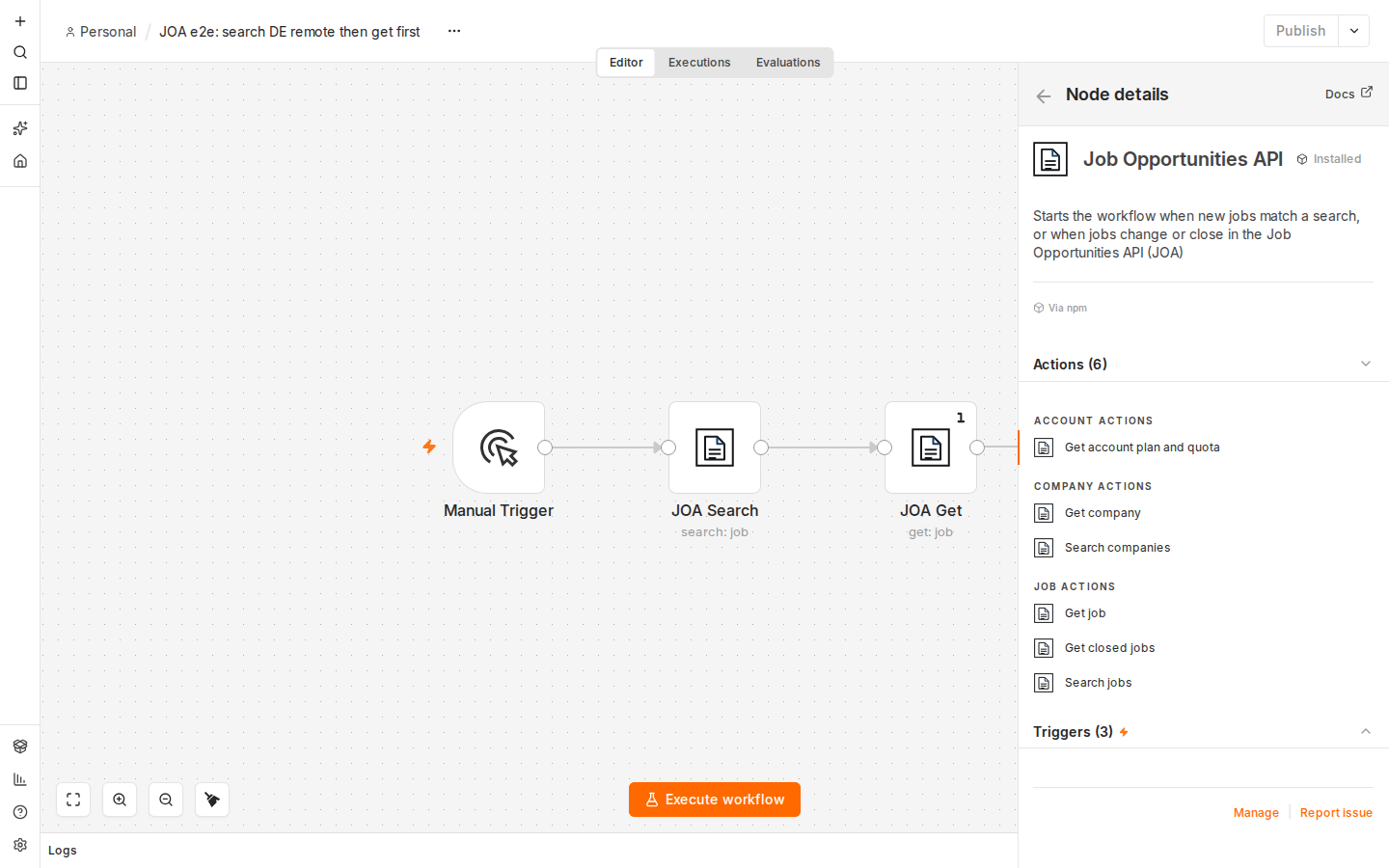
- Operations
- Trigger
- Example workflows
- Screenshots
- Compatibility
- Usage notes
- Showing listings publicly
- Resources
- License
- Changelog
Installation
Follow the installation guide in the n8n community nodes documentation:
- In n8n, open Settings > Community Nodes.
- Select Install.
- Enter
n8n-nodes-job-opportunities-apiand confirm.
For self-hosted n8n without the UI installer, run npm install n8n-nodes-job-opportunities-api in your n8n custom nodes folder (usually ~/.n8n/custom) and restart n8n.
Credentials
You need a JOA API key. Get a free key (no card required) at jobopportunitiesapi.org/register.
- In n8n, create a new credential of type Job Opportunities API.
- Paste your key into API Key.
- Leave Base URL as
https://api.jobopportunitiesapi.orgunless JOA support gives you a different address. - Select Save. n8n tests the key against
GET /v1/me.
The key is sent as Authorization: Bearer <key>. It is stored encrypted by n8n and never written to node output.
Operations
| Resource | Operation | API endpoint | Notes |
|---|---|---|---|
| Job | Search | GET /v1/jobs |
Keywords, country, remote, employment type, seniority, category, company slugs, posted after and include description at the top level; title, title excludes, description contains, city, US state, exclusions, providers, source types, salary range, salary and description presence, status, verified after and required published fields under Additional Filters. Return All or Limit, following the API cursor. Optional Simplify. |
| Job | Get | GET /v1/jobs/{id} |
By ID or slug, with the job description. Include Closed returns a closed job instead of a not found error. |
| Job | Get Closed | GET /v1/jobs/closed |
Most recently closed first, with closed after / closed before, closed reason, country and company filters. |
| Company | Search | GET /v1/companies |
Search term and country, Return All or Limit. |
| Company | Get | GET /v1/companies/{slug} |
One employer by slug. |
| Account | Get Plan and Quota | GET /v1/me |
Your plan, limits and today's usage. |
Each job or company is returned as its own n8n item. Jobs keep the employer's own apply_url: use it as the apply link. When a job has an attribution field (for example "via Erioun for Teams"), show it with the listing and link to its canonical_url. Simplify keeps both fields.
The node can also be used as a tool by the n8n AI Agent.
Errors
| Status | Message in n8n |
|---|---|
| 401 | Invalid API key |
| 403 | Your JOA plan does not include this endpoint (the change feed needs Growth or above) |
| 429 | Rate limit reached, retry after N seconds (from the Retry-After header) |
| 400 / 422 | Invalid parameter, with the API's explanation |
| 404 | The API's not found message |
Turn on Continue On Fail in the node settings to receive errors as items instead of stopping the workflow, or Retry On Fail to retry after rate limits.
Trigger
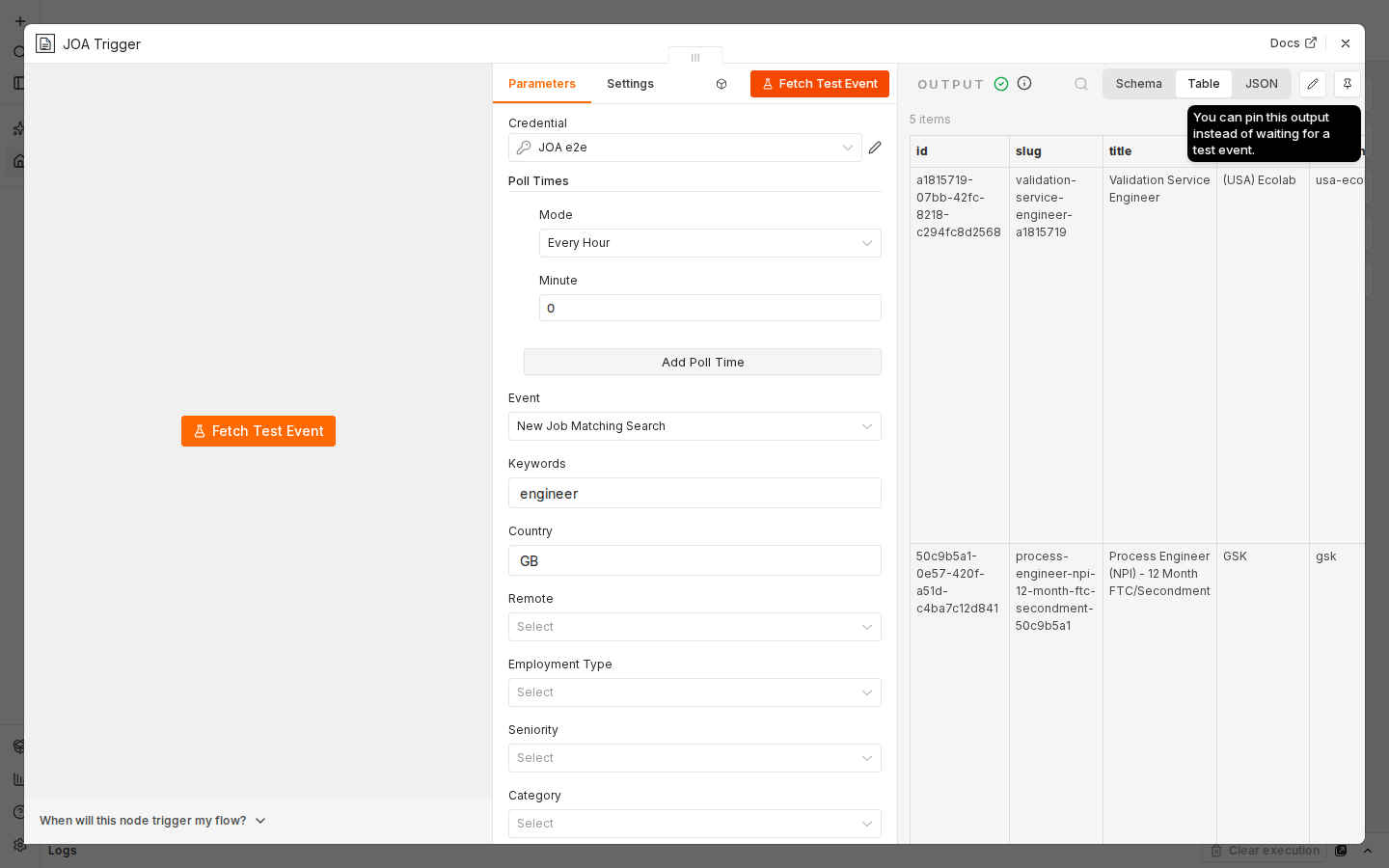
Job Opportunities API Trigger is a polling trigger. Set how often it checks under Poll Times.
| Event | Plan | What it emits |
|---|---|---|
| New Job Matching Search | Every plan | Each new job matching the same filters as Job > Search. |
| Job Change (Change Feed) | Growth and above | One item per change: { change, job, removed }. change is created, updated, withdrawn or delisted. Filter with Change Types. |
| Job Closed | Growth and above | One item per closed job: { id, closed_at, closed_reason }. |
How it works:
- New Job Matching Search asks for the newest matching jobs posted since the previous poll, minus an Overlap (default 60 minutes) so that jobs indexed late are still caught. It remembers the IDs of the last 2,000 jobs it has seen, so a job is never emitted twice. Up to Max Jobs per Poll jobs (at most 50) are checked on each poll.
- Job Change and Job Closed read the API's change feeds from a cursor saved in the workflow, starting at the moment you activate the workflow.
- When the workflow is first activated, nothing is emitted: the trigger only records where to start.
- Fetch Test Event in the editor returns a few recent items as sample data and does not move the saved position.
- On plans without the change feeds, the Job Change and Job Closed events fail with the plan error above.
Every job returned by the API counts towards your plan's record allowance, including jobs the trigger has already seen. Keep filters specific and poll at a sensible interval. For complete coverage of new and changed jobs, the Job Change event is the most precise option.
Example workflows
The examples folder has workflows you can import into n8n (Workflows > Import from File):
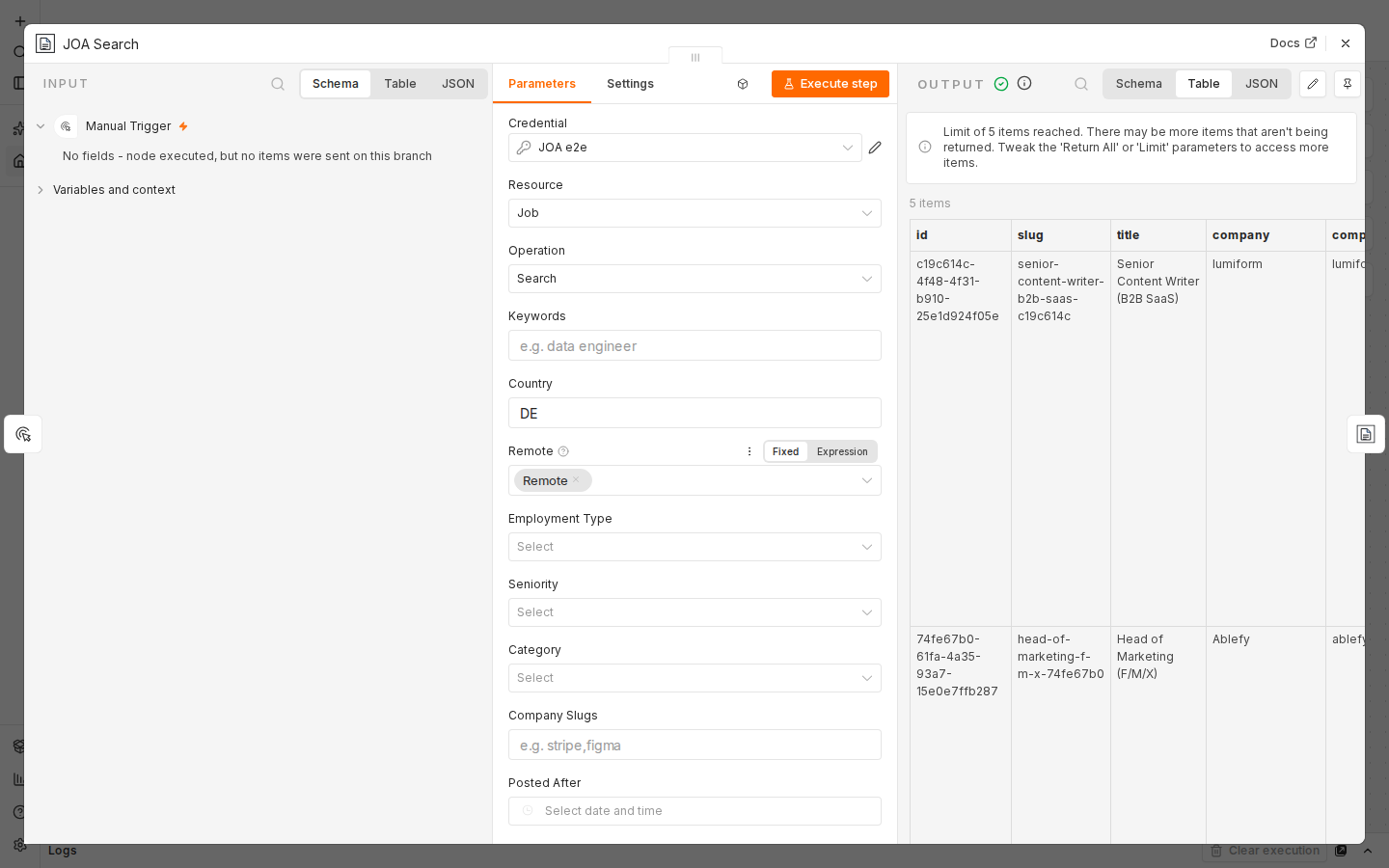
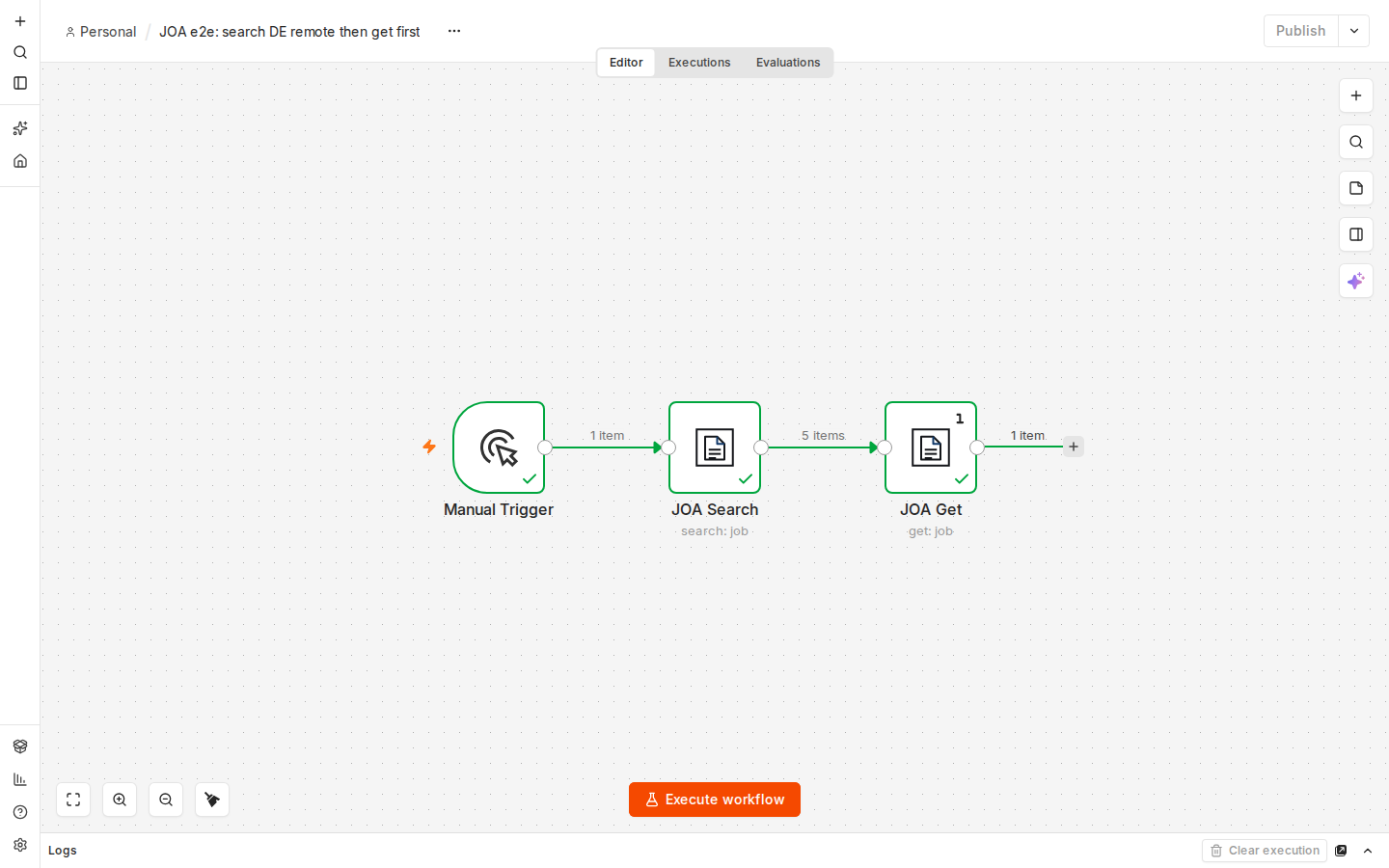
new-remote-jobs-germany-to-google-sheets.json: every hour, new remote jobs in Germany are appended to a Google Sheet (Job Opportunities API Trigger, Edit Fields, Google Sheets).search-then-get-job.json: a manual workflow that searches remote jobs in Germany and then fetches the full posting of the first result.
After importing, select your Job Opportunities API credential in each JOA node (and your Google credential and sheet in the Google Sheets node). If you display the listings publicly, the Job Opportunities API terms ask for a visible credit, "Data: Job Opportunities API", linking to https://jobopportunitiesapi.org.
Screenshots
 |
 |
 |
|
Compatibility
- Built with the official
@n8n/node-clitooling and n8n Nodes API version 1. - Tested with n8n 2.41.7 (Docker image
n8nio/n8n:latest, October 2026). - Requires an n8n version that supports community nodes (self-hosted, or n8n Cloud once the node is verified).
- No runtime dependencies.
Usage notes
- Filters that accept several values (countries, company slugs, domains, providers) take comma-separated lists, for example
DE,AT,CH. - Use Company > Search to find a company slug for the Company Slugs filter.
- Keywords search the title, company name and location, not the description. Use Description Contains to search description text.
- Job descriptions are plain text and only included when Include Description is on (or with Job > Get).
- Page sizes follow your key's limits. The node follows the API cursor until it reaches your Limit.
Showing listings publicly
If you display the listings publicly, the Job Opportunities API terms ask for a visible credit, "Data: Job Opportunities API", linking to https://jobopportunitiesapi.org.
Resources
- Job Opportunities API
- API documentation
- OpenAPI specification
- n8n community nodes documentation
- Support: support@jobopportunitiesapi.org
License
MIT © Loukas Tzekos
Changelog
See CHANGELOG.md.
0.1.0
- First release: Job (Search, Get, Get Closed), Company (Search, Get) and Account (Get Plan and Quota) operations, and a polling trigger with New Job Matching Search, Job Change (Change Feed) and Job Closed events.