Package Information
Available Nodes
Documentation generating…

Documentation
n8n-nodes-lazybird
This is an n8n community node for Lazybird. Use it to turn text into realistic AI voiceovers (MP3) in your n8n workflows, and to clone or design voices.
Lazybird is an AI voiceover generator with 500+ voices in 150+ languages and accents, voice cloning, voice design and a text to speech API.
n8n is a fair-code licensed workflow automation platform.
Installation ·
Operations ·
Credentials ·
Usage ·
Compatibility ·
Resources ·
Version history
Installation
In n8n, go to Settings → Community Nodes → Install, enter n8n-nodes-lazybird and confirm.
See the community nodes installation guide for self-hosted setups and other options.
Operations
Speech
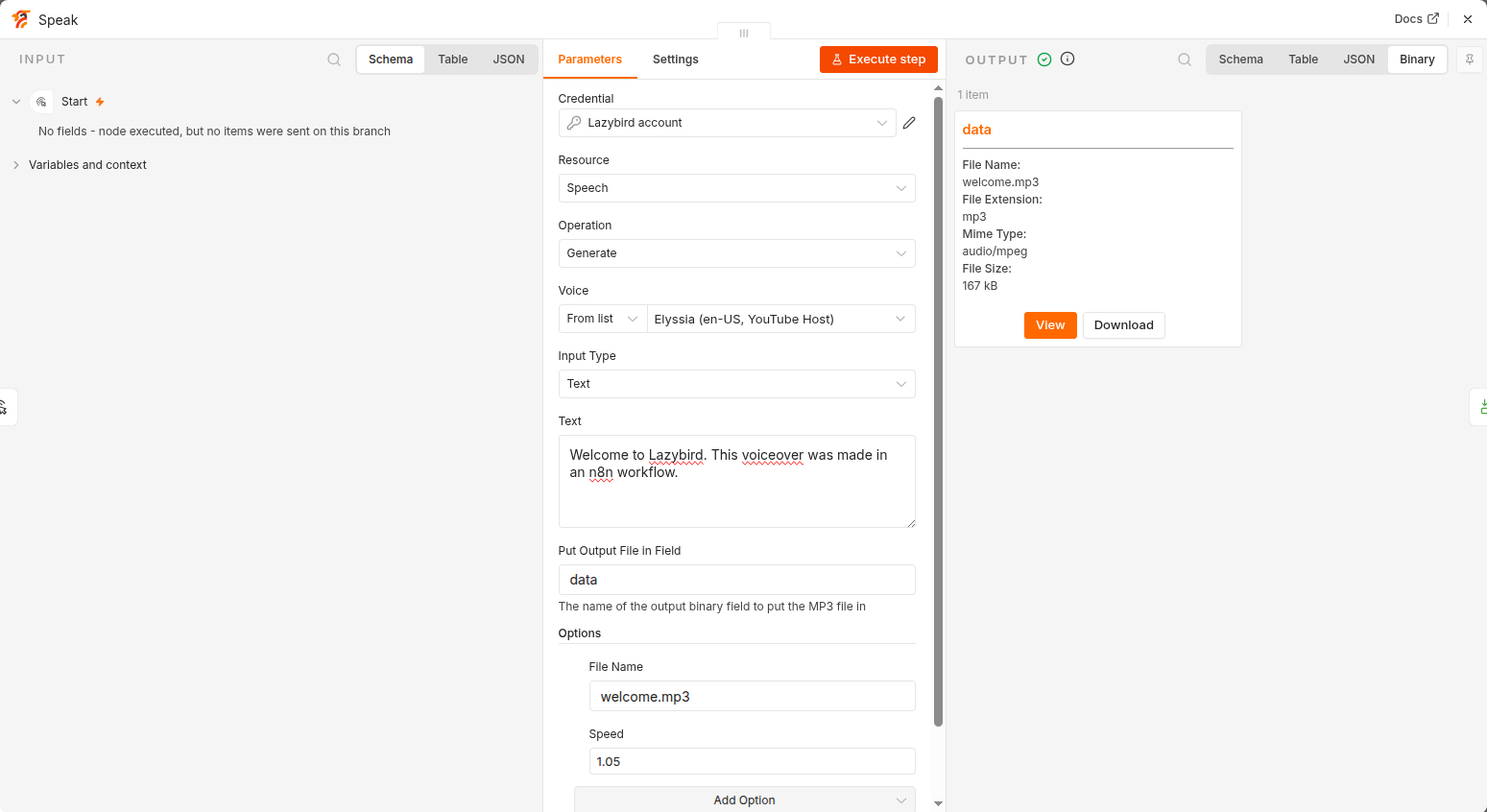
- Generate: turn text or SSML into an MP3 file. Pick a voice from the list or enter its ID, and optionally set the locale, speed, pitch, volume and speaking style. The MP3 goes to a binary field (
databy default), ready for Google Drive, S3, email or any other node.
Voice
- Get Many: list Lazybird library voices, community voices or your own, filtered by language, gender or text.
- Get: get one voice, including its languages and speaking styles.
- Clone: create a voice from a recording (binary file or URL). You must confirm that you own the voice or that the speaker consented.
- Design: create a voice sample from a short description, for example "a calm middle-aged woman with a warm, low voice". Optionally download the sample as a binary file.
- Update: change the name, description, labels, language or avatar of one of your voices.
- Delete: delete one of your voices.
- Publish / Unpublish: share one of your voices in the community library, or take it out again.
Account
- Get: your plan and credit usage.
The node can also be used as a tool by the n8n AI Agent.
Credentials
You need a Lazybird account and an API key.
- Sign up for Lazybird. The free plan includes 10,000 credits a month, no credit card needed.
- Open Studio settings and create an API key.
- In n8n, create a Lazybird API credential and paste the key. n8n checks it against your account when you save.
Usage
Credits. One credit is one character of text, shared between the Lazybird studio and the API. Use Account → Get to check your balance. Paid plans start at $9 a month; see pricing.
Choosing a voice. The voice list shows Lazybird library voices and your own voices, with their language and description. Type to search. To use a voice from Get Many, switch the voice field to By ID and map the id field.
SSML. Set Input Type to SSML for pauses and pronunciation control, for example:
<speak>Welcome back. <break time="500ms"/> Today we look at three simple ways to sleep better.</speak>
Multilingual voices. Set Options → Locale (for example es-ES) to have a multilingual or cloned voice speak another language.
Voice cloning. Cloning is available on the Creator plan and up. Use a short, clean recording of one speaker without music or background noise. Only clone your own voice or a voice you have permission to use; see the Acceptable Use Policy.
Example workflows
- RSS Feed Trigger → Lazybird (Speech: Generate) → Google Drive (Upload): a spoken version of every new article.
- Google Sheets Trigger → Lazybird (Speech: Generate) → Slack (Upload a file): voiceovers for a list of scripts.
- AI Agent with the Lazybird tool: ask the agent to find a voice and read a summary aloud.
Errors. Errors carry Lazybird's own message, for example an invalid API key, an unknown voice or missing credits. Turn on Settings → On Error → Continue to keep processing other items.
Compatibility
Tested with n8n 2.44.6.
Resources
Version history
See CHANGELOG.md.
- 0.1.0: first release. Speech: Generate; Voice: Get Many, Get, Clone, Design, Update, Delete, Publish, Unpublish; Account: Get.