Package Information
Available Nodes
Documentation generating…

Documentation
n8n-nodes-pdf (PDF Toolkit)
This is an n8n community node for working with PDFs directly inside your
workflows: merge, split, generate, fill forms, watermark, and extract.
Everything runs in-process on your n8n instance: no external API, no
per-document fees, and no data leaving your machine.
n8n is a fair-code licensed workflow automation platform.
Installation ·
Operations ·
Example usage ·
Limits ·
Credentials ·
Compatibility ·
Resources ·
Version history
Installation
Follow the installation guide
in the n8n community nodes documentation: Settings → Community Nodes →
Install, then enter n8n-nodes-pdf. No credentials or extra setup needed.
The package has zero runtime dependencies. The PDF engine ships bundled
inside the node.
Operations
One node, PDF Toolkit, with five resources. Operations read their input
PDF from a binary property (default data) and write results to a binary
property configurable under Options.
Document
| Operation | Description |
|---|---|
| Merge | Combine PDFs from all incoming items (or from listed binary properties) into one, preserving order |
| Split | Split a PDF into one output item per page range (e.g. 1-3,7,9-) |
| Extract Pages | Copy a set of pages into a new PDF |
| Rotate | Rotate all pages or a page range by 90°/180°/270° |
| Reorder | Change the page order |
| Delete Pages | Remove a set of pages |
Generate
| Operation | Description |
|---|---|
| From Template | Generate a PDF from a declarative JSON template (headings, paragraphs, lists, tables, code, images, headers/footers, page numbers) |
| From Markdown | Generate a PDF from Markdown (headings, bold/italic/code/strikethrough, links, blockquotes, lists, fenced code blocks, horizontal rules, pipe tables) |
| From Images | Combine one image per incoming item into a multi-page PDF |
Generation, Stamp → Text Watermark/Page Numbers, and Form → Fill Form use
bundled Unicode fonts (Noto Sans/Noto Sans Mono, plus Noto Emoji as a
monochrome fallback for emoji/pictographic characters), so full Latin, Latin
Extended (e.g. Polish "ł", Turkish "ı", Czech "č"), Cyrillic, and Greek text
is supported, not just the ASCII/WinAnsi range earlier versions were limited
to. Emoji render in monochrome only (no color), and a ZWJ-joined emoji
sequence (e.g. a "family" emoji built from several codepoints) may render as
its separate component emoji if the bundled font has no combined glyph for
that exact sequence. A character neither font covers (rare; mostly Private
Use Area codepoints, or scripts like CJK/Arabic/Hebrew that need a different
font family) throws a clear error naming the character instead of silently
dropping it or crashing with a raw font-library error. Custom fonts, nested
lists, and per-column table widths are still not supported. See
THIRD_PARTY_NOTICES.md for the bundled fonts'
licenses (all OFL-1.1).
Form
| Operation | Description |
|---|---|
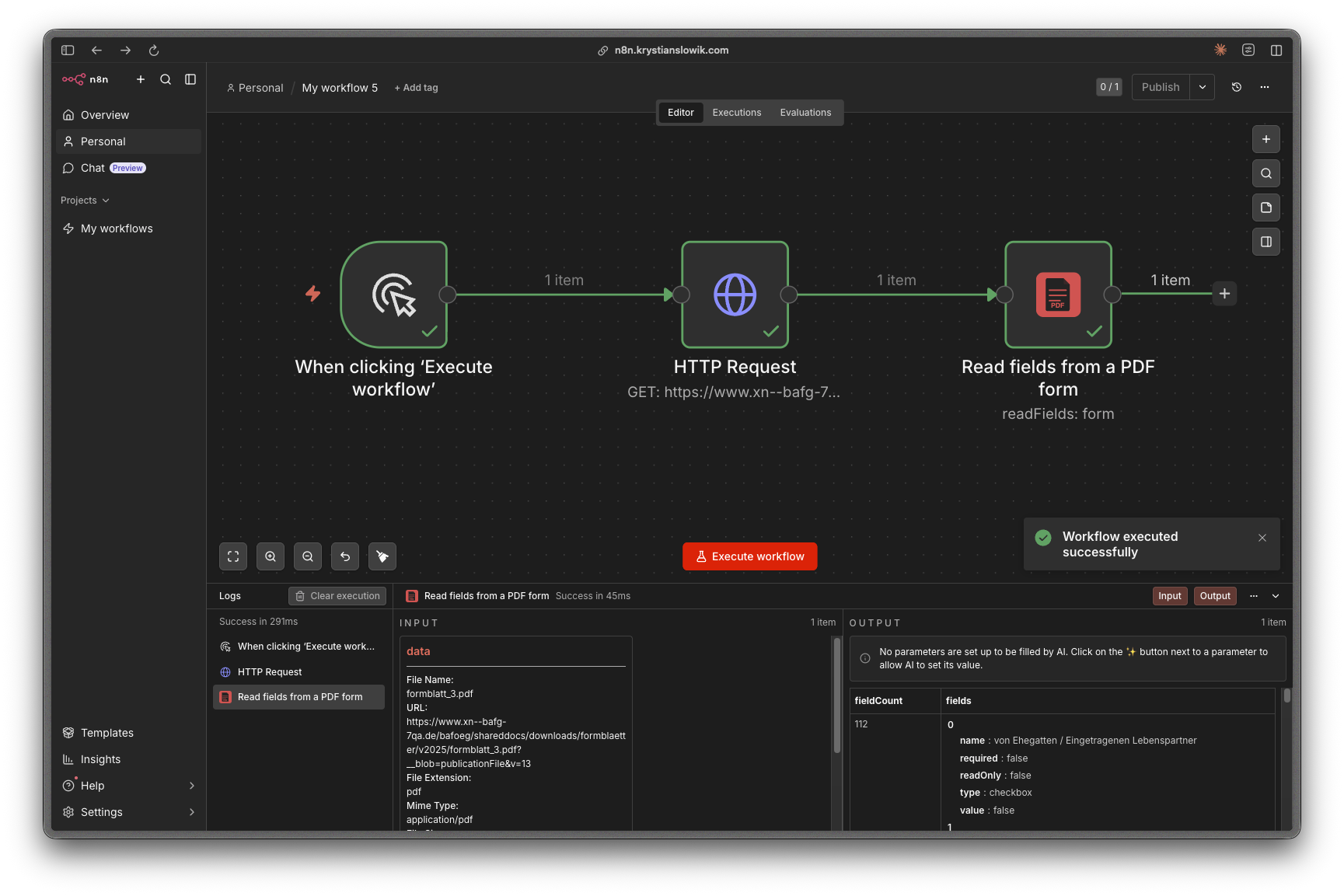
| Read Fields | Read a PDF form's fields into JSON |
| Fill Form | Fill a PDF form from JSON values, optionally flattening it |
Stamp
| Operation | Description |
|---|---|
| Text Watermark | Stamp text onto every page |
| Image Watermark | Stamp an image onto every page |
| Page Numbers | Add page numbers |
| Overlay PDF | Overlay one PDF on top of another |
Extract
| Operation | Description |
|---|---|
| Metadata | Read document metadata (title, author, dates, …) |
| Embedded Images | Extract embedded JPEG images, one binary field per image |
| Page Count | Get the number of pages |
Embedded Images extracts the raw image streams without re-encoding, which
works for JPEG-compressed images, the common case for photos and scans.
Images stored with other compression filters raise a clear error naming the
unsupported filter.
Example usage
Set these parameters on a PDF Toolkit node. Point Binary Property at
whatever binary field the previous node produced (usually data).
Merge all incoming items into one PDF:
{
  "resource": "document",
  "operation": "merge",
  "mergeFrom": "allItems",
  "binaryPropertyName": "data",
  "options": { "outputFileName": "merged.pdf" }
}
Split one PDF into three items (pages 1–3, page 7, page 9 to end):
{
  "resource": "document",
  "operation": "split",
  "binaryPropertyName": "data",
  "pageRanges": "1-3,7,9-"
}
Generate a PDF from a JSON template (no input binary needed):
{
  "resource": "generate",
  "operation": "fromTemplate",
  "template": "{\n  \"content\": [\n    { \"type\": \"heading\", \"level\": 1, \"text\": \"Invoice #1042\" },\n    { \"type\": \"paragraph\", \"text\": \"Thank you for your business.\" },\n    { \"type\": \"table\", \"headers\": [\"Item\", \"Qty\", \"Price\"], \"rows\": [[\"Widget\", \"2\", \"$10.00\"]] }\n  ],\n  \"pageNumbers\": true\n}",
  "options": { "outputFileName": "invoice.pdf" }
}
Limits
- Input size: binaries over 100 MB are rejected with a clear error rather
than risking an out-of-memory crash. - Roadmap: text extraction and PDF encryption are planned but need
engines (pdfjs-dist,qpdf/WASM) that are currently incompatible with
n8n's community-node security rules; they'll return if a scanner-compatible
engine becomes available. - Heavy documents: operations are CPU-bound and run in-process. Very
large documents processed concurrently with other busy workloads on the
same instance may add latency to that instance. - Form → Fill Form and emoji: pdf-lib renders one form field's whole
appearance with a single font, unlike Generate/Stamp's per-character emoji
fallback. A field value containing an emoji or other pictographic
character throws a clear error naming the field, rather than silently
producing a blank appearance.
Credentials
None required. All operations run locally on binary data already in your
workflow.
Compatibility
Requires n8n with community-node support (n8nNodesApiVersion: 1). No
minimum n8n version is pinned; the node relies only on standard binary-data
helpers.
Resources
Version history
- 0.2.3 – 0.2.7: Documentation and metadata updates — README refresh with
workflow screenshot and version history, author contact metadata, and the
codex node identifier fixed to the fully-qualified format
(n8n-nodes-pdf.pdfToolkit). No functional changes. (0.2.5 was skipped.) - 0.2.2: Removed Extract → Text and the Secure resource (Encrypt,
Decrypt, Set Permissions) from the node UI; they were never functional,
engine-blocked stubs since 0.2.0. Five resources / 18 operations, all
functional. - 0.2.1: Unicode + emoji text support. Generate, Text Watermark, Page
Numbers, and Fill Form now draw text with bundled Noto Sans/Noto Sans
Mono/Noto Emoji fonts (Latin Extended, Cyrillic, Greek, monochrome emoji)
instead of the WinAnsi-only built-in fonts. - 0.2.0: 18 of 22 operations implemented (all of Document, Generate,
Form, and Stamp; Extract Metadata, Embedded Images, and Page Count),
covered by an automated test suite. Zero runtime dependencies. - 0.1.0: Initial scaffold. Node UI and routing for 6 resources / 22
operations.