Package Information
Available Nodes
Documentation generating…

Documentation
n8n-nodes-pdfshift

n8n-nodes-pdfshift is an n8n community node.
It lets you use PDFShift in your n8n workflows.
n8n is a fair-code licensed workflow automation platform.
PDFShift is a service that allows you to generate PDF or screenshot images from HTML documents such as URL and raw documents.
You can read more at PDFShift's website
- Installation
- Operations
- Credentials
- Compatibility
- Usage
- Resources
- Development
- Version history
- License
Installation
Community Nodes
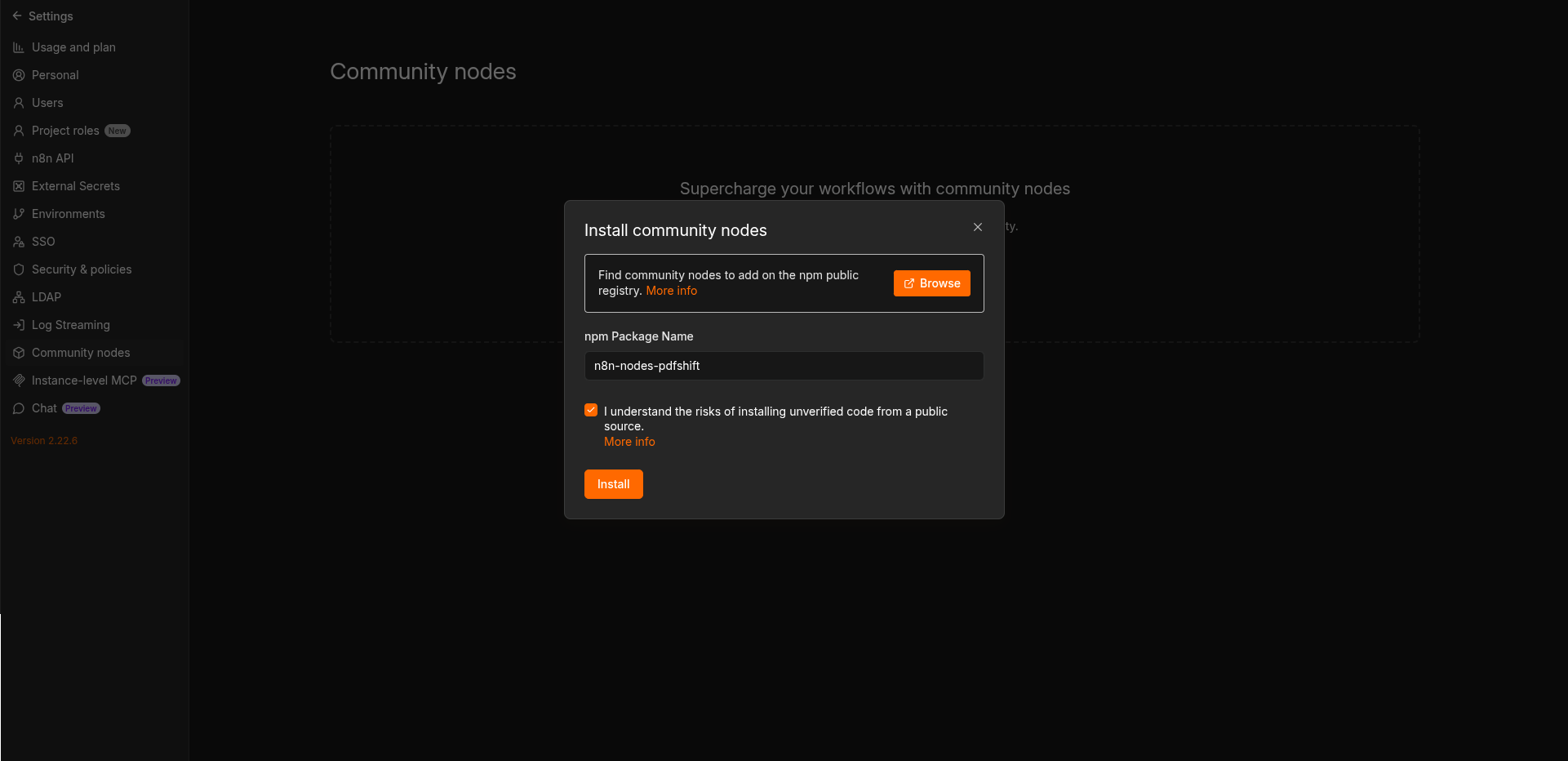
Follow the installation guide in the n8n community nodes documentation:
- Go to
Settings>Community Nodes. - Select
Install. - Enter
n8n-nodes-pdfshiftinEnter npm package name. - Agree to the risks of using community nodes.
- Select
Install.
Operations
- Convert to PDF from any HTML source, URL or RAW.
- Generate a screenshot, helpful to generate OG:Images, screenshot of any websites and more
- View your credits usage to manage your account and take necessary measures.
Credentials
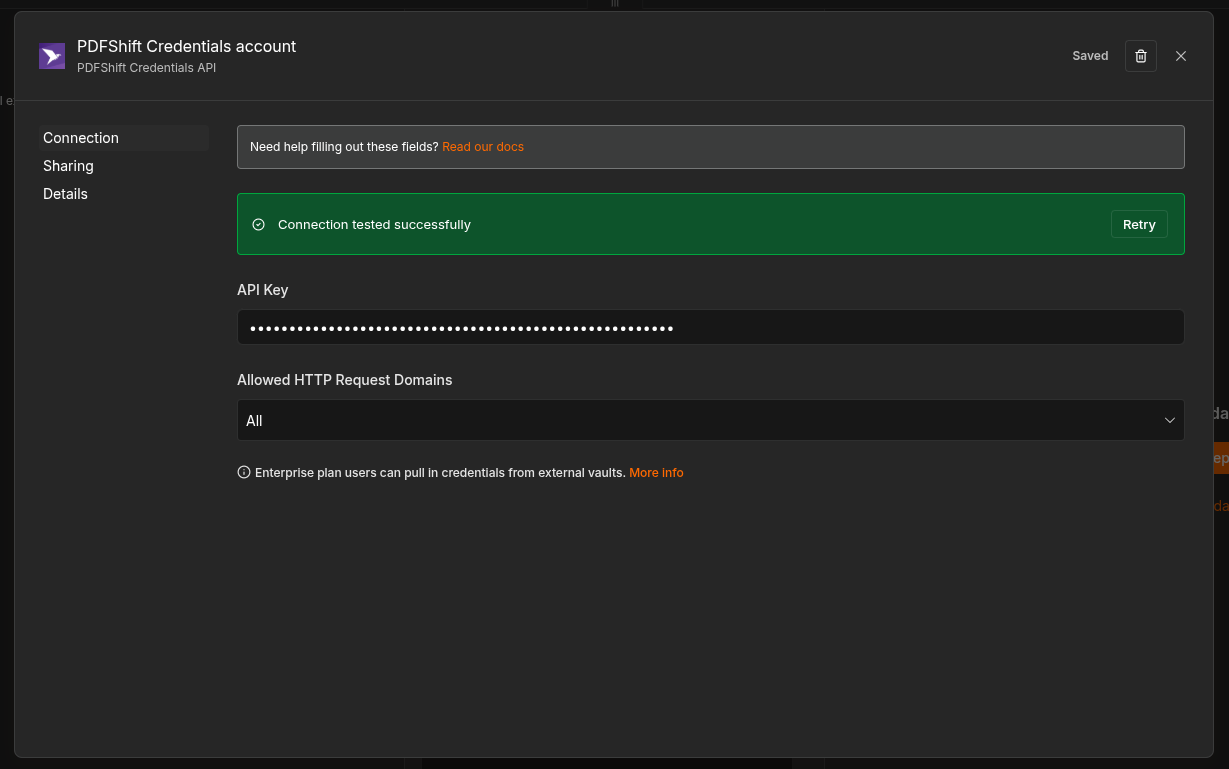
To use PDFShift node, you will need to authenticate with the PDFShift API.
- Sign up for or sign in to a PDFShift account.
- Go to "API Keys".
- Create new credentials in n8n:
- Add and use the PDFShift node in your workflow.
- Under "Credential to connect with", click "Create New Credential".
- Paste the API (access) key you copied in step 2.
Test the credentials and make sure it works:
Compatibility
The node was created and tested with n8n version 2.22.6.
But there is no reason it won't work with older and newer versions.
Usage
If you use n8n for the first time, check out the "try it out" documentation to get started.
Response types
PDFShift may return the response in different formats based on the request options:
json- for JSON responses, e.g. for PDF or screenshot withfilenameors3_destinationprovided.binary- for raw responses, e.g. for PDF of screenshot, by default
Examples:
{
    "data": {
        "success": true,
        "url": "https://s3.amazonaws.com/pdfshift/d/2/2019-05/99c456250a01448686d81752a3fb5beb/15466098-8368-49e1-ac33-ff4c3941a0df.pdf",
        "filesize": 259972,
        "duration": 1500,
        "response": {
            "duration": 2562,
            "status-code": 200
        },
        "executed": "2025-12-02T12:34:56.789Z",
        "pdf_pages": 5
    },
    "filename": "generated.pdf",
    "mimetype": "application/pdf"
}
Or:
{
    "binary": "... raw pdf data ..."
}
Resources
Version history
- 0.1.2 - Initial release of the PDFShift node for n8n 🥳
- 0.1.3 - Updated the documentation
Development
Check out documentation on creating nodes for detailed information on building and developing the node.
- Install dependencies:
npm install
- Build the node
npm run build
- Link the node to n8n from the node directory
npm link
- In your
~/.n8n/nodesdirectory, link the node:
npm link n8n-nodes-pdfshift
- Run n8n:
n8n start
Once the node is linked, you need to only rebuild and restart n8n to see the changes.
License
This project is licensed under the MIT License.
MIT