Package Information


Documentation
n8n-nodes-ship24
Automate global shipment tracking inside n8n using the Ship24 API.
This package includes two nodes:
- Ship24 — action node for creating, updating, and querying trackers via the Ship24 API
- Ship24 Trigger — trigger node that starts a workflow when Ship24 sends a tracking event webhook
About Ship24
Ship24 is a global shipment tracking API supporting 1500+ couriers and
marketplaces worldwide.
This package allows n8n users to:
- Create shipment trackers
- Retrieve tracking results
- Update tracker subscription status
- Process bulk shipments
- Receive real-time tracking events via webhooks
- Automate delivery workflows at scale
Features
Ship24 (action node)
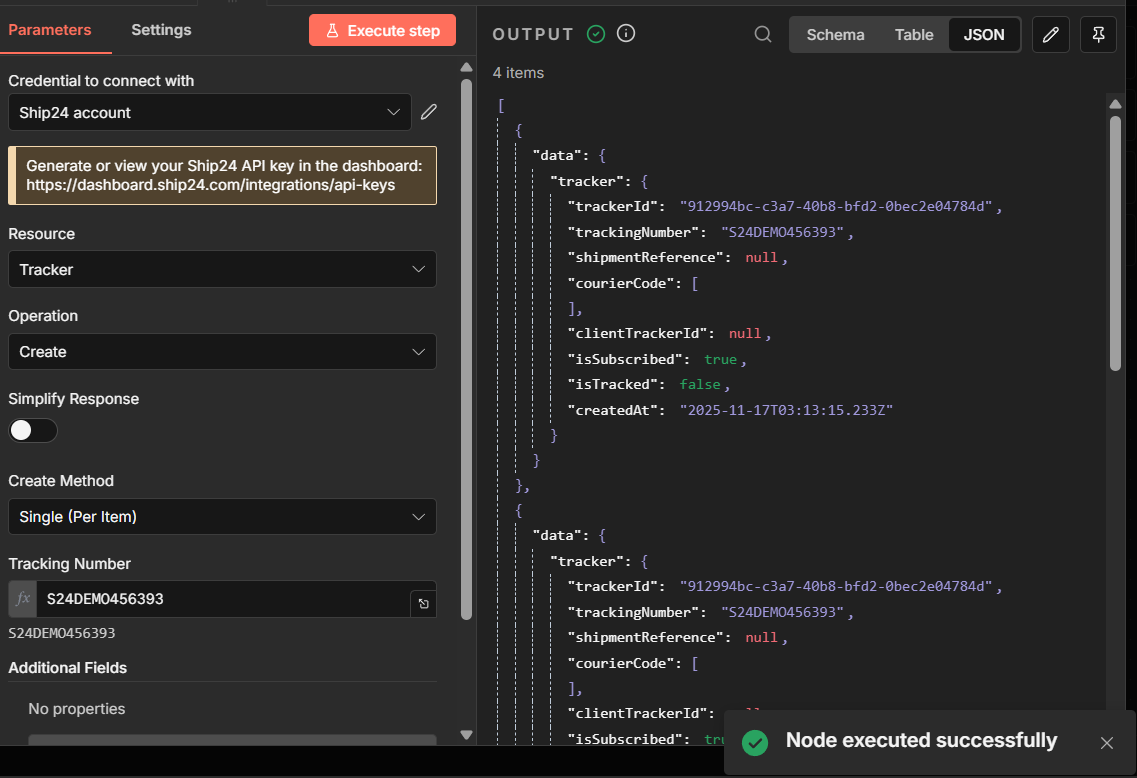
- Single tracker creation
- Bulk tracker creation (automatic chunking up to 100 per request)
- Create and immediately fetch tracking results
- Retrieve results by tracking number
- Retrieve results by tracker ID
- Update tracker subscription status
- Full n8n multi-item support
- Structured per-item error handling
continueOnFailsupport- Utility mode for advanced API access
Ship24 Trigger (trigger node)
- Receives real-time tracking events pushed by Ship24
- Starts a workflow automatically on each incoming webhook
- Configurable webhook path — required field, ensuring each workflow uses a distinct endpoint
- Passes the raw Ship24 payload through for flexible mapping
- Supports optional webhook secret validation via the
Authorizationheader
Installation
Community Node Installation
- Open n8n.
- Go to Settings → Community Nodes.
- Click Install.
- Enter:
<!-- -->
n8n-nodes-ship24
- Restart n8n if required.
Credentials Setup
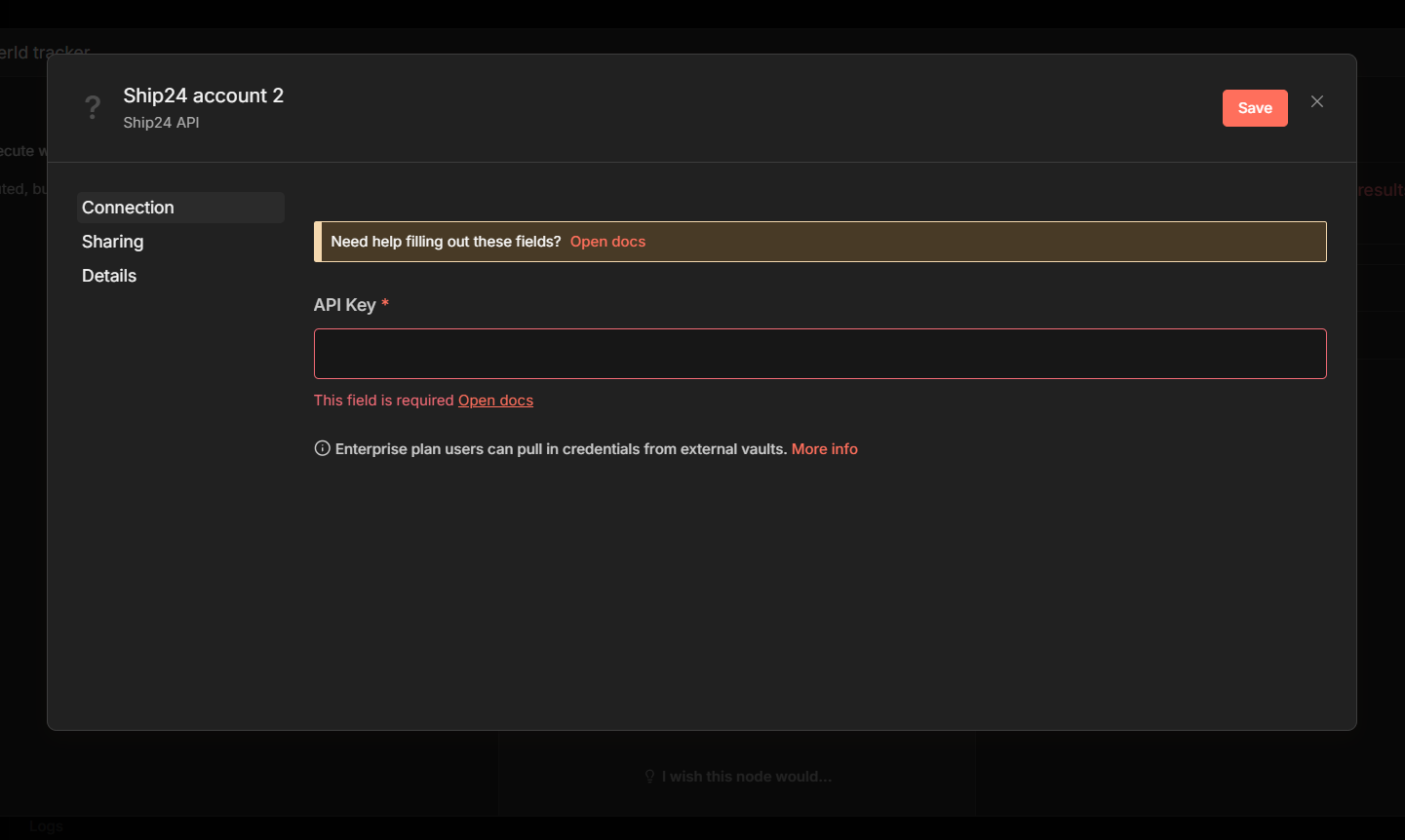
This node requires a Ship24 API key.
- In n8n, create new credentials.
- Select Ship24 API.
- Enter your API key.
- Save.
Node Overview
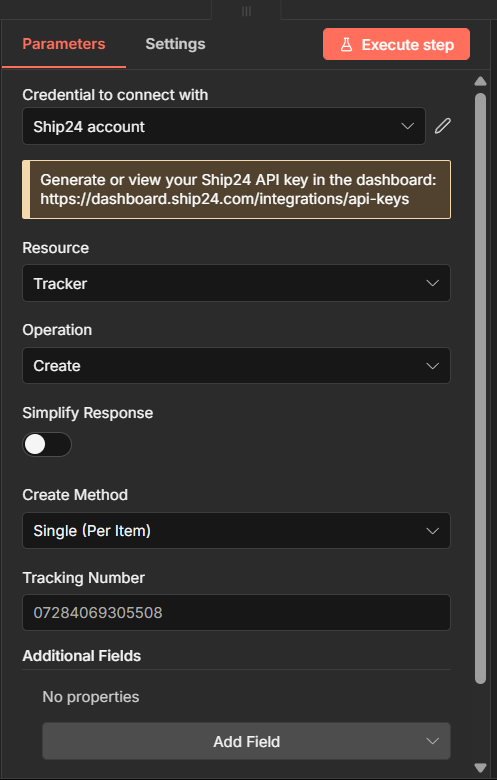
The Ship24 action node provides two resources:
- Tracker
- Utility
Tracker Resource
Create
Create shipment trackers.
Supports:
- Single per item
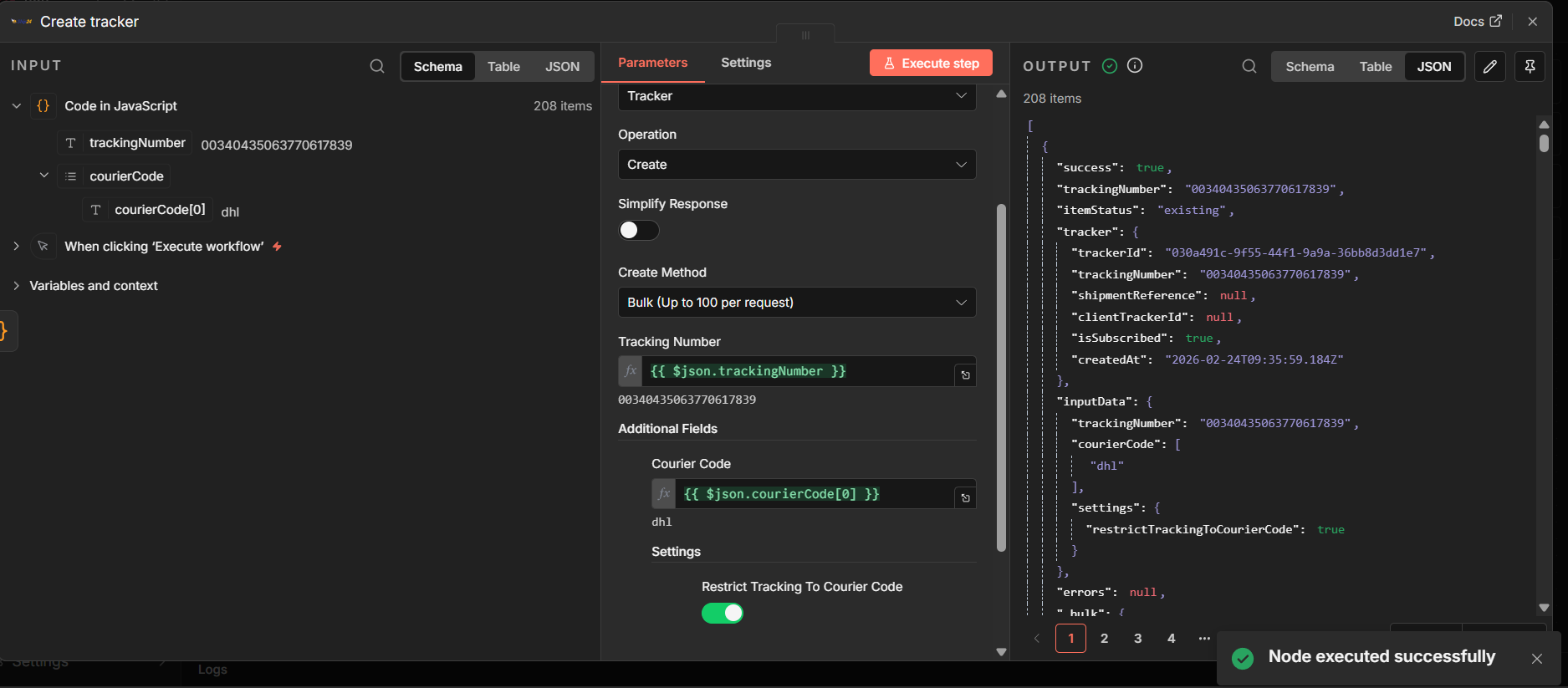
- Bulk mode (up to 100 tracking numbers per API request)
Bulk Mode Behaviour
Bulk mode still follows standard n8n multi-item logic.
Each incoming item must contain one tracking number per item.
The Ship24 node automatically batches those items into API requests of
up to 100 tracking numbers per call.
Expected Input Format
Your previous node (Set, Code, HTTP Request, Google Sheets, etc.) should
output items like:
- Item 1 → { "trackingNumber": "00340435063770617839" }
- Item 2 → { "trackingNumber": "00340434788009688510" }
- Item 3 → { "trackingNumber": "00340434788009688268" }
If your upstream system provides an array of tracking numbers, use an
Item Lists, Split Out Items, or Code node to convert the array into
multiple items before passing them to the Ship24 node.
Automatic Chunking
If more than 100 items are provided, the node automatically splits them into multiple API calls.
| Input items | API calls |
|---|---|
| 80 | 1 |
| 150 | 2 |
| 250 | 3 |
Each input item returns exactly one output item.
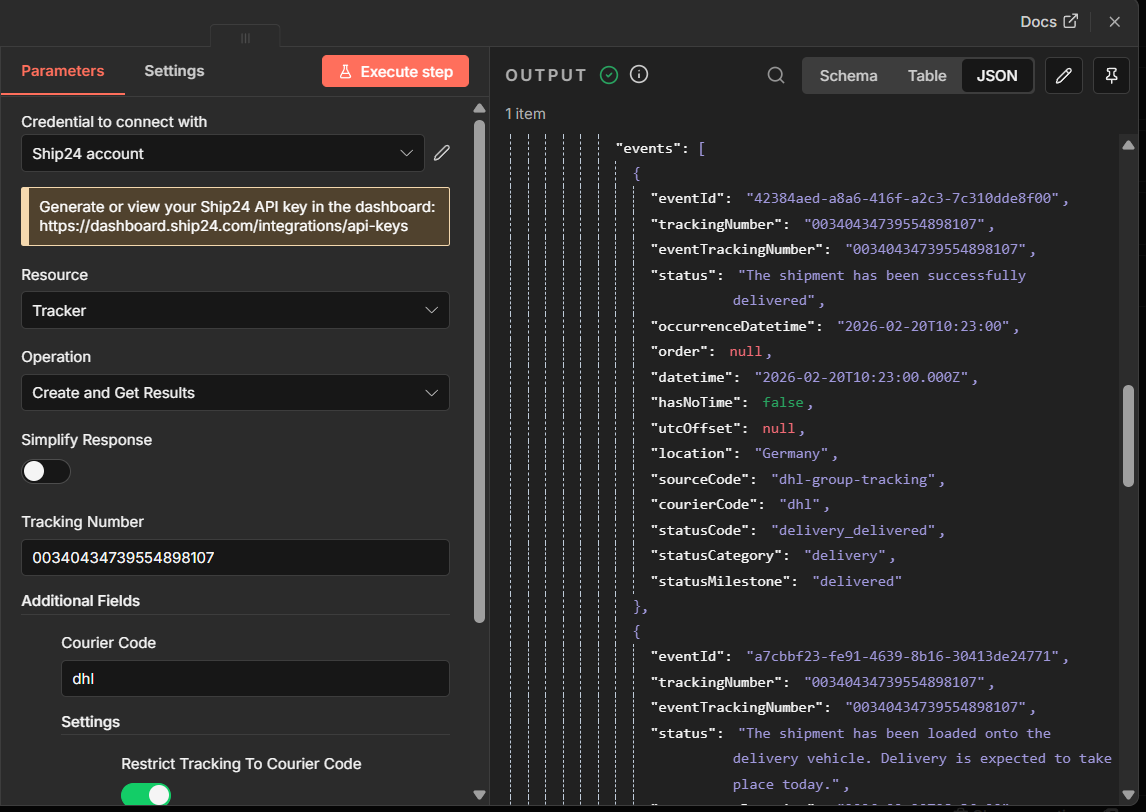
Create and Get Results
Creates a tracker and immediately retrieves tracking results.
Useful when:
- You need tracking data immediately
- You want simplified output for automation workflows
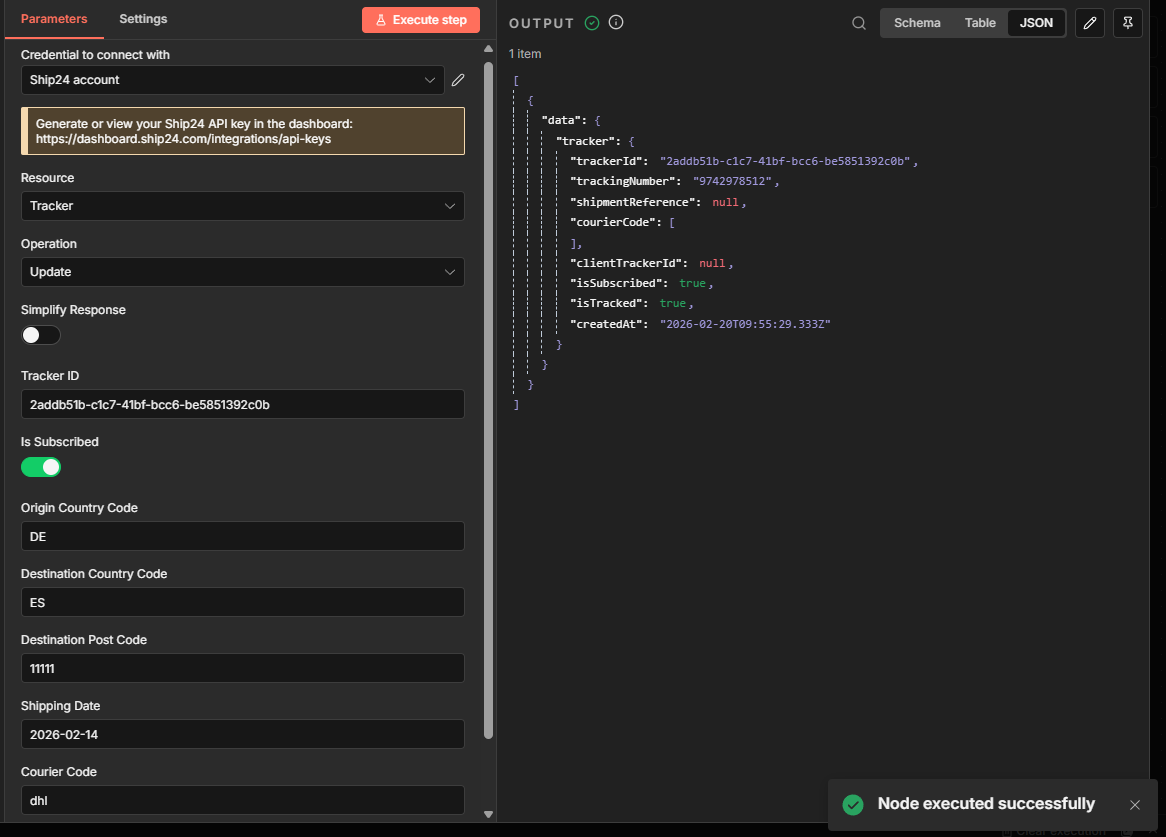
Update
Update tracker subscription status (isSubscribed only).
- Requires a valid
trackerId(UUID) - Performs UUID validation before the API call
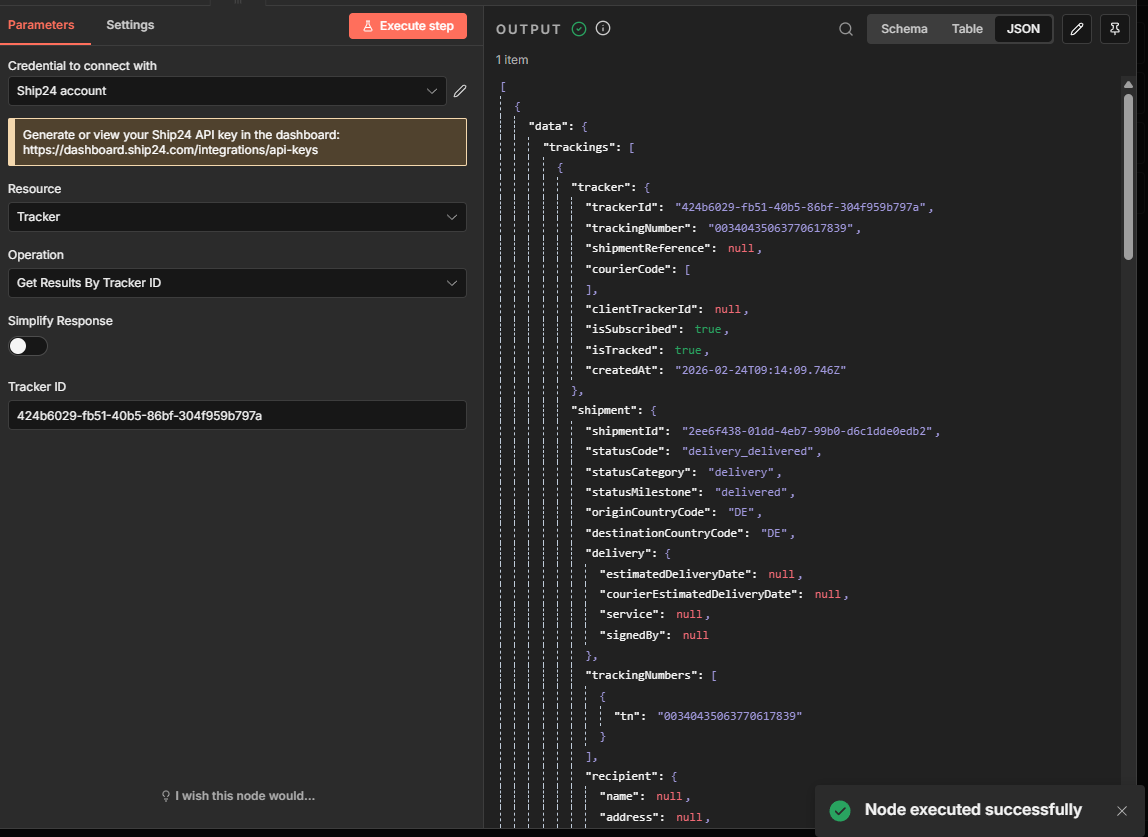
Get Results
Retrieve tracking data:
- By tracking number
- By tracker ID
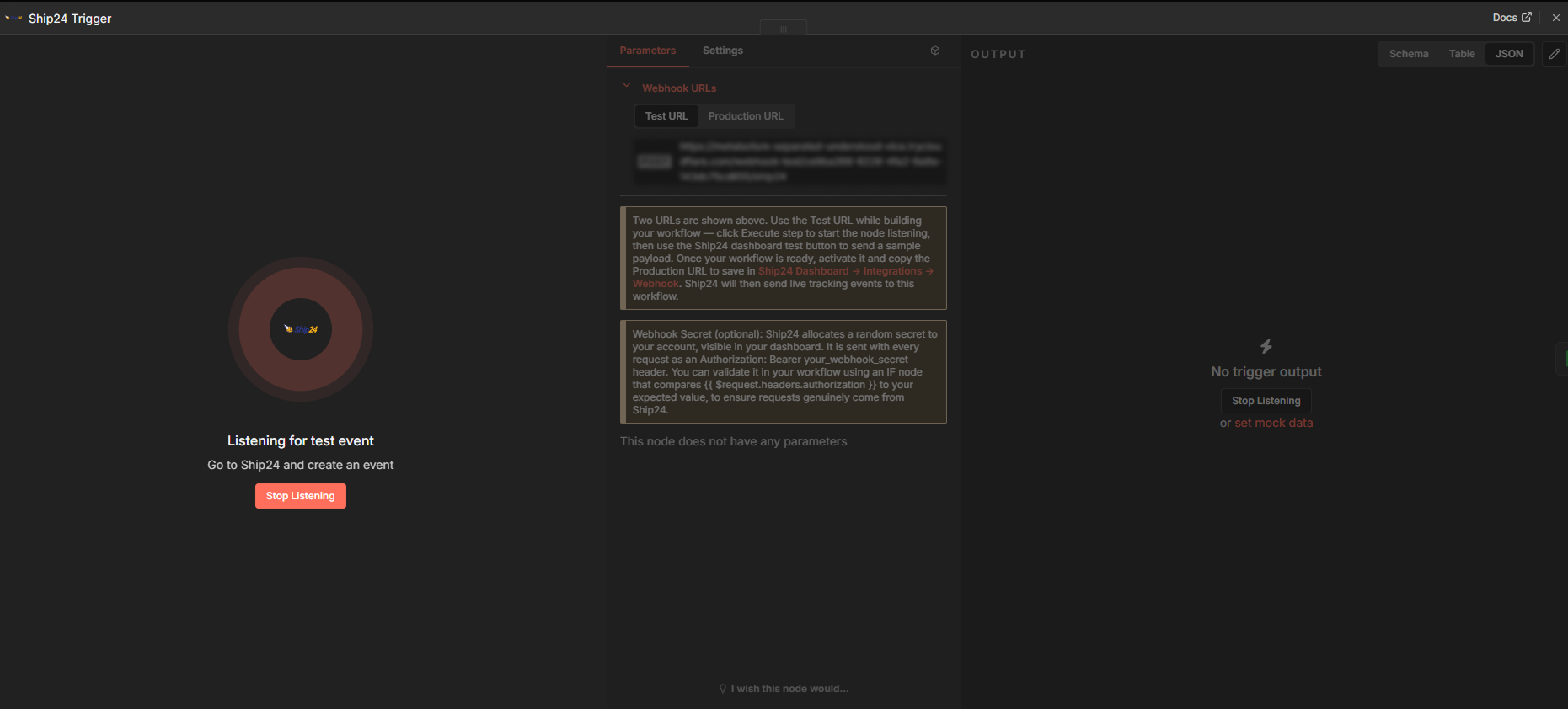
Ship24 Trigger
The Ship24 Trigger node starts a workflow whenever Ship24 sends a tracking
event to your webhook URL.
Setup
- Add the Ship24 Trigger node to a new workflow.
- Enter a unique slug in the Webhook Path field (e.g.
shop-tracking). This field is required — each active workflow must use a different path, or only one will receive events. - Two webhook URLs are shown at the top of the node panel:
- Test URL — active while you click Execute step in the editor. Use this with the Ship24 dashboard test button to verify your workflow before going live.
- Production URL — active when the workflow is activated (toggle top-right). This is the URL to save in your Ship24 dashboard.
- Go to Ship24 Dashboard → Integrations → Webhook, paste the appropriate URL, and test or save it.
Webhook Payload
Ship24 sends tracking events as a JSON object whose trackings field is an array. Each element in that array represents one tracking update:
{
  "trackings": [
    {
      "metadata": { "generatedAt": "...", "messageId": "...", "topic": "..." },
      "tracker": { "trackerId": "...", "trackingNumber": "...", "isSubscribed": true, ... },
      "shipment": { "shipmentId": "...", "statusCode": "...", "statusMilestone": "...", ... },
      "events": [ { "eventId": "...", "status": "...", "occurrenceDatetime": "...", ... } ],
      "statistics": { "timestamps": { ... } }
    }
  ]
}
The node passes the raw payload through. Use n8n's Split Out node on thetrackings field to process each tracking entry as a separate item.
Webhook Secret (optional)
Ship24 allocates a random webhook secret to your account, visible in your
dashboard. It is sent with every request as:
Authorization: Bearer your_webhook_secret
To validate it, add an IF node after the trigger and compare{{ $request.headers.authorization }} to your expected value. This ensures
requests genuinely originate from Ship24.
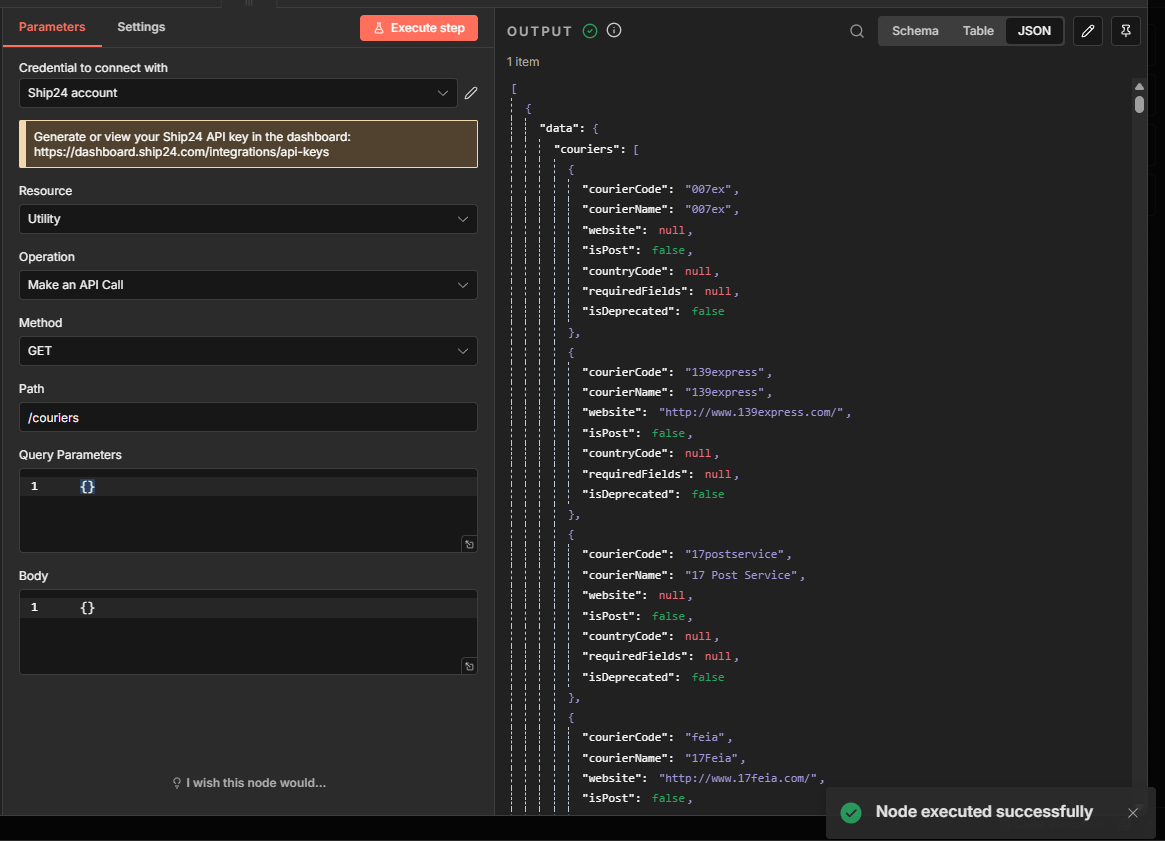
Utility Resource
The Utility resource allows advanced API access.
You can:
- Define HTTP method
- Define path
- Provide custom request body
- Provide query parameters
Response Modes
Raw Mode
This node returns the full Ship24 API response (raw mode).
Multi-Item Behaviour
This node fully supports n8n multi-item processing:
- One output item per input item
- Bulk operations preserve input-to-output mapping
- No silent drops
- Large workflows (50+ items) supported
Error Handling
The node includes structured error handling for:
- 401 Unauthorized
- 404 Not Found
- 429 Rate limit
- Invalid UUID format
- Empty tracking number
- Bulk mapping failures
With continueOnFail enabled, per-item failures return structured
objects:
{
  "success": false,
  "error": {
    "type": "request_error",
    "message": "..."
  }
}
This allows resilient workflow design without unexpected crashes.
Performance Notes
- Bulk mode automatically chunks at 100 items per API request.
- Large workflows are processed sequentially per chunk.
Development
Build
npm run build
Lint
npm run lint
Local package test
npm pack
License
MIT