Package Information
Available Nodes
Documentation generating…

Documentation

n8n-nodes-workflowlogs
Stop silent workflow failures. Get real-time error monitoring for your n8n automations.




Website · Documentation · Report Bug
The Problem
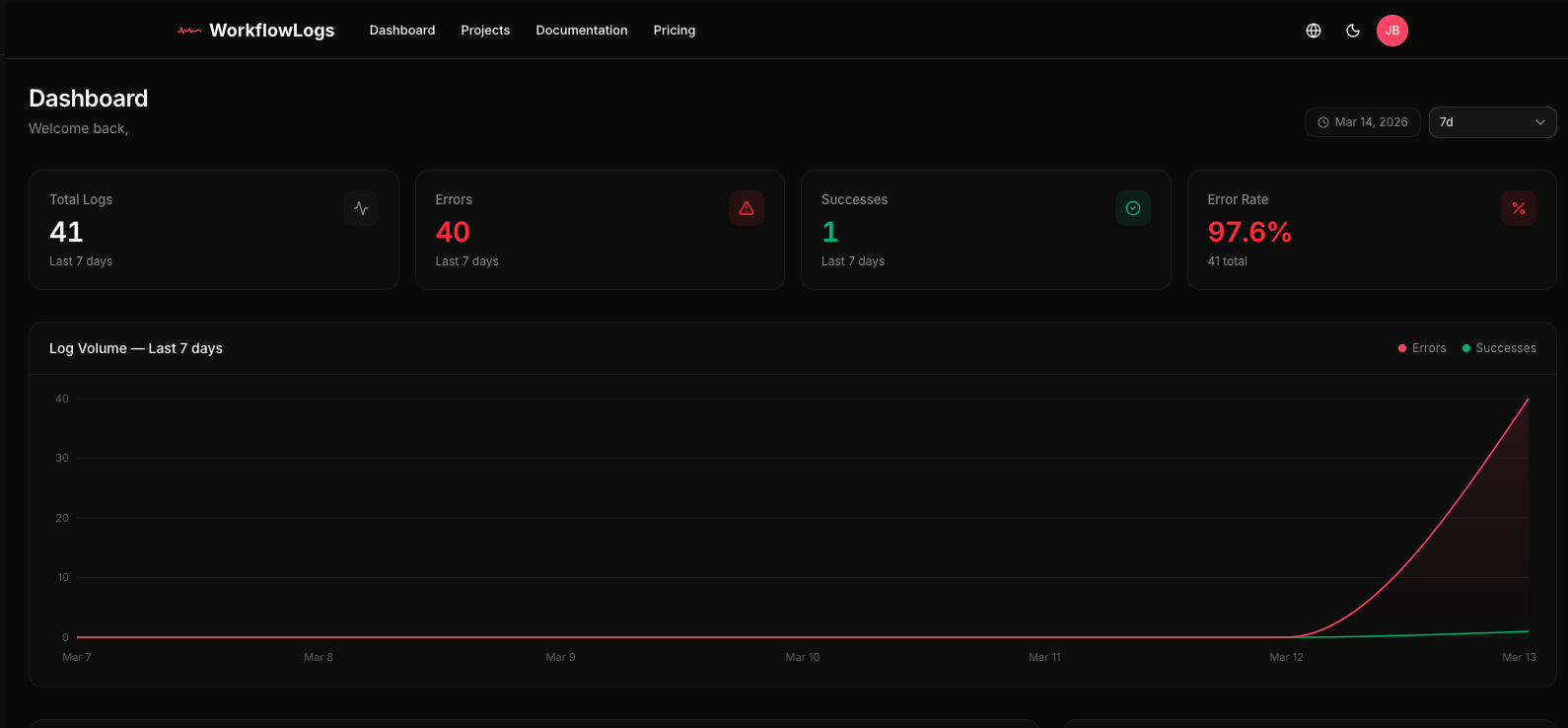
Your n8n workflows fail silently. An API changes, a credential expires, a timeout occurs — and nobody knows until a customer complains or data stops flowing. n8n has no centralized monitoring, no cross-workflow error dashboard, and no alerting.
WorkflowLogs fixes this with a single drag-and-drop node.
Features
- Auto-Detect Mode — Extracts error messages, stack traces, and node names from the Error Trigger automatically. Zero configuration.
- Smart Error Grouping — 30+ error patterns recognized (HTTP errors, timeouts, auth failures, DB errors, n8n-specific). Errors are fingerprinted to group duplicates.
- Auto-Severity Detection — Errors are classified as Critical, High, Medium, Low, or Info based on pattern matching.
- Auto-Bound Metadata — Workflow ID, name, execution ID, and execution URL are captured automatically from n8n context.
- Payload Forwarding — Optionally include the full input data for debugging.
- Custom Metadata — Attach arbitrary JSON to any log entry.
Installation
n8n Desktop / Self-hosted
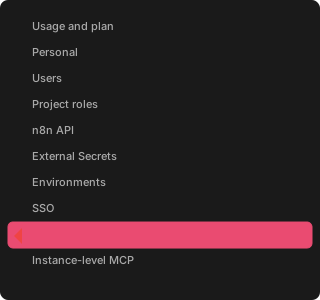
- Go to Settings > Community Nodes
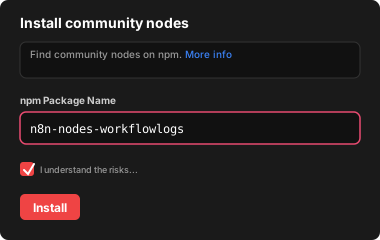
- Enter
n8n-nodes-workflowlogs - Click Install
npm
cd ~/.n8n
npm install n8n-nodes-workflowlogs
Restart n8n after installation.
Quick Start
1. Get your API key
Sign up at workflowlogs.com (free tier — 1,000 logs/month, no credit card) and create a project.
2. Add credentials in n8n
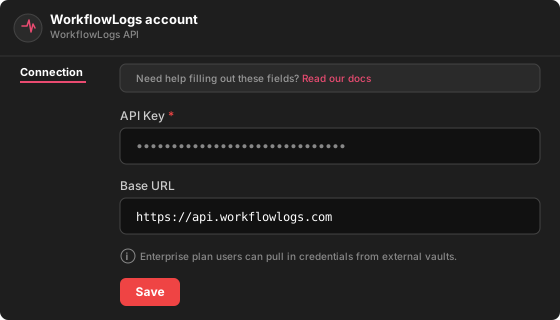
Go to Credentials > New > WorkflowLogs API and paste your API key.
3. Monitor errors
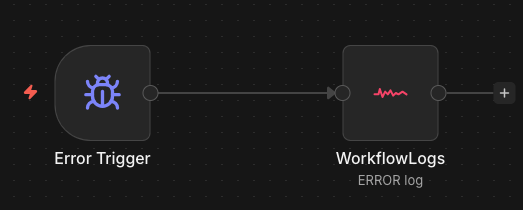
Connect the Error Trigger to the WorkflowLogs node:
[Error Trigger] → [WorkflowLogs]
That's it. Errors are detected, classified, and sent to your dashboard automatically.
Usage
Auto-Detect Mode (recommended)
Works with the Error Trigger node. The node automatically extracts:
| Data | Source |
|---|---|
| Error message | execution.error.message |
| Stack trace | execution.error.stack |
| Failed node name | execution.lastNodeExecuted |
| Workflow ID & name | n8n context (auto-bound) |
| Execution ID & URL | n8n context (auto-bound) |
Manual Mode
For custom logging (success events, custom messages):
| Parameter | Type | Required | Description |
|---|---|---|---|
| Log Type | ERROR / SUCCESS |
Yes | Event type |
| Message | string | Yes | Log message (supports n8n expressions) |
| Error Code | string | No | e.g. TIMEOUT, AUTH_FAILED |
| Severity | select | No | Override auto-detected severity |
| Stack Trace | string | No | Full stack trace |
| Include Input Data | boolean | No | Attach input item as payload |
| Custom Metadata | JSON | No | Arbitrary JSON data |
Common Patterns
Error monitoring:
[Error Trigger] → [WorkflowLogs (ERROR)]
Success tracking:
[Your Workflow] → [WorkflowLogs (SUCCESS)]
Error + team notification:
[Error Trigger] → [WorkflowLogs (ERROR)]
               → [Slack / Email]
Templates
Import ready-made workflows from the templates/ directory:
| Template | Description |
|---|---|
basic-error-monitoring.json |
Error Trigger → WorkflowLogs |
success-logging.json |
HTTP Trigger → Process → WorkflowLogs (SUCCESS) |
error-with-slack-notification.json |
Error Trigger → WorkflowLogs + Slack |
Import in n8n via Workflows > Import from File.
Self-Hosting
Change the Base URL in credentials to your instance:
https://your-instance.example.com
Development
git clone https://github.com/workflowlogs/n8n-nodes-workflowlogs.git
cd n8n-nodes-workflowlogs
npm install
npm run build
npm run dev   # watch mode
License
Built by WorkflowLogs