Package Information
Available Nodes
Documentation generating…




Documentation
🏷️ NinjaDataBuilder™ Google Tag Manager for n8n






Role-separated, bounded Google Tag Manager API v2 nodes and OAuth credentials for self-hosted n8n.
[!IMPORTANT]
The current release is@ninjadatabuilder/n8n-nodes-google-tag-manager@0.5.6, updated and validated for the recent self-hosted n8n2.36.7release. The previously stable validated package0.5.5remains mapped to n8n2.35.3; the earlier stable package0.5.3remains mapped to n8n2.32.5. Pin the version in production and validate the package in staging first.
[!WARNING]
This is an unverified community node. It is intended for self-hosted n8n; unverified community nodes are not available on n8n Cloud.
🧭 Start here
| If you are... | Start with |
|---|---|
| Installing for the first time | Five-minute safe start |
| Choosing credentials | Role and permission matrix |
| Configuring Google OAuth | OAuth setup |
| Managing Docker deployments | Environment-managed installation |
| Reviewing publication risk | Publisher workflow and security boundaries |
| Troubleshooting | Troubleshooting |
| Contributing | Development checks |
🎯 What this package does
The package exposes named, allow-listed n8n nodes for bounded GTM operations. It uses separate OAuth credentials and scope boundaries for four operational roles:
| Role | Main use | Default posture |
|---|---|---|
| Read | Inventory, audit, account/container/workspace/resource/version/status reads | Read-only |
| Editor | Named changes in a draft workspace | Confirmation required |
| Publisher | Preview, explicit version creation, and publication | Manual and confirmation-gated |
| Admin | Bounded account/container administration | Separate credential and explicit confirmation |
It does not expose an arbitrary HTTP method/path/payload dispatcher.
🎬 Demonstration
The screenshots below show a practical self-hosted n8n setup using the role-separated GTM nodes and credentials.
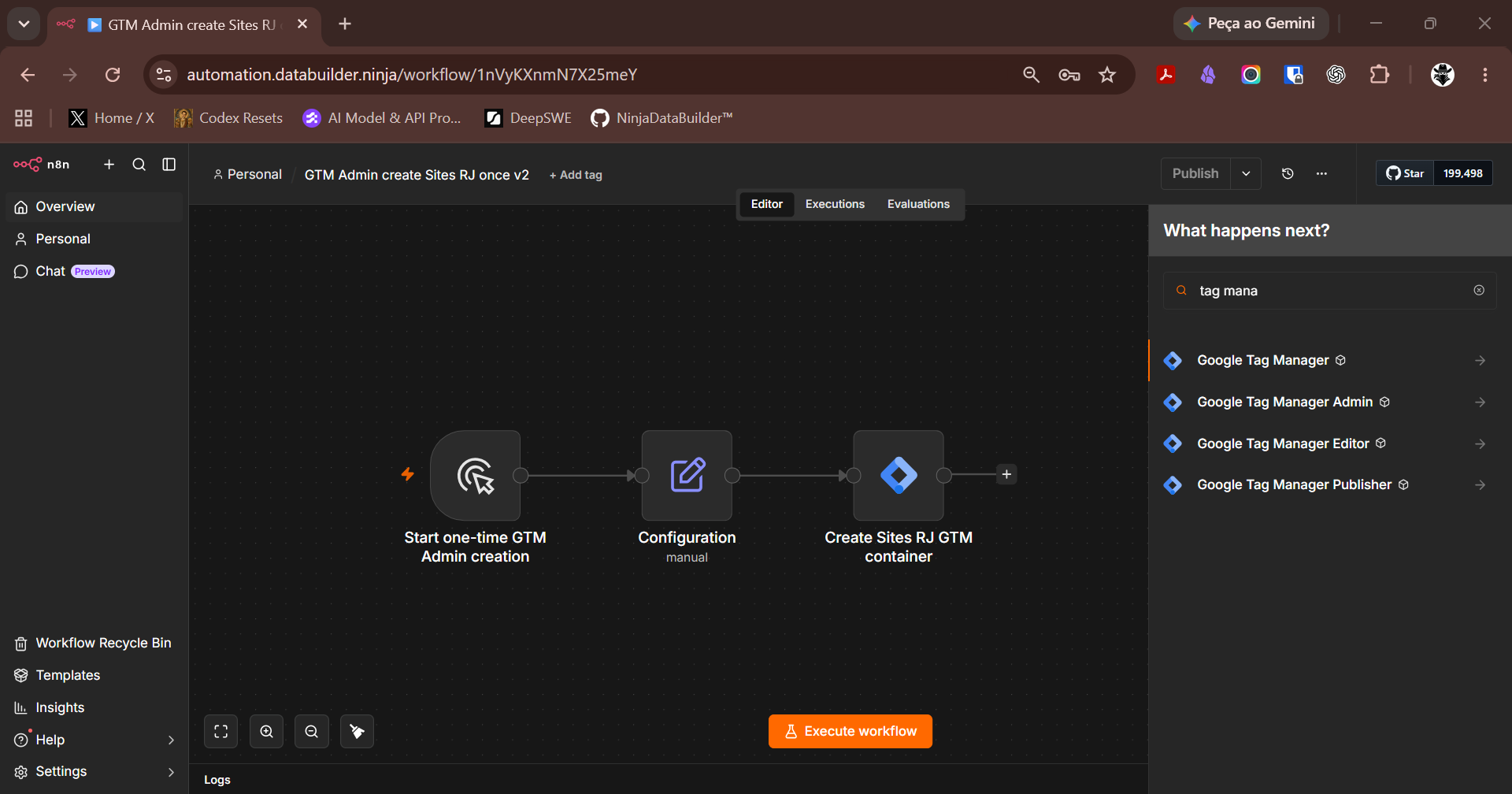
Creating a GTM container
A manual workflow starts the one-time GTM Admin creation process, loads the centralized Configuration step, and creates a Sites RJ GTM container.
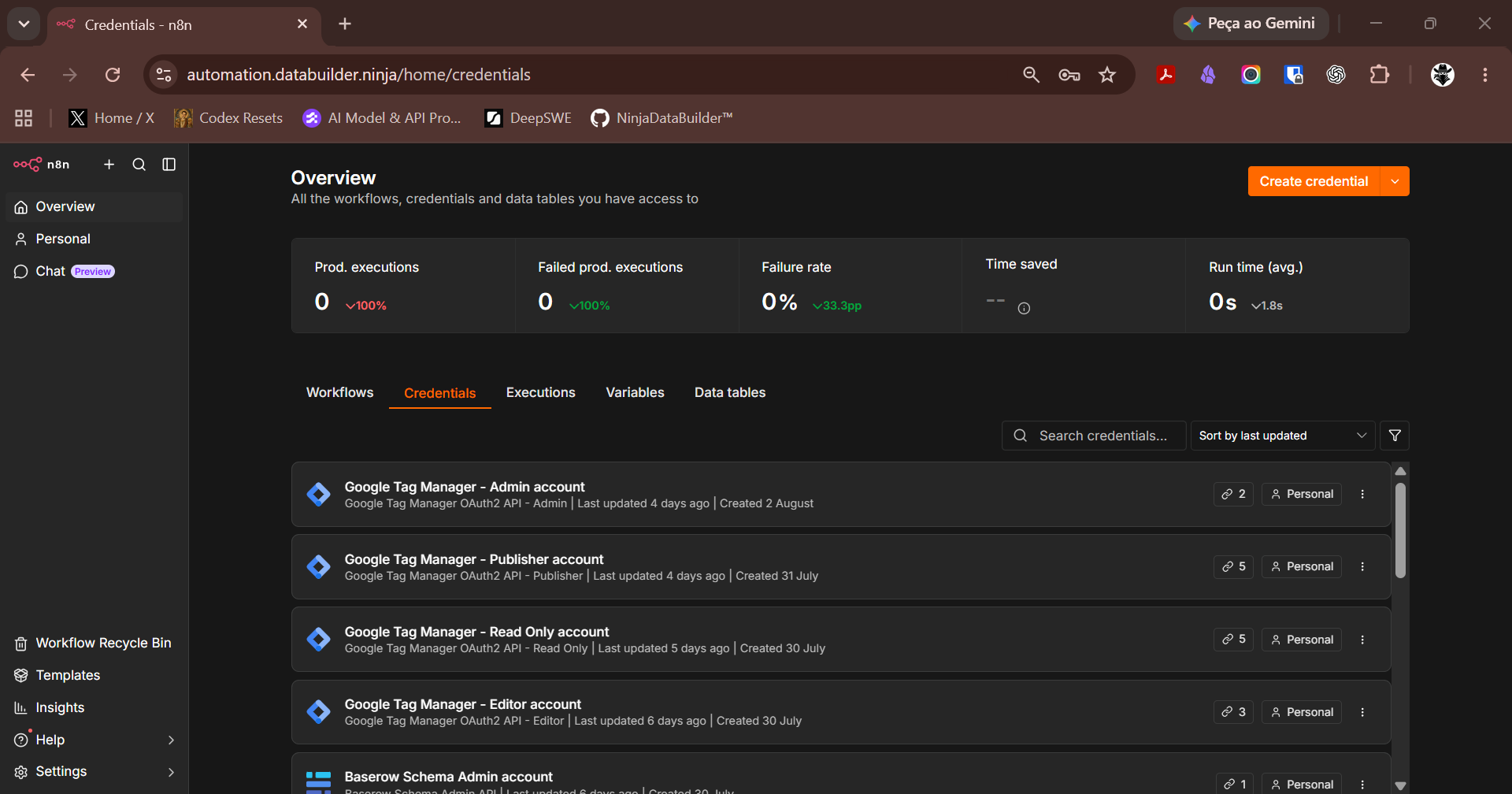
Role-separated GTM credentials
The n8n credentials screen shows separate Google Tag Manager OAuth credentials for Admin, Publisher, Read Only, and Editor operations.
Workflow video
The 73-second demonstration shows a safe Editor workflow that reads existing variables, confirms the creation path, and creates a temporary GTM constant variable using values from the Configuration node.
[!NOTE]
These screenshots, the inline video, and the full video are demonstrations of the workflow and credential structure. Do not publish credentials, tokens, account identifiers, or production data in screenshots, recordings, or issue attachments.
🚀 Five-minute safe start
Use a self-hosted n8n instance with Community Nodes enabled.
Install the pinned package from Settings → Community Nodes → Install:
@ninjadatabuilder/n8n-nodes-google-tag-manager@0.5.6Create the Read credential in the n8n credential screen.
Build a manual workflow with one account, container, or status read.
Confirm that OAuth works and the Google account can access the intended GTM resources.
Keep Editor, Publisher, and Admin workflows manual and inactive until their targets and payloads are reviewed.
[!NOTE]
GUI installation requires Owner or Admin permission in n8n. The package itself does not need to be cloned for end-user installation.
✅ Requirements
- self-hosted n8n;
- Owner or Admin permission to install community nodes;
registry.npmjs.orgnetwork access;- Google Cloud access to configure OAuth;
- a Google account with access to the target GTM account/container;
- staging, backup, and rollback before production installation.
🔐 Secrets and OAuth
Enter Client ID, Client Secret, refresh tokens, access tokens, and passwords only in n8n's encrypted credential store.
Google Cloud OAuth client
        │
        ▼
n8n credential screen
        │
        ▼
role-specific GTM node
The package does not accept tokens through workflow fields or operation parameters. A successful OAuth grant also does not guarantee that the Google user has access to the requested GTM account or container.
🧩 Role and permission matrix
| Role | Credential | Main scopes | Use it for |
|---|---|---|---|
| Read | Google Tag Manager OAuth2 API - Read Only |
tagmanager.readonly |
Inventory, audit, and read-only smoke tests |
| Editor | Google Tag Manager OAuth2 API - Editor |
tagmanager.readonly, tagmanager.edit.containers |
Named draft workspace changes |
| Publisher | Google Tag Manager OAuth2 API - Publisher |
tagmanager.readonly, tagmanager.edit.containerversions, tagmanager.publish |
Preview, explicit version creation, and publication |
| Admin | Google Tag Manager OAuth2 API - Admin |
tagmanager.readonly, tagmanager.edit.containers, tagmanager.manage.accounts |
Bounded account/container administration |
Use the smallest role that can complete the task. Do not reuse Admin for ordinary reads or Publisher for Editor work.
🐳 Environment-managed installation
Use this path when n8n services are managed from Docker or deployment configuration:
N8N_COMMUNITY_PACKAGES_MANAGED_BY_ENV=true
N8N_COMMUNITY_PACKAGES_ENABLED=true
N8N_UNVERIFIED_PACKAGES_ENABLED=true
N8N_COMMUNITY_PACKAGES_REGISTRY=https://registry.npmjs.org
N8N_COMMUNITY_PACKAGES=[{"name":"@ninjadatabuilder/n8n-nodes-google-tag-manager","version":"0.5.6"}]
Restart the editor, worker, webhook, and runners according to your architecture.
[!CAUTION]
N8N_COMMUNITY_PACKAGES_MANAGED_BY_ENV=truemakes the declared list authoritative. Packages installed through the UI but omitted from the list may be removed at startup. Inventory and preserve the existing package list before enabling this mode.
For stronger supply-chain control, pin the version and use the npm tarball SHA-512 checksum where your deployment process supports it.
✍️ Publisher workflow
Use this order:
read state → review workspace → preview → create explicit version → review version → publish explicitly
[!WARNING]
Create Version is not a preview. It creates a real GTM version, consumes the source workspace, and returns a replacement workspace. Review fingerprints, IDs, names, and impact before confirming.
[!CAUTION]
Publication requires bothConfirm Publish = trueand the literal textPUBLICAR {versionId}. For example:PUBLICAR 123456.PUBLISH 123456is rejected.
Do not schedule publication and do not expose Publisher or Admin as a generic AI tool.
🚫 What this package does not do
- It does not support unverified installation on n8n Cloud.
- It does not manage GTM users or permissions.
- It does not delete containers.
- It does not publish automatically or on a schedule.
- It does not convert an OAuth scope into GTM access the user does not have.
- It does not replace staging, backup, review, or rollback.
- It does not accept arbitrary API endpoints, methods, paths, or payloads.
🔄 Upgrade, rollback, and uninstall
Controlled upgrade
- Back up the n8n instance.
- Install the new package version in staging.
- Run the Read smoke test.
- Compare behavior and logs.
- Update production only after validation.
UI rollback
- Open Settings → Community Nodes.
- Select Options → Uninstall package.
- Reinstall the previous pinned version.
- Restart n8n if requested.
- Run the Read smoke test again.
Environment rollback
Restore the previous N8N_COMMUNITY_PACKAGES entry and restart only the affected n8n services. Do not remove PostgreSQL, Redis, or n8n volumes to solve a package problem.
🧪 Troubleshooting
| Symptom | Likely cause | Safe action |
|---|---|---|
| Package does not appear | Installation disabled, restart pending, or unsupported n8n target | Check Community Nodes policy and n8n logs |
npm returns 404 |
Wrong registry, version, or network | Use the official registry and the pinned 0.5.6 package |
GTM returns 403 |
Google user lacks account/container access | Fix GTM permissions; do not widen scopes automatically |
| OAuth does not complete | Incorrect redirect URI or consent configuration | Use the redirect URI shown by n8n |
| Node loads but operation fails | Invalid IDs, workspace, or payload | Run Read, review IDs, and test in draft |
| Package disappears after restart | Declarative list omits the package | Restore the package in N8N_COMMUNITY_PACKAGES |
| n8n fails after the change | Invalid environment/configuration | Restore the previous environment and restart only n8n services |
📚 Documentation
- Português do Brasil — guia completo
- English — complete guide
- Installation reference — Português
- Installation reference — English
- Permission contract
- Architecture
- Security reporting
- Google Tag Manager API v2
- n8n community node installation
🛠️ Development checks
npm ci
npm test
npm audit --omit=dev
npm pack --dry-run
git diff --check
Do not commit OAuth values, account/container IDs, customer identifiers, workflow exports, execution data, or production payloads.
📄 License
MIT. See LICENSE.