Package Information
Released: this month
Downloads: 79,560 weekly / 302,882 monthly
Latest Version: 2.1.0
Author: SearchApi

Documentation
n8n-nodes-searchapi
SearchApi is a fast, reliable SERP and data extraction API that focuses on performance, parsing quality, and competitive pricing. We offer realtime structured data from many different sources like Google, Bing, Amazon and others...
Installation
- Open the nodes panel (
+or pressN). - Search for SearchApi — it's a verified node, so it shows up with an Install button.
- Click Install, then Add to workflow.
Need a specific version, or installing on a restricted/headless instance? Go to Settings → Community nodes, enter package name @searchapi/n8n-nodes-searchapi (or pin a version with @searchapi/n8n-nodes-searchapi@2.0.4). See the installation guide for details.
Operations
The node supports one main operation: Search. You can use it to search from all of the supported engines.
Credentials
- Sign up at SearchApi.io and copy your API Key.
- In n8n go to Credentials → + New Credential → SearchApi.
- Paste the key and save.
The new credential will now appear in the node’s Credential dropdown.
Usage
Credentials
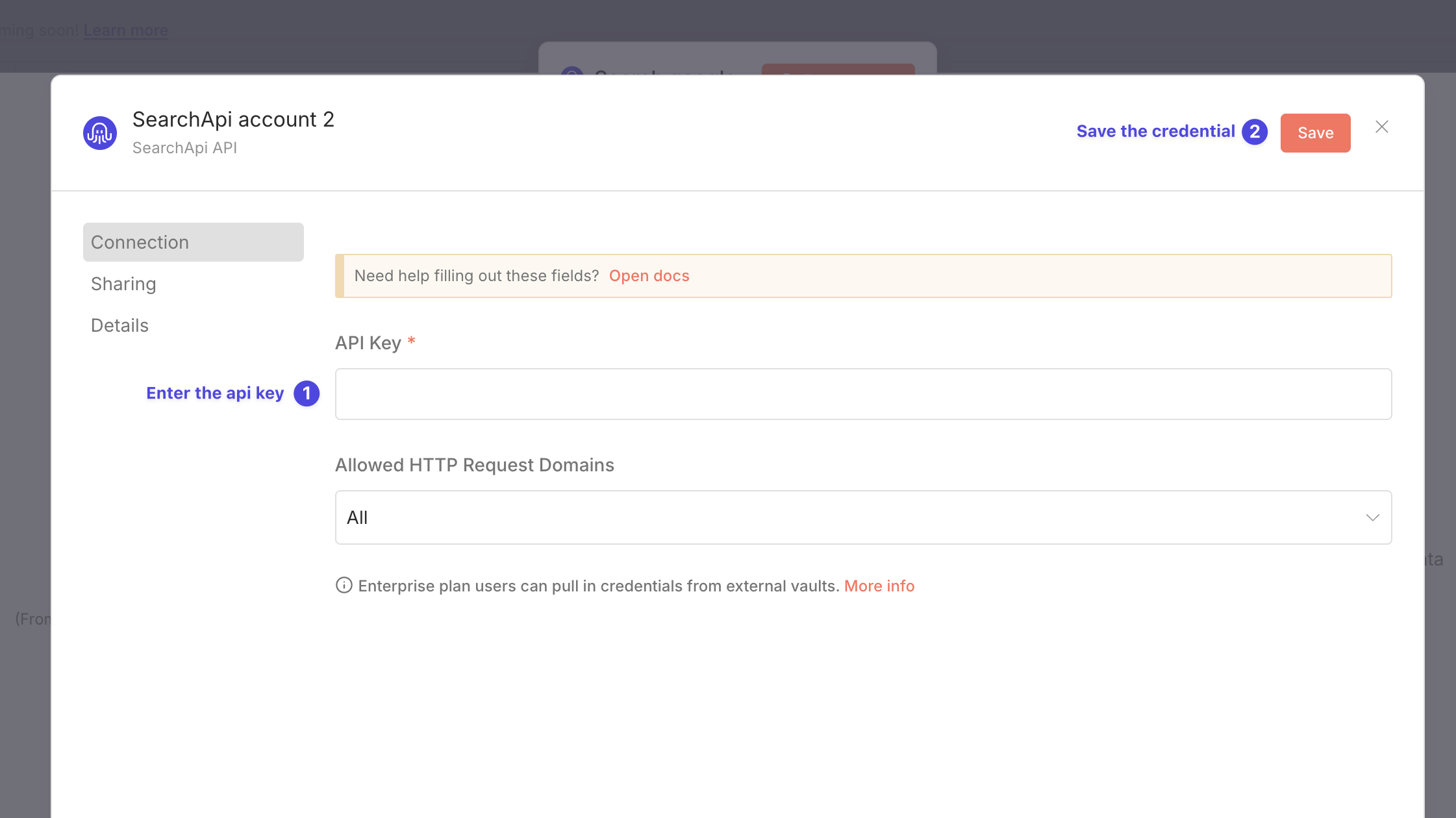
- Go to Credentials → + New Credential → SearchApi.
- Paste the API Key.
- Click Save.
Search
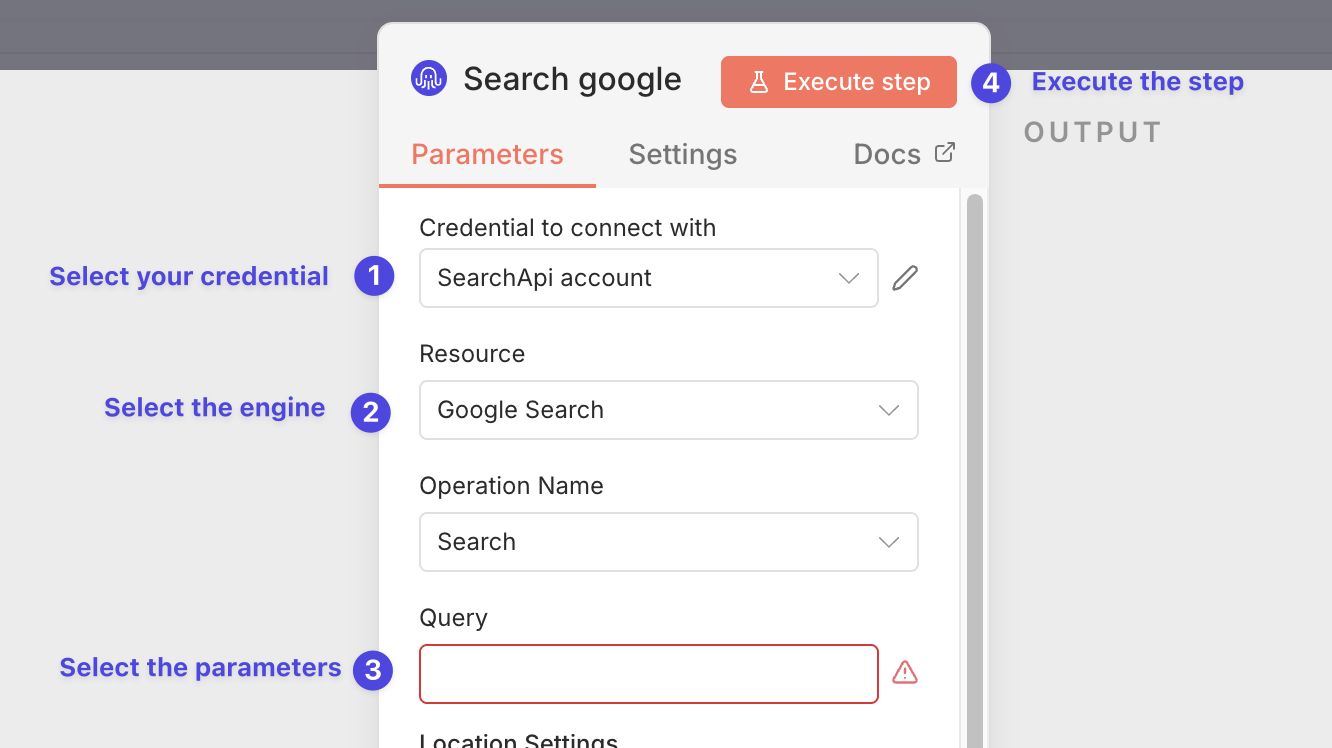
- Create a SearchApi credential in n8n.
- Go to the SearchApi node and select your Credential.
- Select the Engine you want to use.
- Enter the parameters for the engine. After selection, you will see the parameters for the engine. There are also optional parameters that you can use to further refine your search.
- Click Execute to receive the response as JSON.
Resources
- SearchApi.io documentation – https://www.searchapi.io/
- n8n Community Nodes Documentation – https://docs.n8n.io/integrations/#community-nodes
- n8n Community Forum – https://community.n8n.io
Troubleshooting
| Error message | Likely cause | Fix |
|---|---|---|
| 401 Unauthorized | Invalid or missing API key | Double‑check the credentials. |
| 429 Too Many Requests | Rate limit exceeded | Slow down the workflow or upgrade plan. |
| Error loading package / tar ... No such file or directory | Install failed for the scoped npm package | Prefer installing via the nodes panel (search "SearchApi"). If installing manually, use the full package name @searchapi/n8n-nodes-searchapi and retry after clearing the n8n community-node cache. |
| Node not available as AI tool | Community tool usage disabled | On self-hosted n8n, set N8N_COMMUNITY_PACKAGES_ALLOW_TOOL_USAGE=true (n8n docs) and restart n8n. Re-install/reload the node after enabling. |
Version history
You can see the version history here.
Development
- Run
npm installto install the dependencies - Run
npm run devto start n8n with the node in development mode - Open http://localhost:5678 to access n8n with the node loaded
- Make changes to the source files — the node rebuilds automatically on file changes
Other useful commands:
npm run build— compile TypeScript for productionnpm run lint— run ESLint code quality checksnpm run lint:fix— auto-fix linting issuesnpm run check:enums— validate shared enumerations (runs in CI)npm run generate:labels— regeneratenodes/SearchApi/shared/labels.tsnpm run release— bump version, update changelog, and publish to npm