Package Information


Documentation
n8n-nodes-wawp
Wawp Nodes for n8n — Wawp integration that lets you manage WhatsApp sessions, authentication, chats, contacts, groups, channels, labels, statuses, and send messages (text/media/location/poll/etc.) from your n8n workflows.
- Website: https://wawp.net
- Community: https://www.facebook.com/groups/wawpcommunity
- Author: Ahmed Safaa (info@wawp.net) — wawp
n8n is a fair-code licensed workflow automation platform.
Quick Start (Wawp for N8N)
- Navigate to N8N Settings > Community nodes.
- Install @wawp/n8n-nodes-wawp by added to npm Package Name input.
- Create a free Wawp account.
- Connect your WhatsApp number using a QR code on wawp site or by N8N.
- Insert the instance id and access token into the Credential to connect with.
- Customize your selected notification messages.
A Wawp account is required to access all plugin features.
Free plan: Create a new account and send 50 WhatsApp messages/month.
> 👉 Try Wawp for FREE (250 Messages/Month) – Promo landing
> 📌 Facebook Community – Join other users for support, advice, and tips.
📚 Getting started – Step-by-step guides, FAQs, and tutorials.
Installation
Follow the official guide to install community nodes:
https://docs.n8n.io/integrations/community-nodes/installation/
Then install this package on your n8n instance (via UI “Community nodes” or CLI):
# in your n8n container / host
npm install n8n-nodes-wawp
Nodes Included
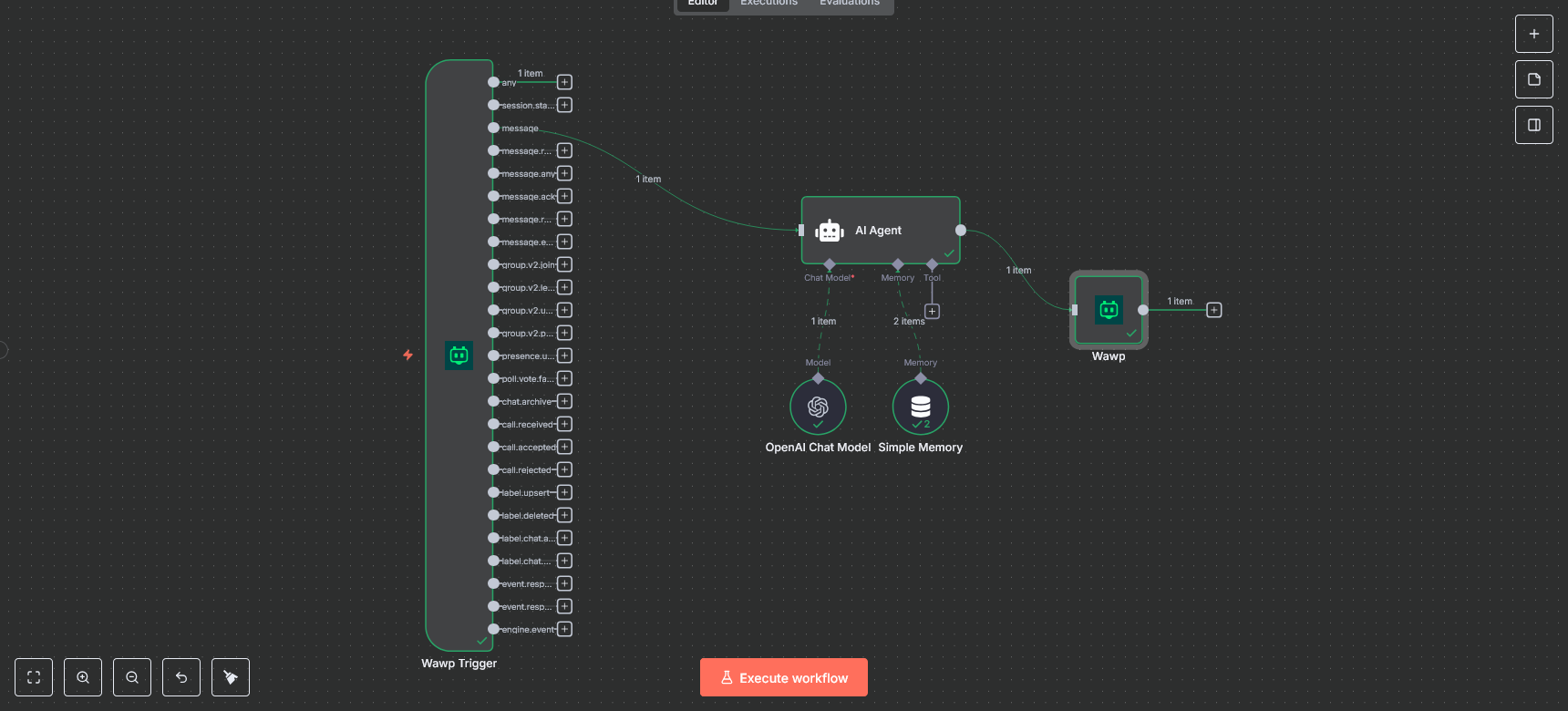
1) Wawp Trigger (webhook)
Receives events from Wawp (e.g. message, message.reaction, message.ack, group.v2.join, presence.update, etc.).
Has a switch-like multi-output: one “any” output + one output per specific event.
Use Test URL (/webhook-test/
Icon support: place wawp.png/wawp.svg in nodes/WawpTrigger/ (bundled to dist via gulp build:icons).
2) Wawp (main action node)
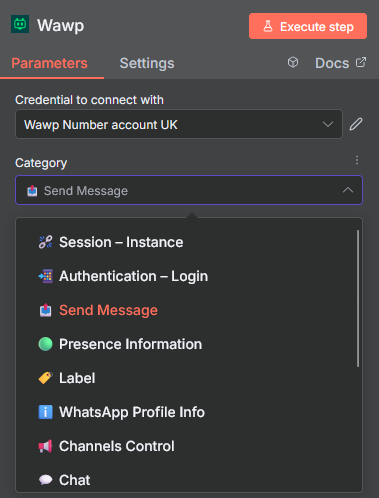
A single node with Categories to keep the UI tidy. Each category exposes only the operations it needs.
⛓️💥 Session – Instances: Create / Start / Stop / Restart / Delete / Logout / Get Info / Me
📲 Authentication – Login: Get QR (raw & image), Request Code
📤 Send Messages: Send Text / Image / PDF / Voice / Video / Location / Poll / Contact Vcard, Mark Seen, Start/Stop Typing, Reaction, Star
🟢 Presence information: Set presence, Get presence by chatId
🏷️ Labels: List / Create / Update / Delete, Labels for a Chat (get/save), Chats with a Label
ℹ️ WhatsApp Profile info: Get profile, Set display name, Set “About” status, Upload/Delete picture
📢 Channels Control: List / Create / Get / Delete, Preview messages, Follow/Unfollow, Mute/Unmute, Search (view/text), Metadata (views/countries/categories)
💬 Chats: List / Overview, Delete chat, Picture, Messages (list/clear/read/byId/delete/edit/pin/unpin), Archive/Unarchive, Mark unread
🔊 24 Hour Status: Text / Image / Voice / Video / Delete
🪪 Contacts: List all, Get, Check phone exists, About, Profile picture, Block/Unblock, Upsert contact
🪪 LIDs: List, Count
👥 Groups: List / Create, Join info / Join, Count / Refresh, Get / Delete / Leave, Picture get/set/delete, Description / Subject,
Security (info-admin-only & messages-admin-only) get/set, Invite code get/revoke, Participants get/add/remove, Admin promote/demote